How to set up a Musician/Band Page on Facebook
Table of Content
As an artist, there are many platforms you can use to build your online presence and grow your audience. Alongside TikTok, Instagram, YouTube, LinkedIn, setting up a musician/band page on Facebook is an effective social media platform to promote your music and grow your audience.
In this step-by-step guide, we will walk you through the process of creating and optimizing a Facebook page that showcases your music, engages with fans, and helps you grow your career.
Facebook Profile vs Facebook Business Page
As an artist, you might be wondering whether you should use a personal page or create a Facebook page to promote your music. While both options allow you to connect with fans and share content, a Facebook page offers significant advantages over a personal profile.
Ease of Getting Followers
Facebook pages make it easy for users to become followers with just a simple click on the "Like" of “Follow” button. In contrast, personal profiles require users to send a friend request, which you need to accept, making the process more time-consuming and less efficient for growing your fan base.
Ability to Add a CTA Button
Call-to-action (CTA) buttons are powerful tools for driving traffic to your website, promoting your music, selling tickets or encouraging fans to sign up for your newsletter. Facebook pages allow you to add a customized CTA button, while personal profiles do not offer this feature.
Flexible Management With Multiple Page Roles
With a Facebook page, you can assign multiple page roles, allowing your team members, such as your manager or social media coordinator, to help manage your page. This feature is not available for personal profiles, which limits your ability to delegate tasks and efficiently manage your online presence.
Dedicated Facebook Messenger Account
Facebook Messenger offers several features that can help musicians and businesses enhance their communication with fans and customers:
- Messenger greetings: Customize greetings to provide essential information before users send messages to your Page.
- Saved replies: Save and reuse messages for frequently asked questions, streamlining communication and saving time.
- Chat plugin for websites: Integrate a Messenger chat plugin on your website, allowing visitors to start a conversation with your business easily.
- Automation: Use tools like Instant Replies, away schedule and messages, and Ads that click to Messenger to automate responses, manage your online presence efficiently, and provide prompt support to fans or customers.
Access to Analytics
Facebook pages provide access to valuable analytics, which are not available for personal profiles. By analyzing data on audience demographics, engagement, and post-performance, you can optimize your content strategy to maximize your reach and grow your fan base.
No Restrictions on Creating Multiple Pages
While you are limited to one personal profile on Facebook, there are no restrictions on the number of pages you can create. This allows you to establish separate pages for different aspects of your music career, such as a page for your solo projects, one for your band, and another for your music teaching services, for example.
Selling Products With Facebook Shops
Facebook pages enable you to set up a Facebook Shop, allowing you to sell merchandise, music, or event tickets directly to your fans. This feature is not available for personal profiles, making a Facebook page the better choice for artists looking to monetize their online presence.


Creating Your Facebook Page
Step 1: Sign up or log in to Facebook
To create a musician/band page, you first need to sign up or log in to your personal Facebook account. This is because Facebook requires every page to have an associated personal profile for management purposes. However, don't worry – your personal information will remain separate from your artist page.
In your personal facebook profile go to the left sidebar [1] and click on "Pages" [2]

Step 2: Click "Create page" and add necessary information
- Head to the Create Page [3]
- Choose a name [4] for your Facebook page that represents your artist or band name. Keep it consistent with your other social media profiles and your music website to maintain a cohesive online presence.
- select the "Musician/Band" category [5]. This will ensure your page is properly categorized and more easily discoverable by fans.
- write a short bio [6]

Customizing Your Facebook Page
Step 3: Add optional contact information, location and opening hours
Make sure to add at least your email and website [8]. The other fields are optional.
Step 4: Add a profile picture and cover photo
Upload a high-quality profile picture [9] and cover photo [10] that represent your brand and music. Your profile picture should be a clear, close-up shot of you or your band logo, while the cover photo can be a promotional image, album artwork, or a photo from a live performance. Keep in mind that these images are often the first impression fans get of your page, so make them count!

Step 5: Add a call-to-action button
Add a call-to-action (CTA) button [11] to your page to direct fans to take specific actions, such as listening to your music, signing up for your newsletter, or purchasing concert tickets. This button is a powerful tool for driving traffic to your website or other online platforms.
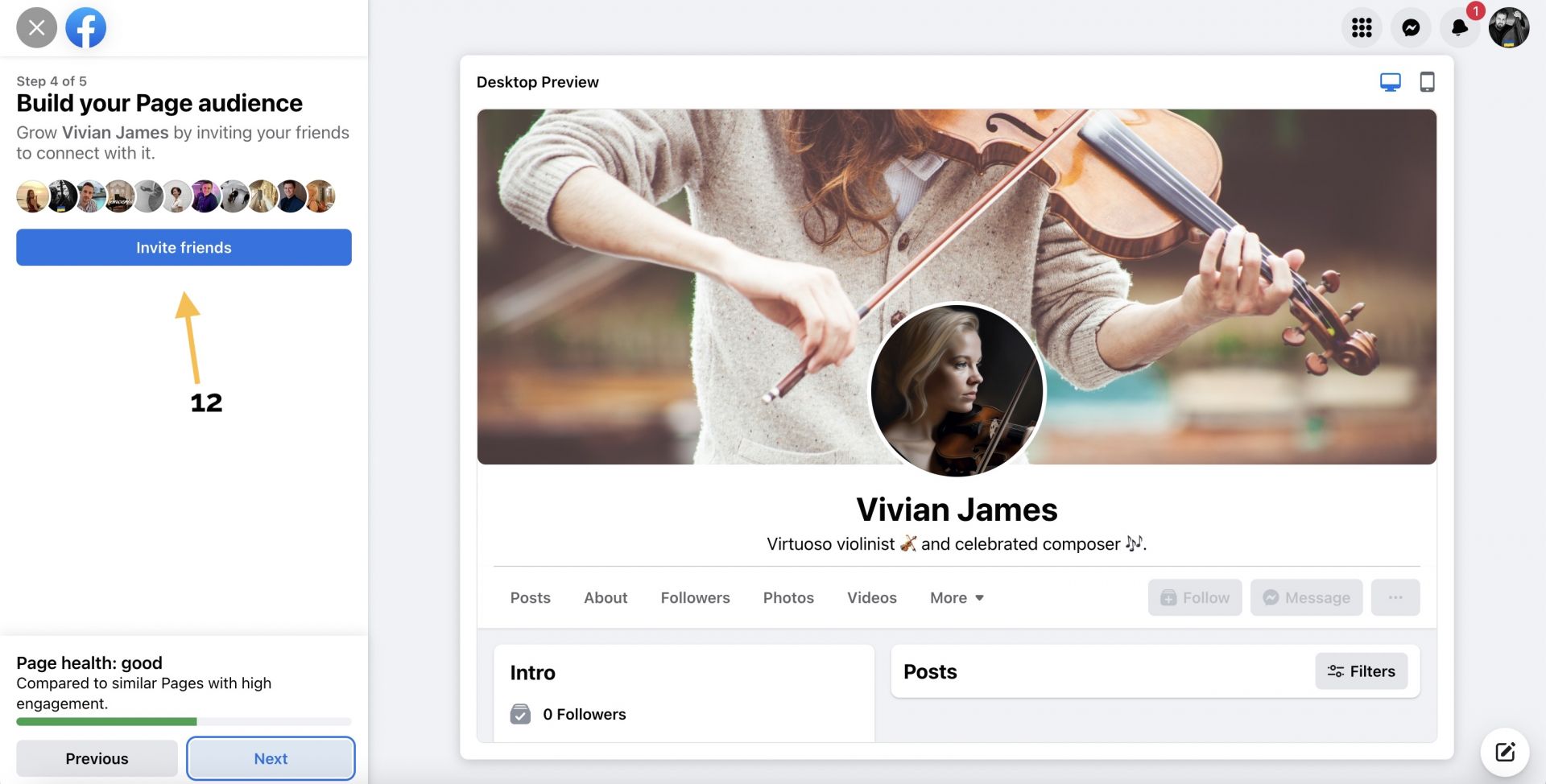

Step 6: Invite your friends to follow your page
Start growing your page and invite your friends and family [12] to become your first followers. Make sure you only invite people who are interested in your content and will interact with it in the future. It's not about the numbers. If you have a lot of followers, but they are not interested in your content, do not like it and do not comment, the Facebook algorithm will think that your content is not good and will stop showing it.
Step 7: Enable notifications
Make sure you are always up to date with all the activity on your page by enabling notifications [13].
Step 8: Launch
Click "Done" [14] and your page is published.
Before writing your first post, it is a good idea to optimize your page further.


Step 9: Complete the "About" section
Fill out the "About" section [16] with relevant information about your music, background, and accomplishments. This section is crucial for helping fans and potential collaborators learn more about you.
Include links to your website, Spotify, and other social media profiles [17]. For more guidance on crafting a compelling artist bio, check out this comprehensive guide.
Step 10: Create custom tabs
Customize your page's tabs [18] to showcase your music, videos, events, and more. You can also integrate other platforms like Instagram or YouTube to create a seamless experience for your fans.

3. Posting Engaging Content
Step 11: Share your music, videos, and photos
Regularly post engaging content to keep your fans interested and up-to-date on your latest projects. Share your music, music videos, behind-the-scenes footage, and photos from live performances or recording sessions. Diversify your content to appeal to different segments of your audience and keep them engaged.
Check out this article for more content ideas.
Step 12: Engage with fans and respond to comments
Interact with your fans by responding to their comments and messages. This not only helps build a strong connection with your audience but also boosts your page's visibility, as Facebook's algorithm prioritizes content with high engagement.
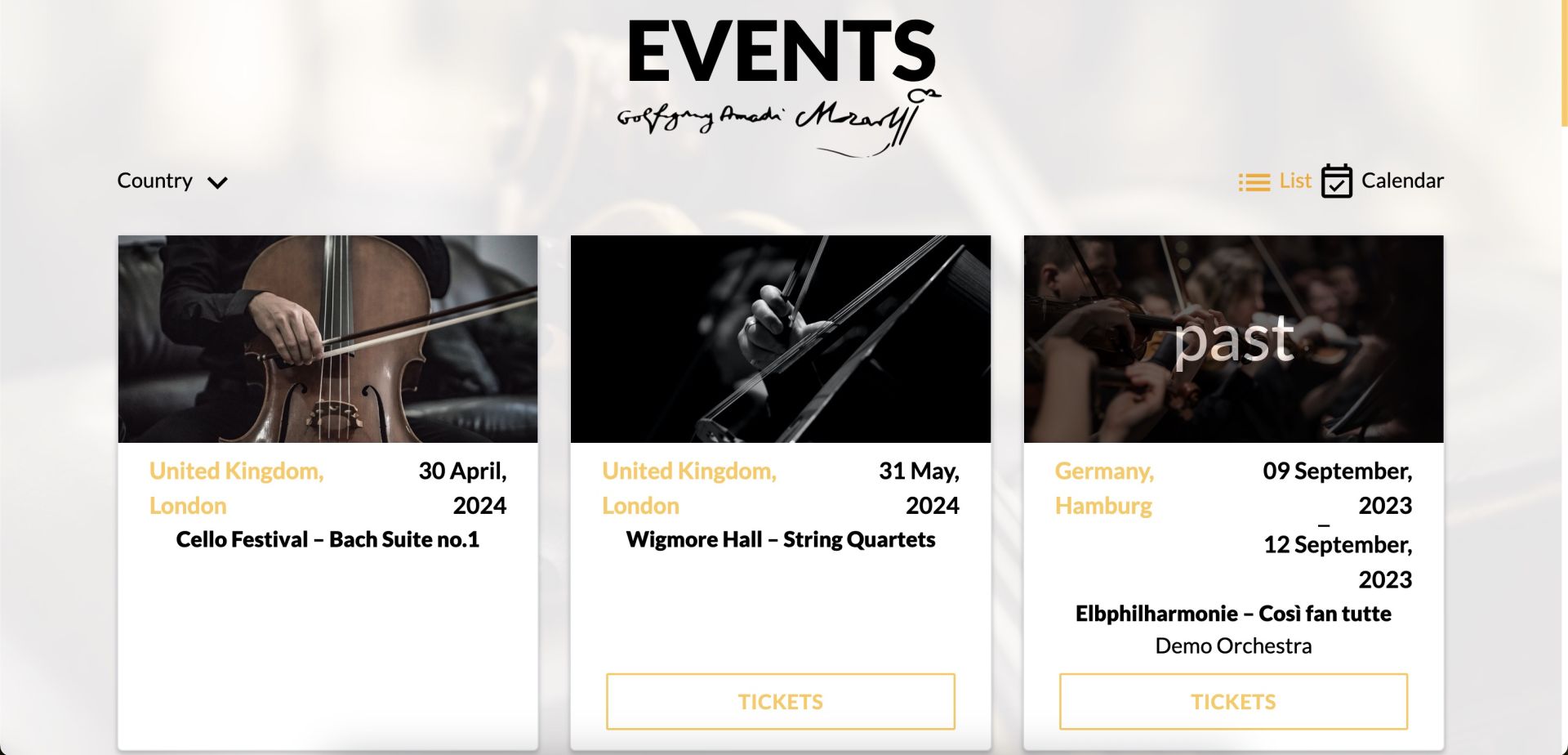
Step 13: Promote your events and tour dates
Use Facebook events to promote your upcoming concerts, live performances, or virtual events. By creating a Facebook event, you can easily share important information, like dates, times, and ticket links, with your fans. You can also use the Facebook Live feature to live-stream performances, Q&A sessions, or studio sessions, offering fans an exclusive look into your creative process.
4. Growing Your Facebook Page
Step 14: Invite friends and fans to like your Page
To grow your fan base, invite your friends, family, and existing fans to like your Facebook page. This helps increase your page's visibility and reach a wider audience.
Step 15: Collaborate with other musicians and bands
Collaborate with other artists and share each other's content on your respective pages. This cross-promotion helps introduce your music to new fans and expands your reach within the music industry.
Step 16: Use Facebook Ads to reach a wider audience
Run Facebook ad campaigns to target specific audiences and promote your music, events, or merchandise. Facebook Ads allow you to customize your target audience based on demographics, interests, and behaviors, ensuring your content reaches the right people.
5. Analyzing Your Facebook Page Performance
Step 17: Use Facebook Insights to track engagement and growth
Monitor your page's performance using Facebook Insights, which provides valuable data on your audience, engagement, and growth. This information helps you understand which types of content resonate with your fans and identify areas for improvement.
Step 18: Adjust your content strategy based on analytics
Use the insights from Facebook analytics to fine-tune your content strategy. Experiment with different types of content, posting times, and engagement techniques to find what works best for your audience. Continuously optimizing your strategy will help you grow your fan base and achieve your music career goals.

FAQs
How do I create a fan page for my music?
Creating a fan page on Facebook is simple. Go to the "Create Page" section on Facebook and choose the "Artist, Band, or Public Figure" category. Fill in the required information and follow the prompts to complete the setup process. Customize your page with a profile picture, cover photo, and relevant information about your music.
How do I promote my Facebook fan page to my fans?
To promote your fan page, leverage your existing social media presence on platforms like Instagram and Twitter. Cross-promote your Facebook page by sharing the link on your other social media profiles and in your email signature. You can also join Facebook groups related to your music genre, engage with fans, and share your page link when appropriate.
Can I link my Instagram account to my Facebook page?
Yes, you can connect your Instagram account to your Facebook page. By linking the two, you can manage both profiles using Facebook's Business Suite and share content seamlessly between platforms.
What is the difference between a public figure and a personal account?
A public figure page is designed for individuals who want to promote their professional work, such as musicians, actors, or influencers. Personal accounts are for individual Facebook users to connect with friends and family. Public figure pages offer features like analytics, ad campaigns, and promotional tools that are not available for personal accounts.
How do I engage with Facebook users on my fan page?
Engage with Facebook users by posting regular updates, sharing behind-the-scenes content, and responding to comments and messages your content for Facebook's algorithm involves creating high-quality, engaging posts that encourage interactions from your fans. Post regularly, respond to comments, and share a mix of text, images, videos, and links. Experiment with different types of content to see what resonates best with your audience. Additionally, consider using Facebook's paid advertising options to boost your content's visibility in the news feed.
How do I create an effective ad campaign on Facebook?
To create an effective ad campaign on Facebook, start by defining your target audience and setting clear objectives for the campaign. Use eye-catching visuals and compelling ad copy to capture your audience's attention. Monitor your ad performance using Facebook's ad management tools and adjust your campaign as needed to optimize your results.
How can I increase my fan page's visibility in the news feed?
To increase your fan page's visibility in the news feed, focus on creating engaging content that encourages interaction from your fans. Post consistently and at times when your audience is most active on the platform. Utilize Facebook's paid advertising options to boost your content's reach and consider collaborating with other musicians or influencers to expand your audience.
Is there a mobile app specifically for managing my Facebook page?
Yes, Facebook offers a mobile app called "Facebook Business Suite" that allows you to manage your Facebook page and other connected social media accounts like Instagram. With the app, you can create and schedule posts, view insights and analytics, and manage ad campaigns, all from your mobile device.