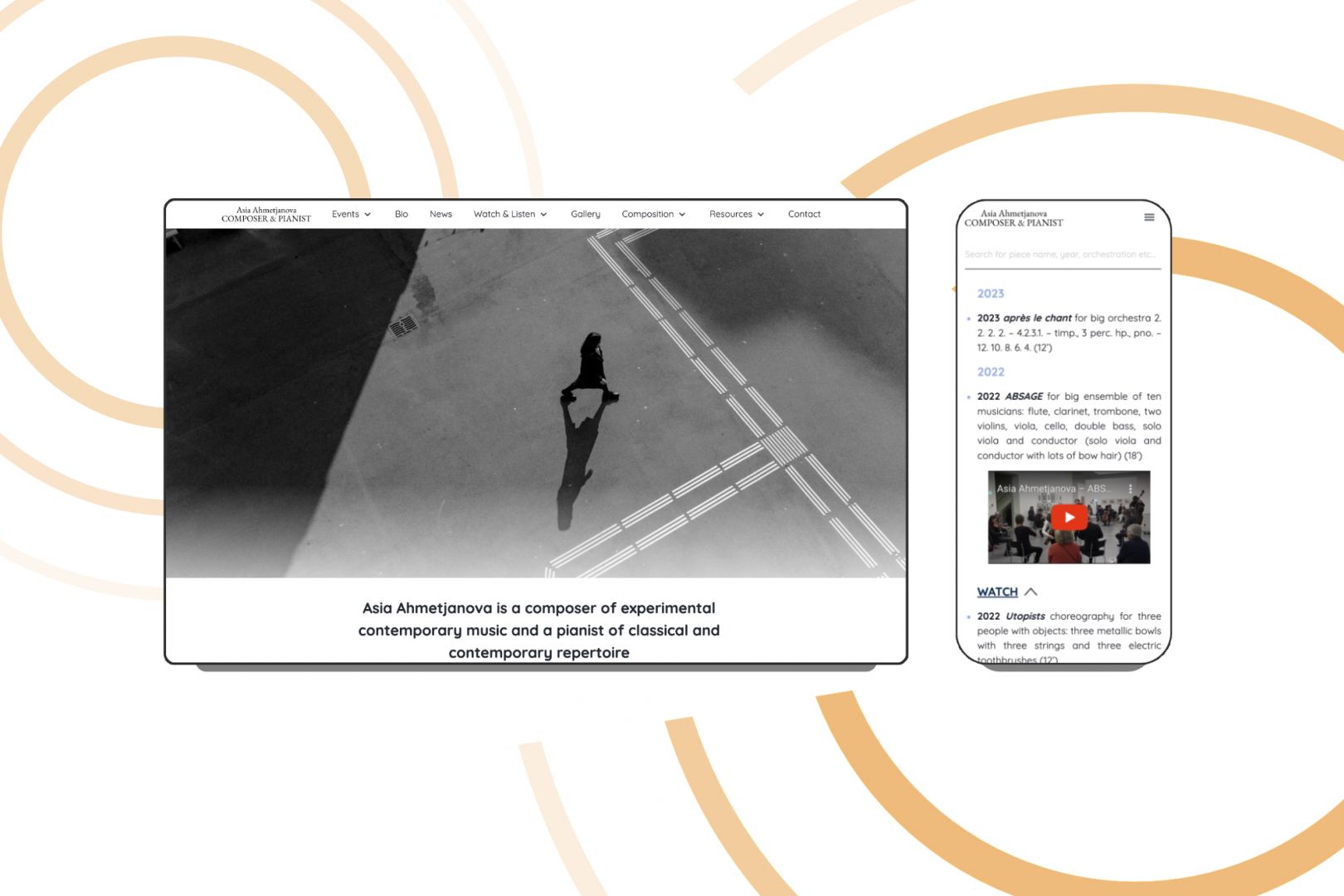
How to Build a Musician Website: Step-by-Step Guide for Beginners
Whether you’re a solo artist just starting out or part of a well-established band, having a dedicated music website is key to building a credible, memorable online presence. Social media platforms are great for connecting with fans and promoting your music, but they can’t replace the benefits of owning your own virtual “home base.” In this article, we’ll break down everything you need to know to create a standout musician website—from budgeting and design to music integration and long-term growth.
Why Do Musicians Need a Website?
Before we dive into the "how-to," let’s address the question: why do musicians need a website? Here are a few compelling reasons:
- Central Hub for Information: Your website can serve as a central platform for all your music, tour dates, press kits, and contact information.
- Enhances Professional Image: A professionally designed website projects credibility and seriousness about your craft.
- Direct Fan Engagement: You can interact directly with fans through newsletters, blogs, and social media links, strengthening your community.
- Control Over Branding: A website allows you to showcase your personality and style without relying on social media platforms’ limitations.
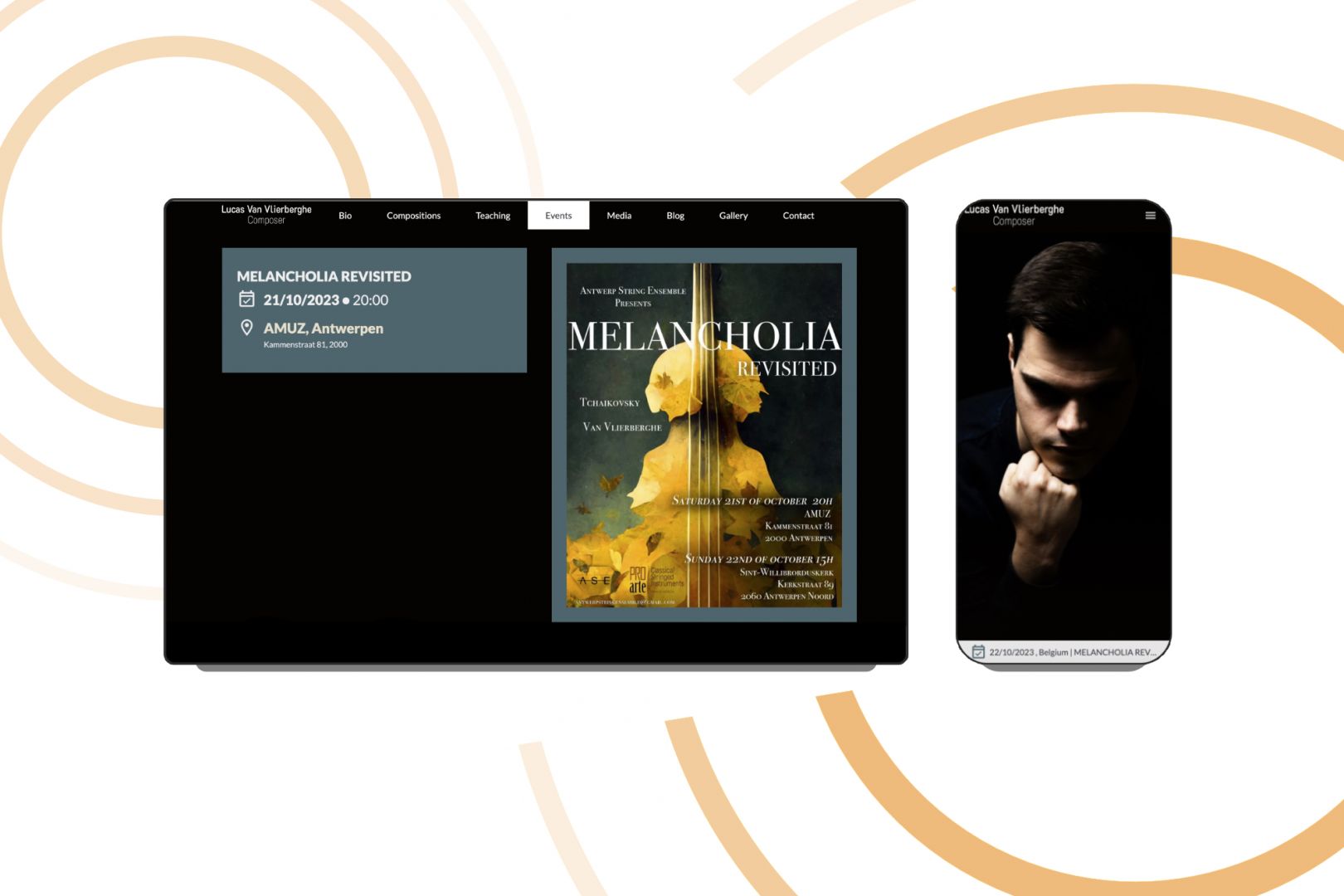
Step 1: Define Your Website's Purpose
Before you start building, clarify what you want your website to achieve. Ask yourself:
- Do you want to promote your music, sell merchandise, or share blog posts?
- Are you looking to connect with promoters, fans or other musicians?
Once you have a clear purpose, you can tailor your music website accordingly.
Step 2: Choose Your Route: DIY or Hire a Professional
Before diving into the technical aspects of selecting a website builder, it’s important to determine whether you’ll be building your site on your own or working with a professional designer. Both approaches have advantages and drawbacks, so weigh them carefully based on your time, budget, and skill level.
DIY Website Creation
Pros:
- Cost-Effective: You’ll save money by handling the design and development yourself.
- Creative Control: You have the freedom to experiment with layouts, color schemes, and content until they match your vision.
- Skill Building: Learning basic web design and SEO can be beneficial long-term, giving you the ability to make future tweaks independently.
Cons:
- Time-Consuming: You’ll need to invest time learning design tools, plugins, and troubleshooting issues as they arise.
- Limited Expertise: DIYers may miss advanced features or optimizations—like specialized SEO tactics or custom integrations—that can elevate a website.
- Potential for Mistakes: Without a professional’s guidance, it’s easier to overlook best practices in design, branding, or security.
- Template limitations: Each template has its limits and without advanced programming skills you wouldn't be able to add new features easily.
Hiring a Professional
Pros:
- Tailored Brand Identity: A web designer can craft a site that perfectly reflects your musical style and branding.
- Time Savings: Professionals handle the heavy lifting—setup, design, optimization—so you can focus on creating music.
- Advanced Functionality: If you need complex features (e.g., membership areas, custom streaming, merch stores), a professional can implement them more efficiently.
- Ongoing Support: You’ll have a go-to resource for updates, troubleshooting, and future redesigns.
Cons:
- Higher Upfront Cost: Hiring a professional involves a larger initial investment than a DIY approach.
- Reliance on Designer: If you want to make frequent changes yourself, you’ll either need access to the back-end or be comfortable waiting for your designer to do them.
If you decide to go DIY
Step 3: Choose a User-Friendly Website Builder
Opt for a website builder that offers user-friendly features and templates suitable for musicians. Popular platforms like Wix, Squarespace, or WordPress provide easy drag-and-drop interfaces that simplify website creation. Here are some options to consider:
- Wix: Great for customization, with over 900 templates tailored for various needs, and includes integrated SEO tools to enhance visibility.
- Squarespace: Known for stunning design templates that help you maintain a professional appearance, along with built-in marketing tools.
- WordPress: Offers extensive customization possibilities, but may require a steeper learning curve.
Actionable Tip:
The best website builder for those who want maximum flexibility — WordPress.
The best website builder for those who want the easiest website creation from a temlpate — Squarespace.
Take advantage of any free trials every website building platform offers to explore their features before committing.
Step 4: Register Your Custom Domain Name
Your domain name is your online identity. It's crucial to choose a name that reflects your brand as a music artist. Here are some tips:
- Use your name or a variation that represents your artistry.
- Keep it simple, memorable, and easy to spell.
- Check for availability on domain registrars like Namecheap or GoDaddy.
Need ideas? Check out our AI Band Name Generator!
Learn everything you need to know about Domain name registration
Step 5: Choose a Template and Customize It
Pick a music website template that aligns with your brand and customize it to suit your aesthetic. Most website builders allow you to change colors, fonts, and layout designs easily. Be attentive to the following sections:
- Homepage: Your homepage should capture your audience’s attention immediately. Include your latest album, a prominent call-to-action (like “Listen Now”), or upcoming tour dates.
- About Page: Share your story, influences, and the journey behind your music. This helps fans connect personally.
- Discography: Showcase your music. Include links to streaming platforms, music videos, and descriptions of each album or track.
- Contact Page: Make it easy for promoters or collaborators to reach you. Include a contact form and social media links for deeper engagement.
Actionable Tip:
Create a cohesive color palette and typography that reflects your brand throughout your musicians website.
Step 6: Focus on Essential Features
You’ll want to ensure your musician website includes these must-have features:
- Music Player: Integrate a music player for visitors to listen to your tracks directly on your site.
- Tour Dates: An easily accessible list of where and when you’re performing.
- Newsletter Signup: Build an email list to keep fans updated on new releases and events.
- Social Media Integration: Link your social media accounts to enhance connectivity and sharing.
Step 7: Optimize for SEO
Search Engine Optimization (SEO) is key to making your professional website visible. Keep in mind that your SEO strategy may differ depending on the primary purpose of your site:
- Personal/Press Kit Artist Website: If your site is mainly a digital “business card” or press kit, people will most likely find you by searching for your name (e.g., “Your Name and Surname”). Focus on optimizing around your artist name, adding relevant keywords to page titles, headings, and metadata so you appear at the top of search results for your own brand.
- Service-Oriented Website: If you’re selling specific services—like a string quartet in Budapest or a cover band for birthday parties—then it’s crucial to target localized keywords (e.g., “string quartet in Budapest,” “live cover band for birthday party”). Implementing local SEO techniques (e.g., Google Business Profile listing, location-focused content) can help you rank higher for these specific, high-intent searches.
Check out our article to learn more in-depth information on SEO strategies for musicians
Basic SEO Strategies
1. Use Relevant Keywords
Incorporate primary and secondary keywords—whether they’re your name or service-based terms—naturally throughout your site.
2. Optimize Images
Use descriptive file names (e.g., “john-doe-concert.jpg”) and alt tags to provide context to search engines and improve accessibility.
3. Create Fresh Exclusive Content
Regularly post blogs, news updates, or videos to signal search engines that your site is active. This helps boost rankings over time.
Actionable Tip
Use SEO tools like Google Analytics and Google Search Console to track your website’s performance, and adjust your strategy (keywords, content type) based on the data you collect.
Step 8: Launch and Promote Your Website
Before launching, thoroughly test your website across various devices and browsers to ensure it’s responsive and performs well. Once you’re confident, launch your site! Promotion is crucial, so consider these strategies:
- Share your musician website on your social media platforms.
- Utilize platforms like Instagram or Facebook to drive traffic.
- Collaborate with other musicians or bloggers to cross-promote.

Additional Considerations for Musicians
Here are some additional thoughts you might want to consider when building and maintaining your music website. Beyond the initial setup, these points will help refine every aspect of your online presence—from budgeting and e-commerce to advanced SEO and community-building—ensuring your website remains professional, engaging, and primed for growth.
Budget and Costs
Hosting, Domain, and Platform Fees
- Domain Name: Often around $10–$20/year depending on availability and the domain extension (e.g., .com, .music, .net).
- Hosting: A basic shared hosting plan can cost $5–$15/month. If you expect heavy traffic or need more bandwidth for large audio/video files, consider upgrading to VPS or dedicated hosting, which can range from $20–$80/month and up.
- Platform Costs:
- Wix: Free plans are available but include Wix branding. Premium plans can start at around $16/month, plus costs for additional apps.
- Squarespace: Plans start at about $16/month, offering beautiful templates and built-in features.
- WordPress: The software is free, but you’ll need a hosting plan (and possibly premium themes or plugins) that can add $0–$100+ monthly, depending on your choices.
Potential Extra Expenses
- Premium Templates: Typically $30–$200 for advanced themes (particularly on WordPress).
- Plugins/Apps: E-commerce, SEO, or music-player plugins might add monthly fees ranging from a few dollars to $50+.
- Professional Services: If you hire a web designer or SEO specialist, factor in one-time or ongoing service fees.
E-Commerce and Merch Sales
Setting up an online store is essential for revenue through merch, digital downloads, or physical album sales.
Choosing the Right E-Commerce Platform
- Native Platform Stores: Wix Stores, Squarespace Commerce, or WooCommerce (for WordPress) integrate seamlessly and are beginner-friendly.
- Payment Gateways: PayPal, Stripe, and Square are common. Transaction fees and geographic restrictions vary, so choose one that fits your fanbase and budget.
Tips for Merchandise Sales
- Merch Pages: Create a dedicated page showcasing T-shirts, posters, vinyls, or digital downloads.
- Bundle Offers: Encourage fans to buy multiple items by offering bundles (e.g., T-shirt + album download).
Detailed Music Integration
Embedding Audio Players
- Built-In Music Players: Many themes and site builders (e.g., Band Theme for WordPress) include a native audio player.
- Third-Party Embeds: Spotify, Apple Music, Bandcamp, or SoundCloud provide embed codes you can paste into your site. This can help reduce server load and improve music streaming performance.
Best Practices
- Optimize Load Speed: Embeds can slow down a page if you overuse them. Spread players across multiple pages or utilize “lazy loading” options.
- SEO Considerations: Each track or album page should include descriptive text and metadata to boost search engine visibility (e.g., “acoustic folk album by [Your Name]”).
Copyright and Licensing
Cover Songs and Third-Party Content
- Licensing: If you embed cover songs, you may need a mechanical license or specific permissions. Check with the appropriate performing rights organization in your region.
Protecting Your Own Work
- Copyright Notices: Add a simple “© [Year] [Artist Name]. All Rights Reserved” in your site footer.
- DMCA Protection: If you want extra security, register with a DMCA takedown service that can help remove unauthorized content.
Mailing List and Email Marketing
Choosing an Email Marketing Platform
- Popular Options: Mailchimp, ConvertKit, and AWeber are popular for music-centric email campaigns.
- Integration: Most website builders offer built-in signup forms or plugins, allowing you to embed forms on any page or pop-up.
Growing Your List
- Exclusive Content: Offer a free track or behind-the-scenes video for signing up.
- Consistent Outreach: Send regular updates about new music, tour dates, or personal stories to keep fans engaged.
Website Security and Data Privacy
Protecting Your Site
- SSL Certificate: Encrypts data, reassuring fans who purchase merch or sign up for newsletters. Many hosting providers include a free SSL with their plans.
- Updates & Patches: Regularly update your platform, themes, and plugins to close security loopholes.
Maintenance and Ongoing Updates
Keeping Content Fresh
- Post Regular Updates: Share new singles, behind-the-scenes blog posts, or upcoming gig announcements.
- Backups: Schedule automated backups through your hosting or a plugin to avoid losing data.
Performance Optimization
- Image Compression: Large files can slow down your site. Tools like TinyPNG or ShortPixel help optimize images without losing quality.
- Plugin Updates: Outdated plugins can cause security risks and site crashes; set a monthly reminder for updates.
Privacy Regulations (GDPR, CCPA, etc.)
- Consent Banners: If you have international fans, install a cookie consent banner.
- Privacy Policy: Clearly state what data you collect and how it’s used. This can prevent legal issues down the line.
Measuring Success and Analytics
Key Metrics for Musicians
- Traffic & Bounce Rate: Understand how many people visit your site and whether they stay or leave quickly.
- Music Plays & Streams: Track which tracks get the most engagement if you have analytics embedded in your music player.
- Email Signups: Monitor growth in your mailing list over time.
- Merch Sales & Ticket Conversions: Evaluate what products or events sell best.
Advanced SEO and Promotion
Boosting Search Visibility
- Keyword Targeting: Incorporate phrases like “indie rock musician in [city]” or “electronic composer for film” in your page titles and content.
- Local SEO: List your studio address or city-based gig information, and register on Google Business Profile for local search visibility.
Data-Driven Improvements
- Google Analytics & Search Console: Free tools that provide insights into audience demographics and search performance.
- A/B Testing: Test different calls-to-action or page layouts to see which improves conversions (e.g., newsletter signups, purchases).
Voice Search and Beyond
- Conversational Keywords: Phrases like “Who is the best jazz pianist in Chicago?” or “Where can I find live folk music?” can help you rank for voice queries.
- Structured Data: Using schema markup for events, albums, and reviews can improve how your site appears in search engine results.
Key Considerations for a Successful Musician Website
1. Choosing the Right Hosting & Platform Tier
- Free vs. Premium Plans: Free plans often place their branding on your site, offer limited bandwidth, and don’t let you connect a custom domain. Premium plans remove ads and typically offer more advanced features.
2. Band website vs. Independent Artist
- If you’re a music band, you might need separate bio pages for each member or a collaborative “About” page. Plan out navigation to showcase group projects, side gigs, or rotating members.
3. Audio Quality & Formats
- Streaming is generally best for reducing bandwidth usage. If you host your own audio (MP3, WAV), keep file sizes manageable to avoid slowing down the site.
4. Visual Branding & Graphic Elements
- Investing in professional photos and cohesive album art can elevate your website design. Consistency across your site and social media fosters stronger brand recognition.
5. Fan Interaction & Community Building
- Consider adding forums, live chat, or Q&A sections to deepen fan engagement. However, be prepared to moderate discussions.
6. Press Kit (EPK)
- Create an EPK page or downloadable PDF with high-res images, a concise bio, discography highlights, press quotes, stage plots, and contact info. Make it easy for festival organizers or journalists to find all the essentials in one place.
7. Multilingual or Global Audience
- If you have fans abroad, consider translating key pages. Tools like Weglot (for WordPress themes) automate much of the process, though manual edits ensure cultural nuances remain accurate.
8. Website Accessibility
- Aim for WCAG compliance. Simple steps like alt text on images, proper heading structure, and color contrast can make your site accessible to all fans, including those with visual or hearing impairments.
9. Advanced Marketing Integrations
- Track conversions (like ticket sales or merch purchases) with tools such as Facebook Pixel or Google Ads. Retarget site visitors who abandoned their cart or didn’t complete signup forms. Check out our in-depth article on marketing for musicians
10. Future-Proofing & Scalability
- If your audience grows, you might need membership-only areas for exclusive content or fan clubs. Start with a platform that offers easy upgrades.

Why Work With a Professional Designer Instead of DIY?
Even though you can build your solo or band website with a site builder and customizable templates, hiring a professional designer can significantly impact the look, functionality, and long-term success of your site and its impact on your music career:
1. Tailored Brand Identity
A design pro ensures that everything—from the color scheme to the site layout—reflects your musical genre and personal style.
2. Time Savings & Efficiency
As a musician, your focus is on creating and performing. A professional takes care of design, troubleshooting, and SEO so you can focus on what you love.
3. Advanced Functionality
Need a custom streaming solution or an interactive fan club section? Designers have the know-how to implement complex features without breaking your site.
4. SEO Expertise
A well-structured site with optimized metadata can dramatically improve your visibility. Designers familiar with SEO can help you climb higher in search results.
5. UX & Responsive Design
A professional designer ensures your site looks and functions beautifully on all devices—phones, tablets, laptops, and desktops.
6. Ongoing Support & Maintenance
As you release new music or redesign your brand, a professional designer can adapt your site to keep it fresh and functional.
7. Credibility & Industry Impressions
Promoters and labels often gauge professionalism by your online presence. A polished site can open doors to collaborations and bigger gigs.
Here are some questions you should ask a web designer before hiring them!
Ready to Shine Online?
Building a musician website is a powerful investment in your career. It’s your digital stage—open 24/7 to connect with fans, host your music, and attract new opportunities. Whether you decide to DIY or work with a professional web designer, remember that consistency, branding, and user experience are paramount.
Want expert help creating a tailored website that sets you apart?
At inClassics, we specialize in building professional, musician-focused websites that look stunning, load fast, and convert casual visitors into loyal fans. Book a free consultation to explore how we can elevate your online presence.