Using Google Maps & Reviews to Get More Local Fans
If you’ve ever typed “live music near me” or “jazz singer in [City]” into Google, then you know just how powerful Google Maps and online reviews can be. They’re not just for restaurants or coffee shops – they’re game-changers for musicians, DJs, and bands looking to grow a local fanbase.
By fully optimizing your presence in Google’s local results and harnessing positive reviews, you ensure that more fans discover your music when searching for entertainment in your area.
Below, we’ll explore how Google Maps can put you on the local map (literally), why reviews matter for your band’s credibility, and how to integrate both into a winning local SEO strategy.
Why Google Maps & Reviews Matter for Musicians
Showcasing Local Music Venues
If you regularly perform at local bars, clubs, or event spaces, you can benefit from being associated with those venues’ Google Maps listings. Fans who look up the venue might see your band mentioned, or you can create your own listing if you host private shows or offer music lessons from a studio.
Pro Tip: If you run a home-based music studio or teach lessons in a certain location, you can register a Google Business Profile (GBP) and pin your location on the map. This helps local enthusiasts find you easily.
Building Social Proof Through Reviews
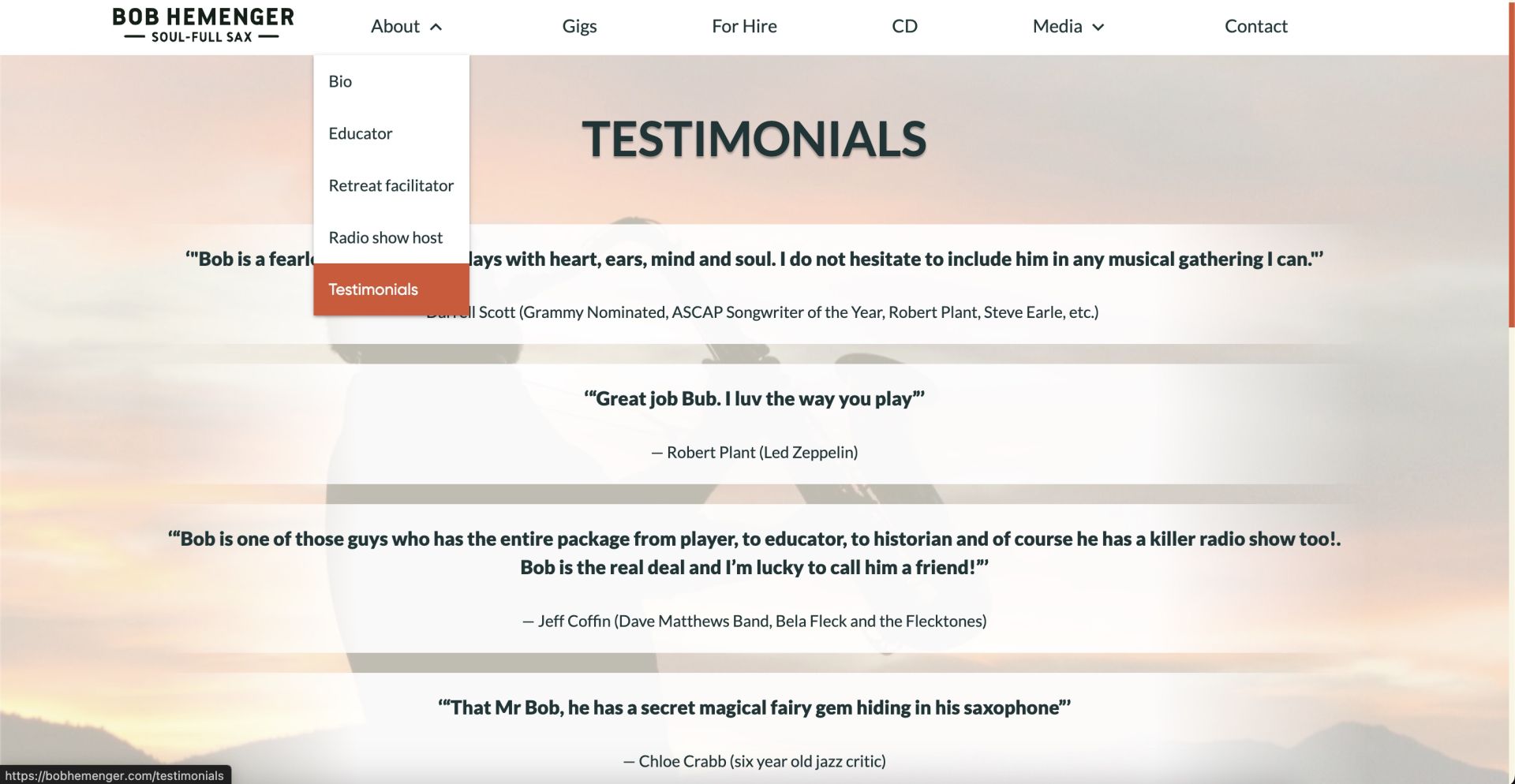
People rely heavily on online reviews to decide which businesses or services to trust. For musicians, a collection of glowing, descriptive reviews can signal authenticity to new listeners looking for live music – or to local event organizers seeking an act with proven crowd appeal.
Increased Local Search Visibility
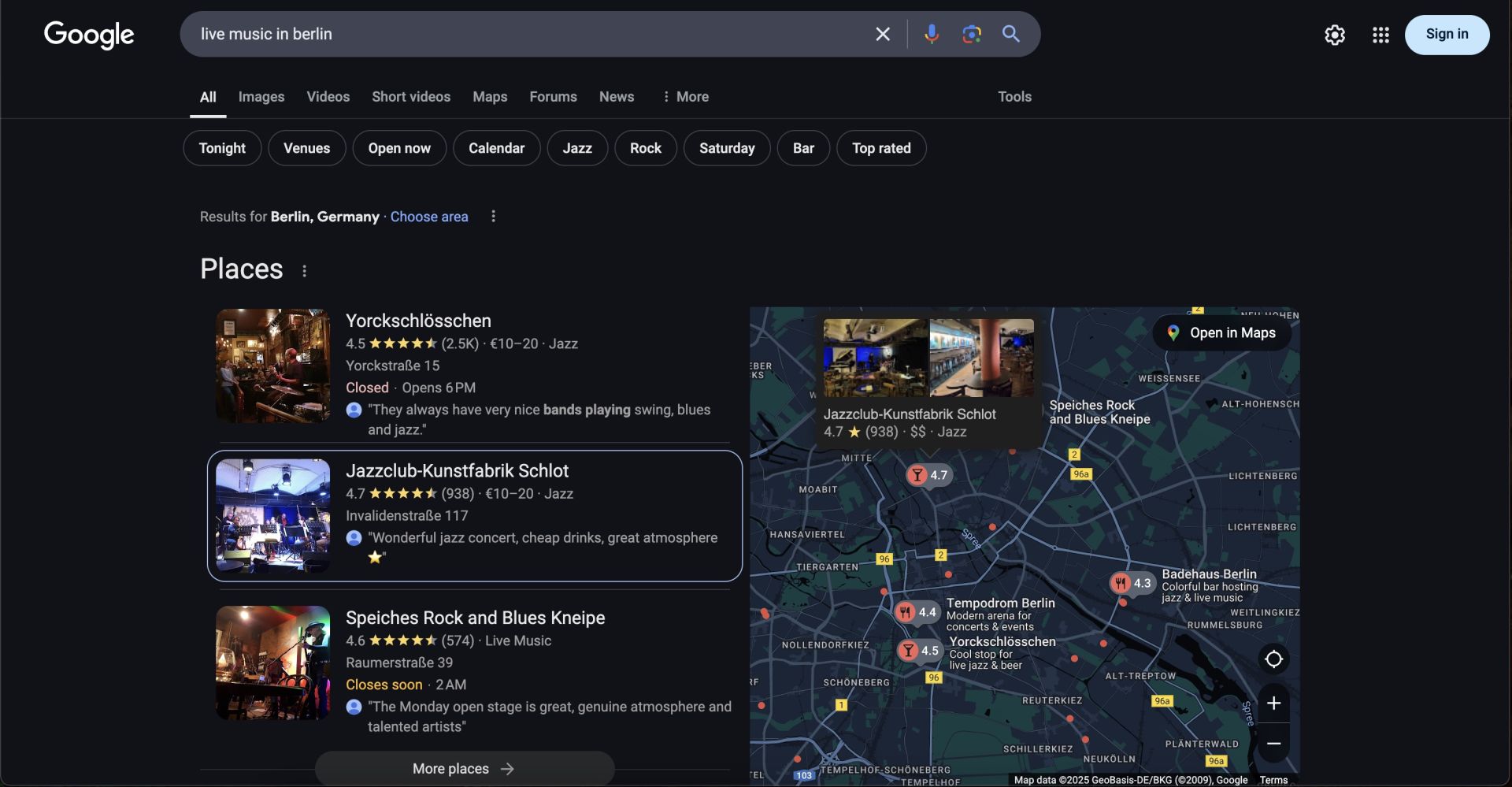
Google’s algorithm often serves up map-based results in the coveted “Local Pack.” If someone searches for “live music in [City],” Google displays a short list with a map snippet. By optimizing your listing and building great reviews, you increase your chances of appearing in that top spot. The result: more local fans stumbling upon your name.
Setting Up & Optimizing a Google Business Profile
Claim or Create Your Listing
- Band or Solo Musician: If you have a rehearsal space or music studio, treat it like a local business location for Google.
- Use a Legitimate Address: Google requires a physical address. If you don’t want your home address public, consider marking your listing as a “service area business” that travels to events, which still allows you to appear on Maps in a more general region.
Fill Out Every Field
- Name & Category: Keep it consistent with your brand. Categories might be “Musician,” “Music Instructor,” “Live Music Venue,” depending on what you do.
- Description: Summarize your music style, influences, and best-known tracks. Insert local keywords like “[Genre] band from [City].”
- Photos/Media: Upload show pics, album covers, or rehearsal shots. Imagery fosters trust and generates interest.
Managing Service Areas
If you’re a roving performer (like a wedding singer covering multiple cities), you can set a radius or specify different service areas in your Google Business Profile. This ensures you appear for local searches across that broader region.
Getting & Leveraging Reviews
Encouraging Fan Feedback
After a show or music lesson, ask satisfied attendees or clients to leave a Google review. Provide a direct link if possible – making it easy for them to click, rate, and write.
Tip: The marketing study referenced points out how review keywords can bolster SEO. So if fans mention “best blues singer in [City],” that might help your listing rank better for those queries.
Respond to Reviews (Both Good and Bad)
- Positive Reviews: Thank fans or clients politely, referencing their experience (“So glad you enjoyed our acoustic set!”).
- Negative or Critical Reviews: Stay calm, address the concern, and invite them to continue the conversation offline if needed. Demonstrating professionalism can salvage your reputation in the eyes of future readers.
Showcasing on Your Site & Social
Include rave reviews on your official website or within your social media content. This cross-pollinates user-generated endorsements, strengthening your brand’s authenticity across platforms.
Advanced Tactics for Google Maps Visibility
Embedding a Google Map on Your Website
If you teach from a studio or regularly play at a certain venue, embed a Google map on your “Contact” or “Shows” page. This can slightly enhance local signals and helps visitors confirm your location quickly.
Use Geotagged Photos
If you run a WordPress or easy site builder, you can geotag your images (meaning they contain location data). Some SEO experts believe geotagged pics can reinforce location relevance. It’s a subtle point, but every bit can help.
Earn Local Backlinks
When possible, build relationships with local community websites or event calendars. Ask them to link to your site or listing. For instance, a local city guide’s “Live Music This Week” page referencing you can yield domain authority to your brand. These inbound links also help confirm your location to search engines, potentially boosting your map rank.
Creating Local Music Content
Blog About Local Shows
For every gig in your hometown, write a short recap. Include the venue name, neighborhood references, and upcoming performance teasers. Over time, these blog posts accumulate local keywords that help search engines see you as a consistent presence in the local scene.
Collaborate with Local Artists
Joint shows or collabs can be blogged about or pitched to local media. The more local coverage you get (and the more local references appear in your site text), the better you rank for “[Your Genre] near me.”
Engage Local Press
Send short announcements to local journalists about your new single or big upcoming show. They might mention you in their local entertainment section, linking back to your site or your Google Maps listing. Each mention adds to your local prominence.
Measuring Your Progress
Google My Business Insights
Your GBP includes an “Insights” tab that tracks:
- Search Queries: The terms fans used to find your listing.
- Views & Actions: How many people called or requested directions.
- Photo Views: Engagement on your gallery images.
Google Search Console & Analytics
Check:
- Queries for local-themed terms like “live music near me” or “open mic near [City].”
- Click-Through Rates (CTR): Are more local searchers clicking your results after you improved your listing?
Adjust & Update
- Reviews: If you’re seeing fewer than expected, do a quick email or social push: “Review our live set on Google if you had a great time.”
- Profile Info: Keep your listing’s event details fresh. Outdated info is a major turn-off for local search results.
Need Help Integrating Maps & Reviews?
While these steps can be done yourself, it might feel overwhelming—especially if you’re juggling rehearsals, gigs, and day jobs. Our musician-focused website design services seamlessly integrate Google Maps, review widgets, and local SEO best practices. That way you can focus on the music, while your site stays in prime position for local queries.
Common Pitfalls (and How to Avoid Them)
- Inconsistent NAP: If your band name, address, or phone number differ across social profiles or directories, it confuses Google. Keep them uniform.
- Ignoring Negative Feedback: Unresponded bad reviews can tank your overall rating. Prompt communication can defuse issues and show professionalism.
- Stuffing Keywords: Don’t overdo “live music near me” in your site text or listing. Keep it natural.
- No Engagement: Getting your listing in place is the first step. Ongoing updates, show announcements, and fresh photos keep it relevant.

Frequently Asked Questions (FAQs)
Q1: Can I optimize for ‘live music near me’ if I don’t have a permanent venue?
Yes. You can still create a Google Business Profile as a “service area business” or brand. Emphasize the neighborhoods where you regularly gig, or if you do traveling shows, specify your region.
Q2: Do I need a separate page on my site for each city I play in?
If you frequently serve multiple cities, dedicated pages can help rank in each area. If you only occasionally do out-of-town shows, one main “Shows” page might suffice—just keep your local references updated.
Q3: Is it weird to ask fans directly for a Google review?
Not at all. Just keep it casual: “If you enjoyed tonight’s show, we’d love a quick review on Google.” People often comply if they had a good experience.
Q4: Why do some lesser-known artists appear above me on local searches?
They might have a more optimized Google Business Profile, consistent local citations, or better external links. It’s not always about fame—sometimes it’s about SEO thoroughness.
Q5: What’s the best way to handle conflicting addresses if I move often?
If you’re a traveling act, use “service areas.” If you have a new stable address, update it across all citations (website, GBP, Yelp, social pages) promptly.
Conclusion
With the right steps, Google Maps and online reviews can do wonders for attracting more local fans—and hooking venue organizers who want fresh talent in the area. Start by optimizing your Google Business Profile, encourage fans to leave reviews, and maintain consistent, location-rich content on your site. As a result, you’ll find your act becomes easier to discover for queries like “live music near me” or “local [genre] band.” That translation from digital presence to real-world fans is what local SEO is all about.
Next Step: Dedicate a few hours to setting up or refining your Google Maps presence. If the technical side feels daunting, we can help. Our musician-focused web design seamlessly integrates local SEO elements, ensuring your site thrives in local search while letting you concentrate on nailing your next show. After all, your time is better spent rehearsing, not wrestling with Google’s algorithm—and the payoff is a closer bond with the audiences who matter most.