Discography Page Management
Check out discography page demo and a discography item demo
Create a Discography Item


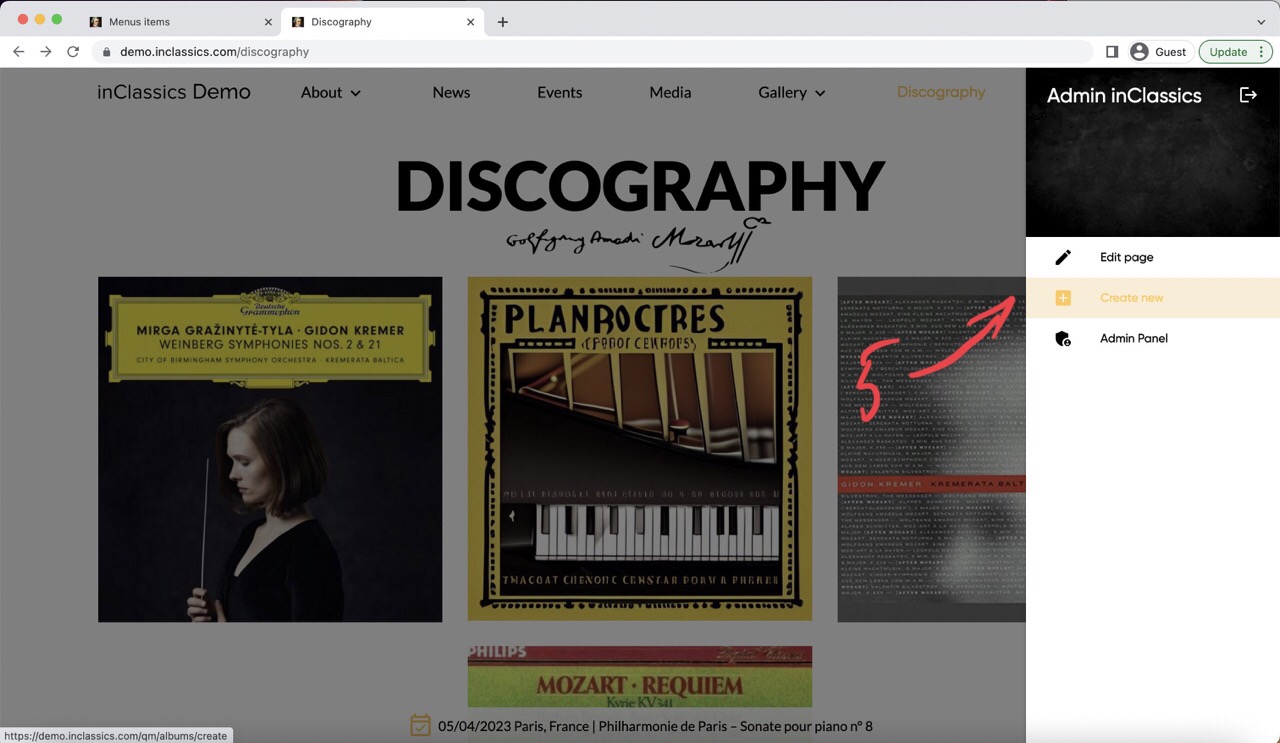
You can add discography items (1) to your website and with a dedicated page for each recording (2) where you can publish detailed information about it.
To add a new discography item to your website:
- go to your discography page (3)
- click on the settings button (4)
- click create new (5)
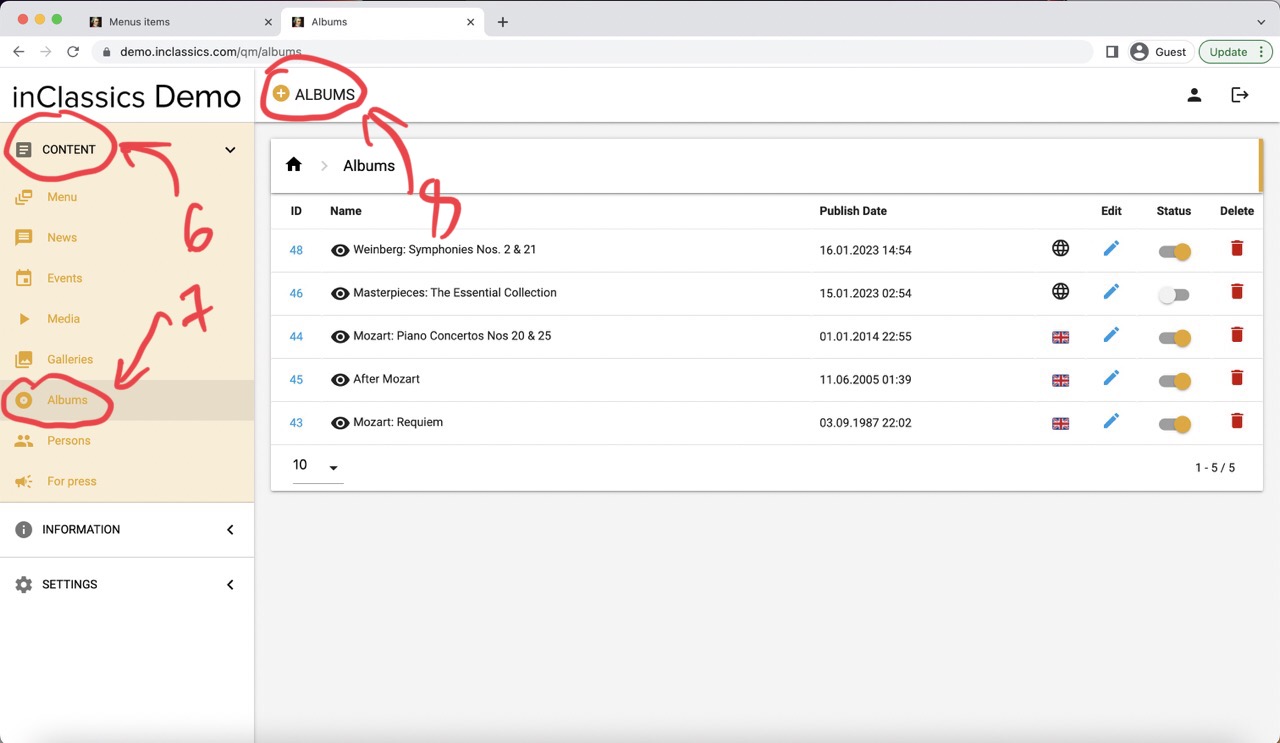
You can also do it from within your admin panel:
- go to the admin panel
- content tab (6)
- albums (7)
- click on the plus icon next to the Albums title (8)
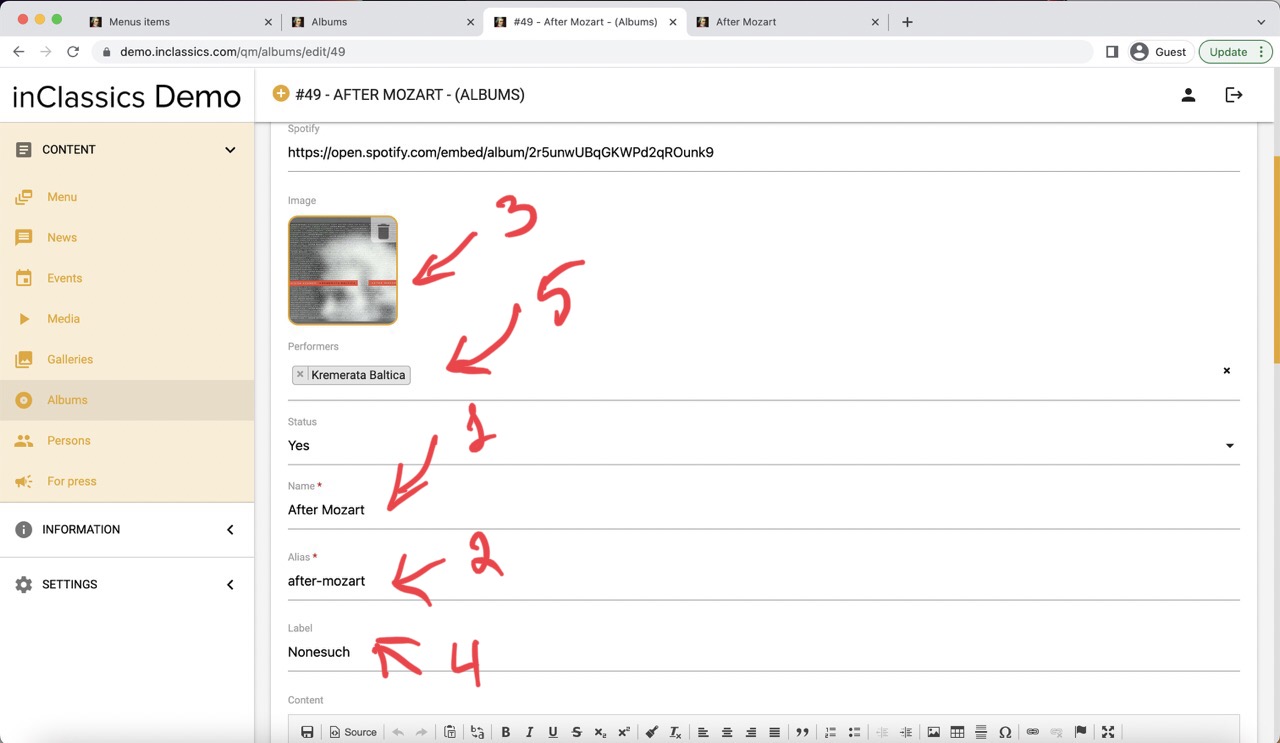
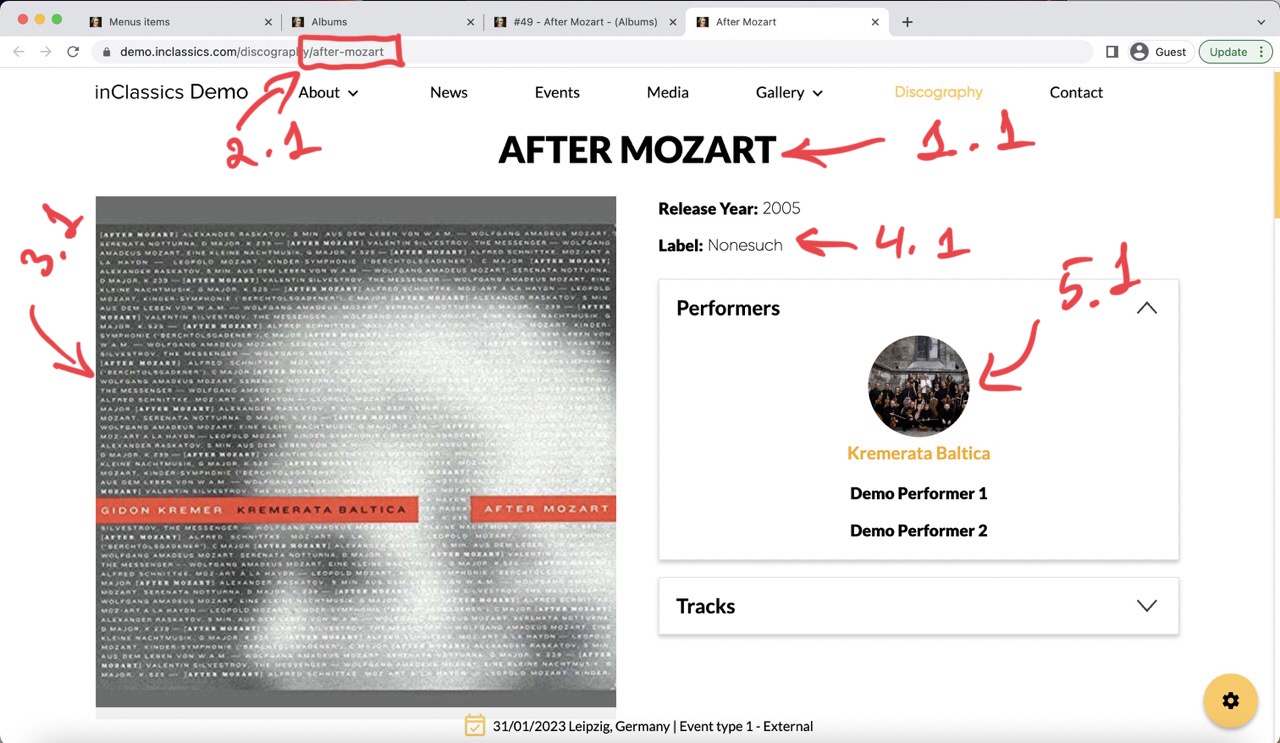
You can add this information to the record:
- name (1, 1.1)
- alias (2) is generated automatically, this is the link that will be displayed in the address bar (2.1)
- image (3, 3.1)
- label (4, 4.1)
- choose performers from your database (5, 5.1). Learn more about performers and how to add them to your database
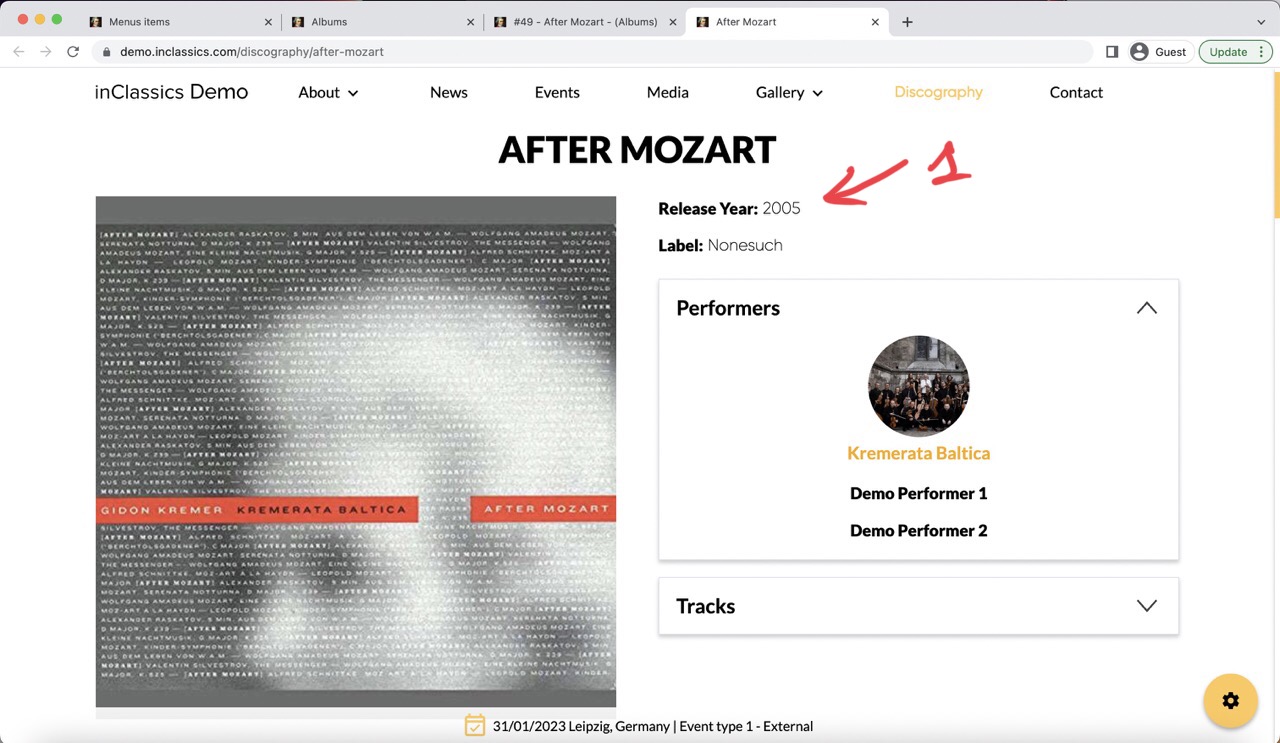
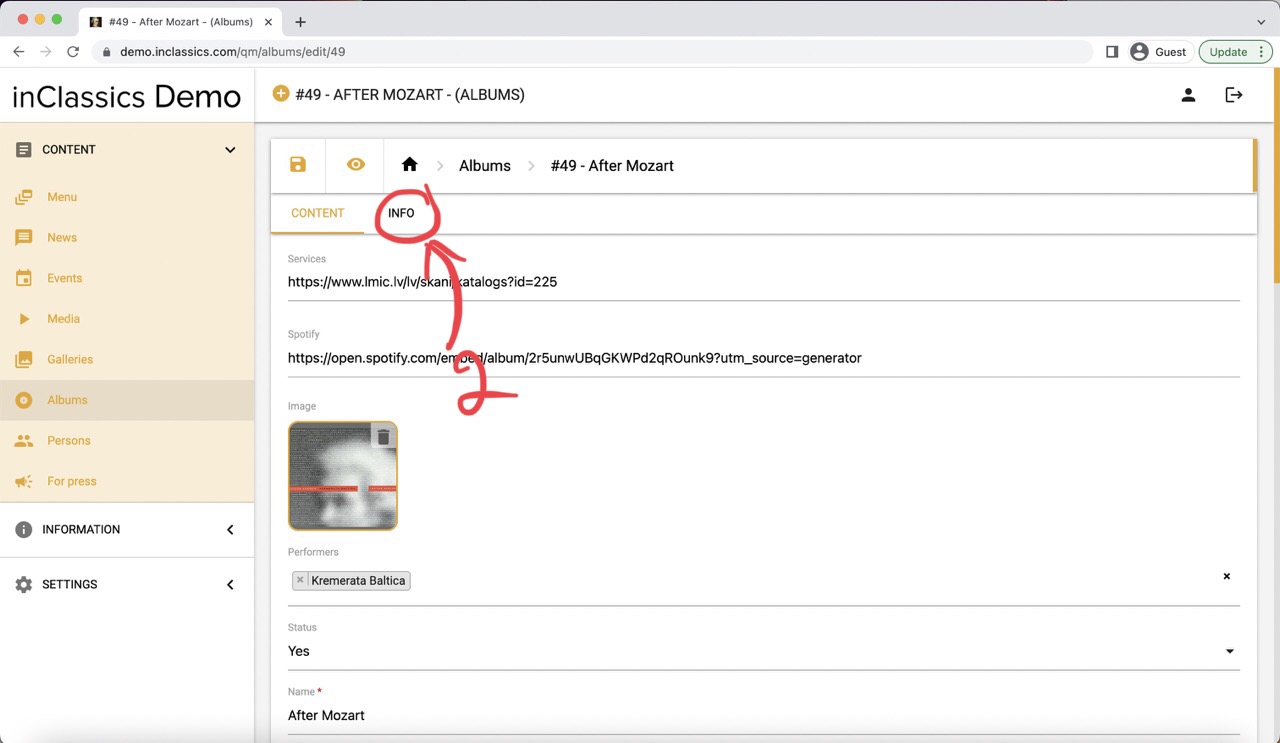
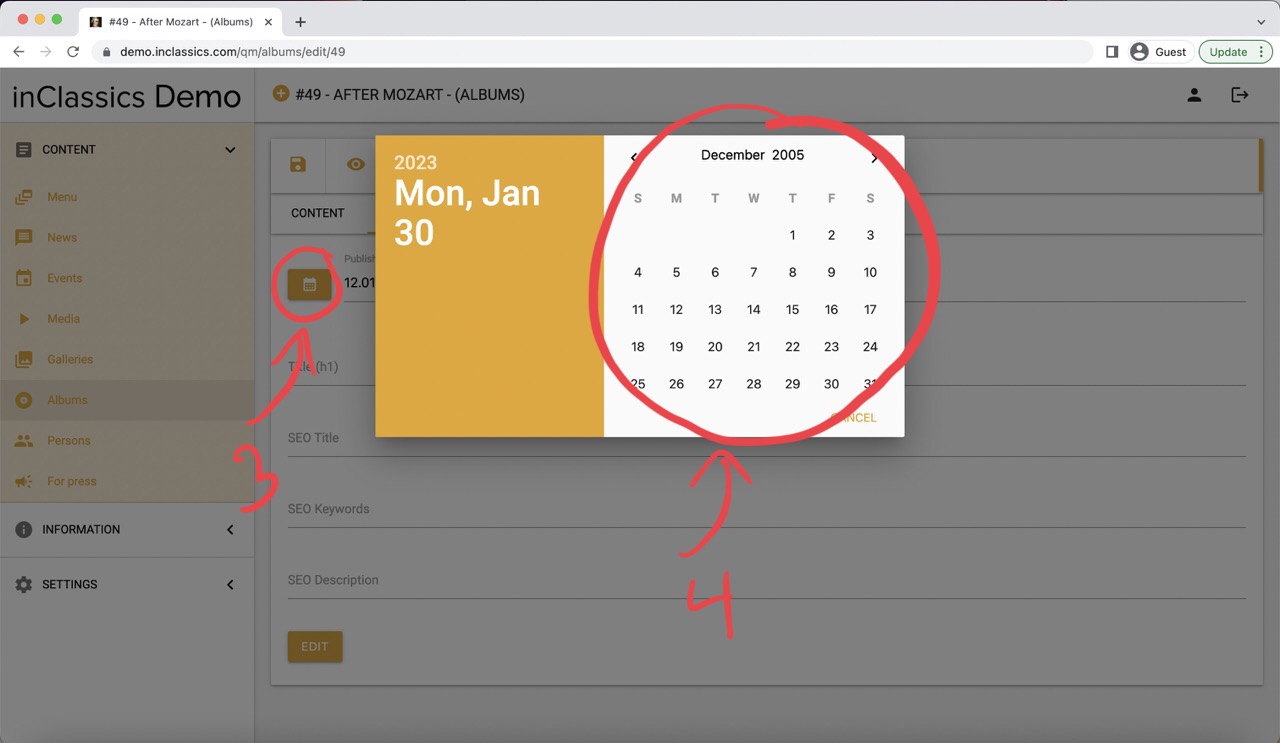
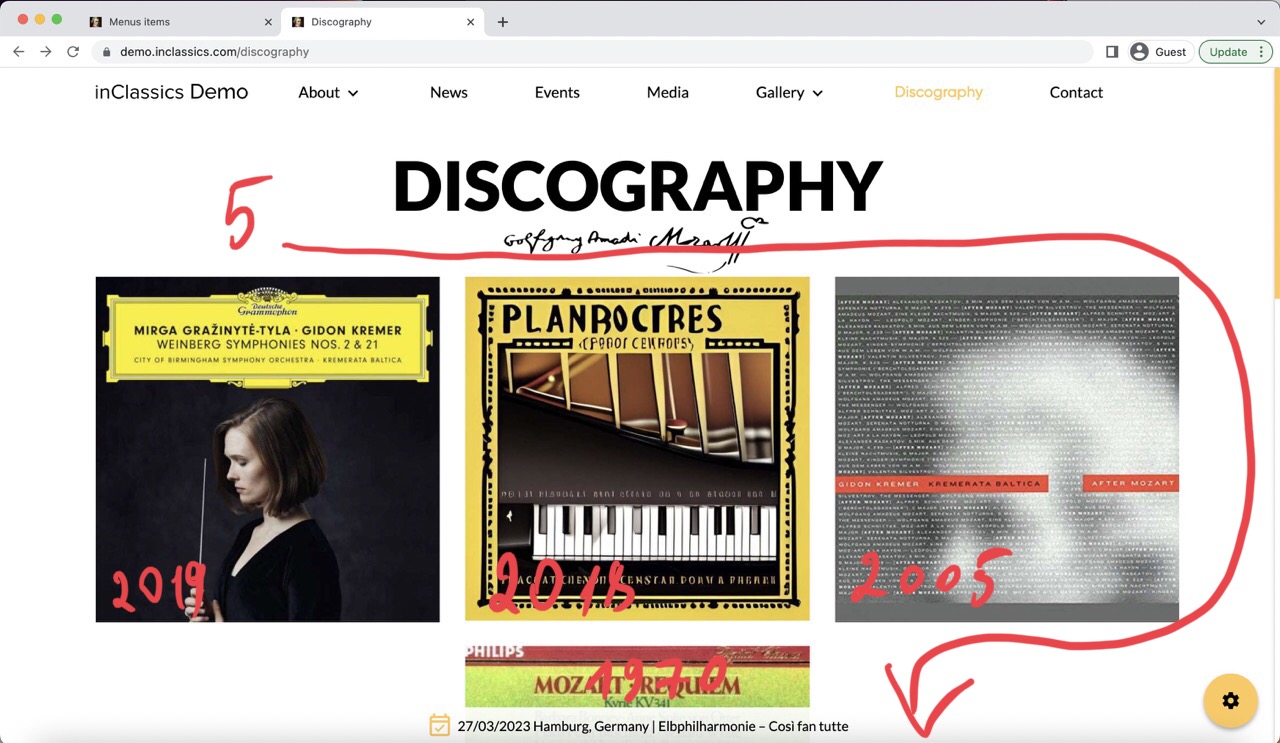
Change a Release Year (1):
- go to the info tab (2)
- click on calendar icon (3)
- choose a date (4)
Your discography items are sorted chronologically on your discography page (5), therefore changing the Publish Date will influence the order of your discography page.
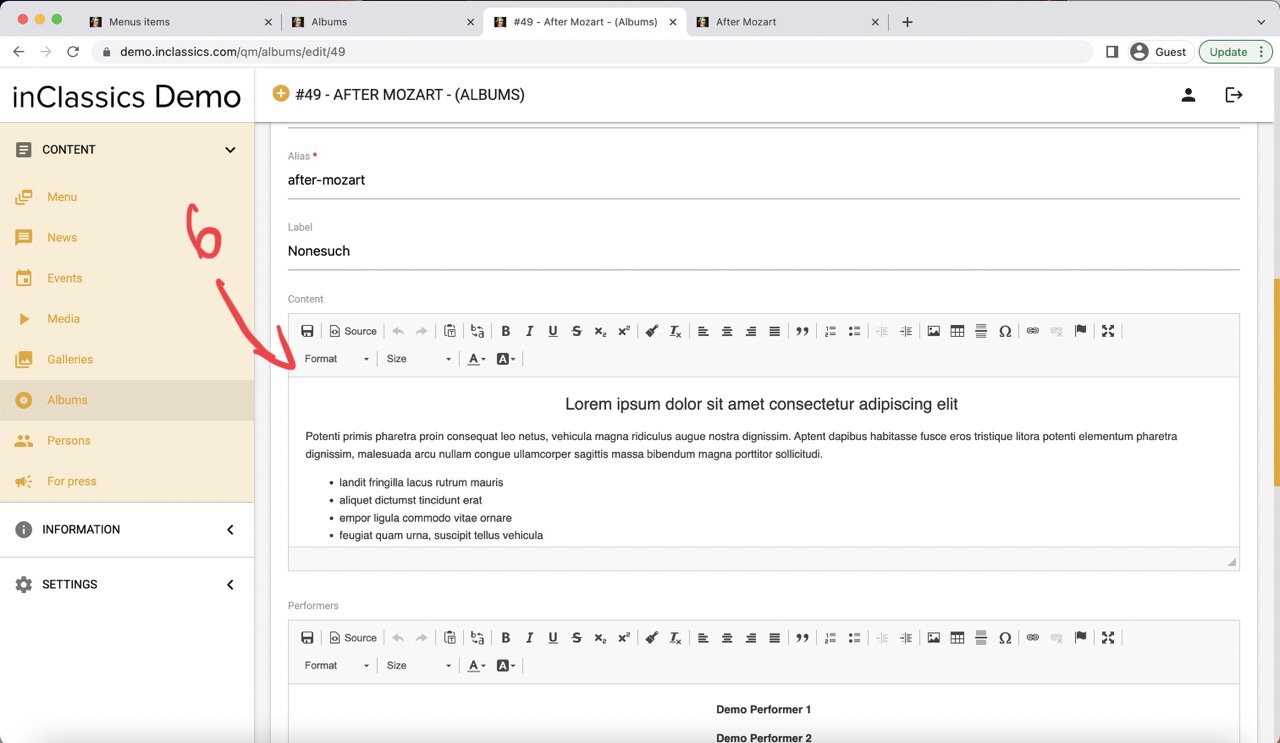
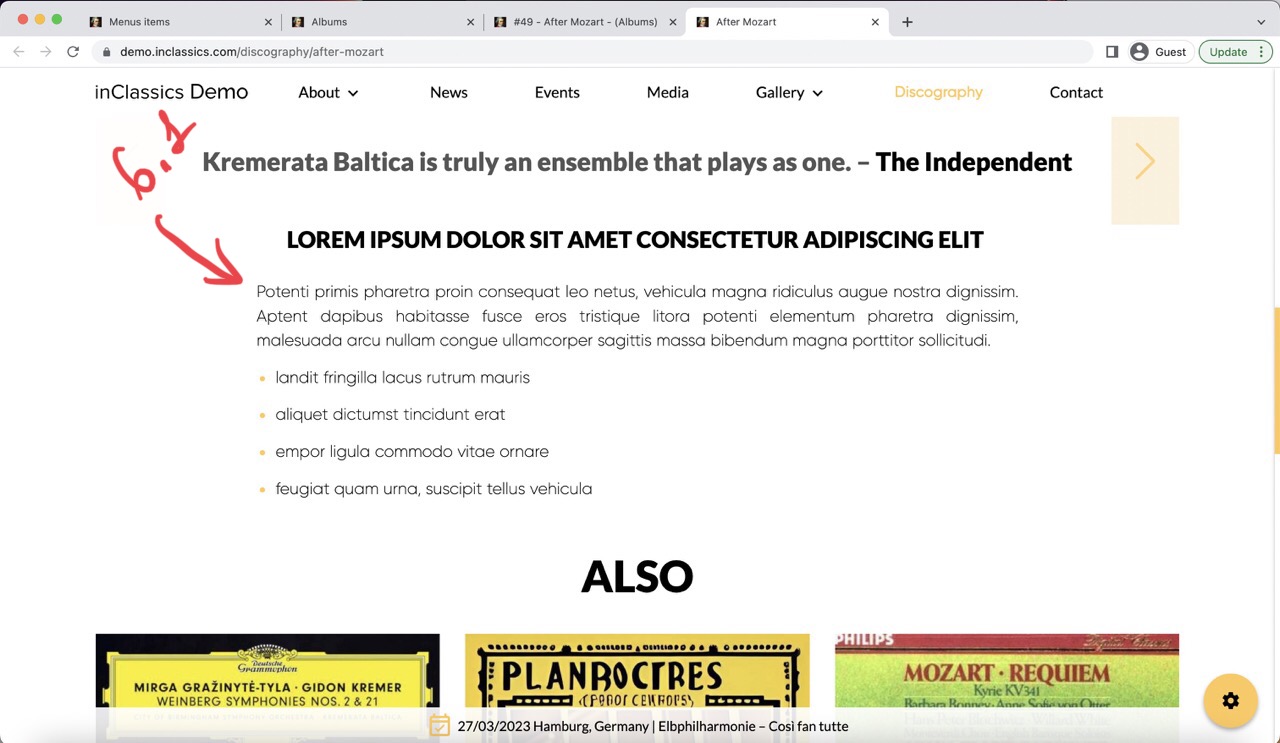
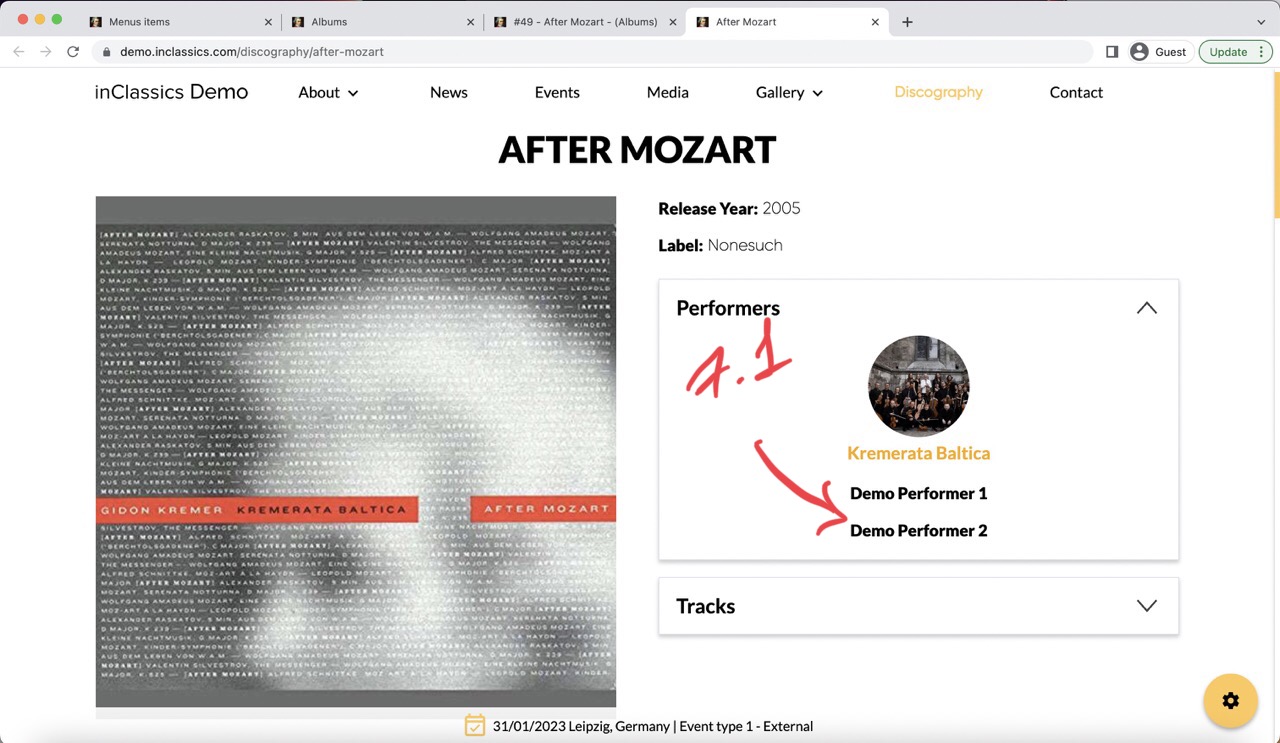
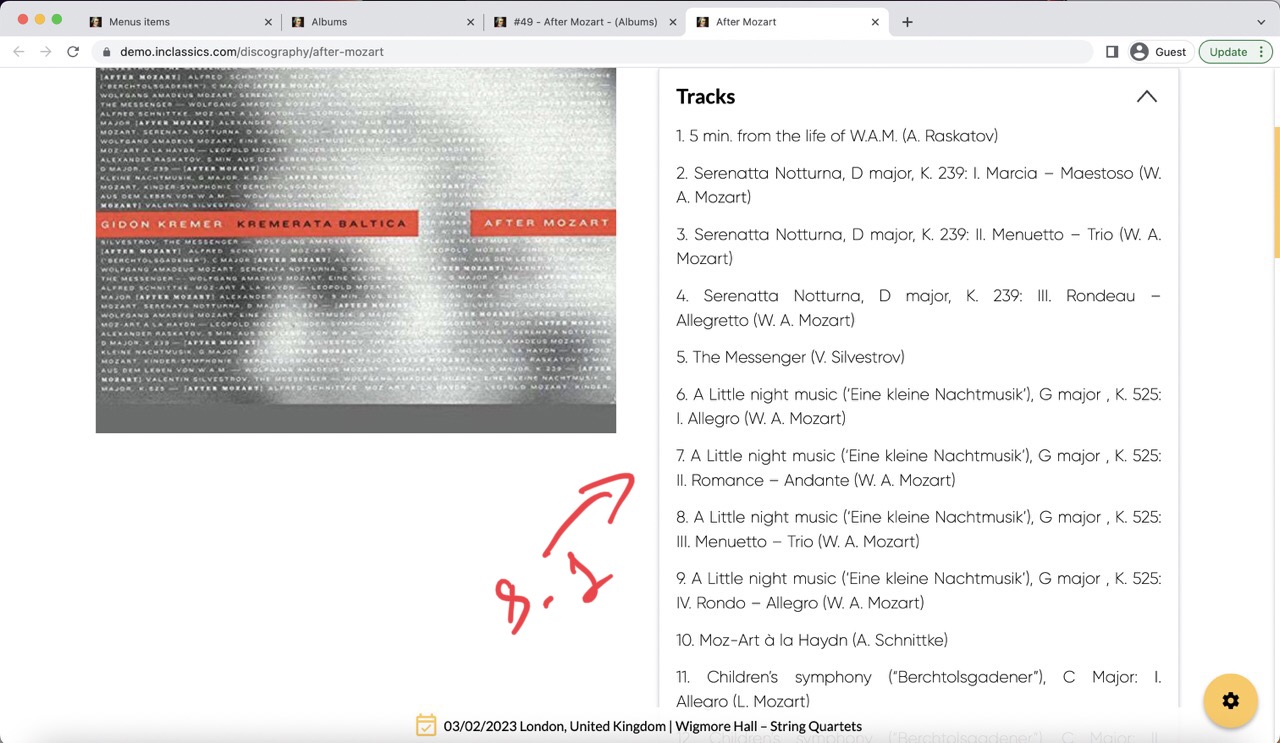
- add text into content field (6, 6.1) and format it with a text editor
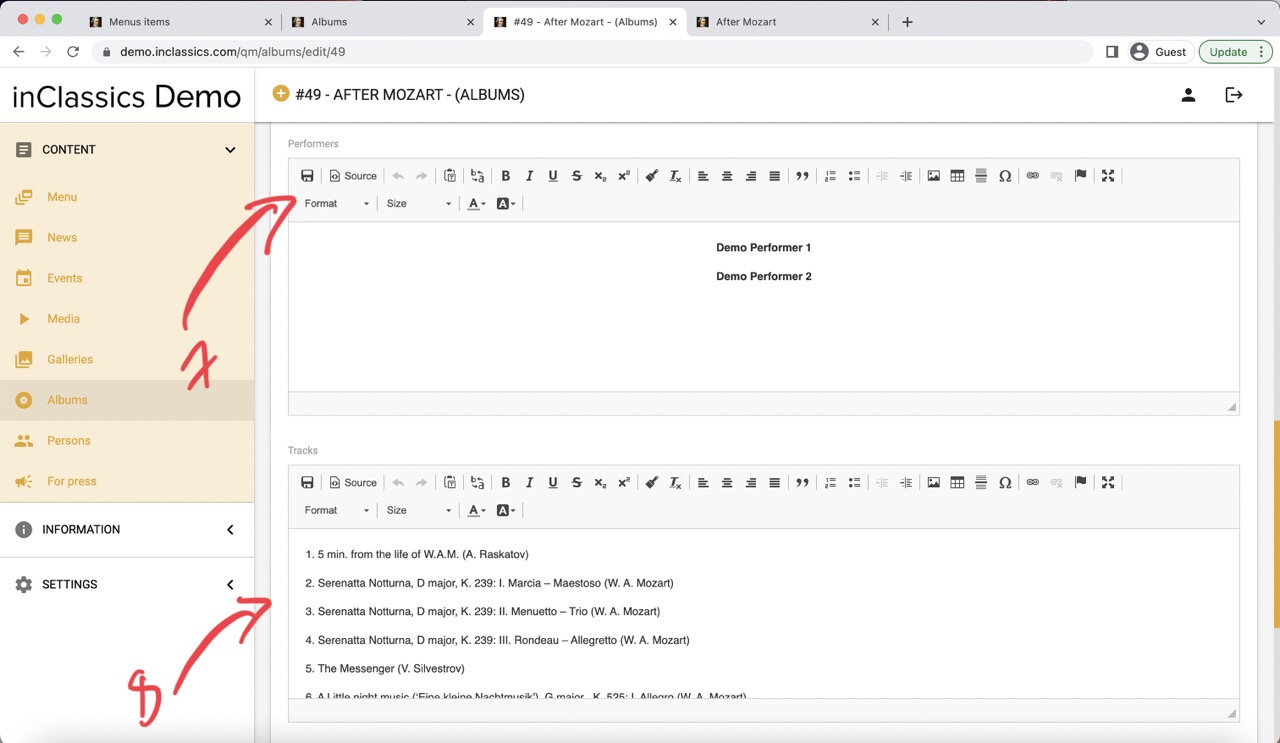
- add performers manually by typing their text into the text editor in performers field (7, 7.1) if you don't want to add them into your database
- add list of tracks (8, 8.1)
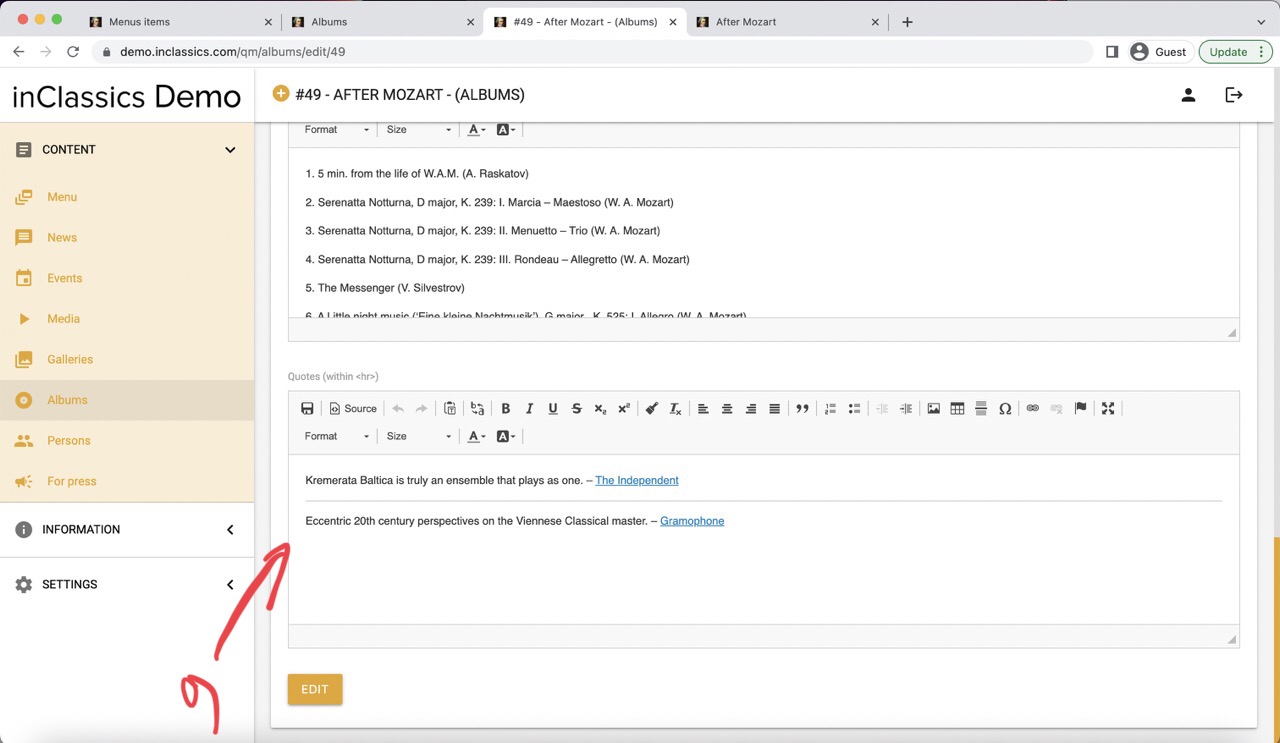
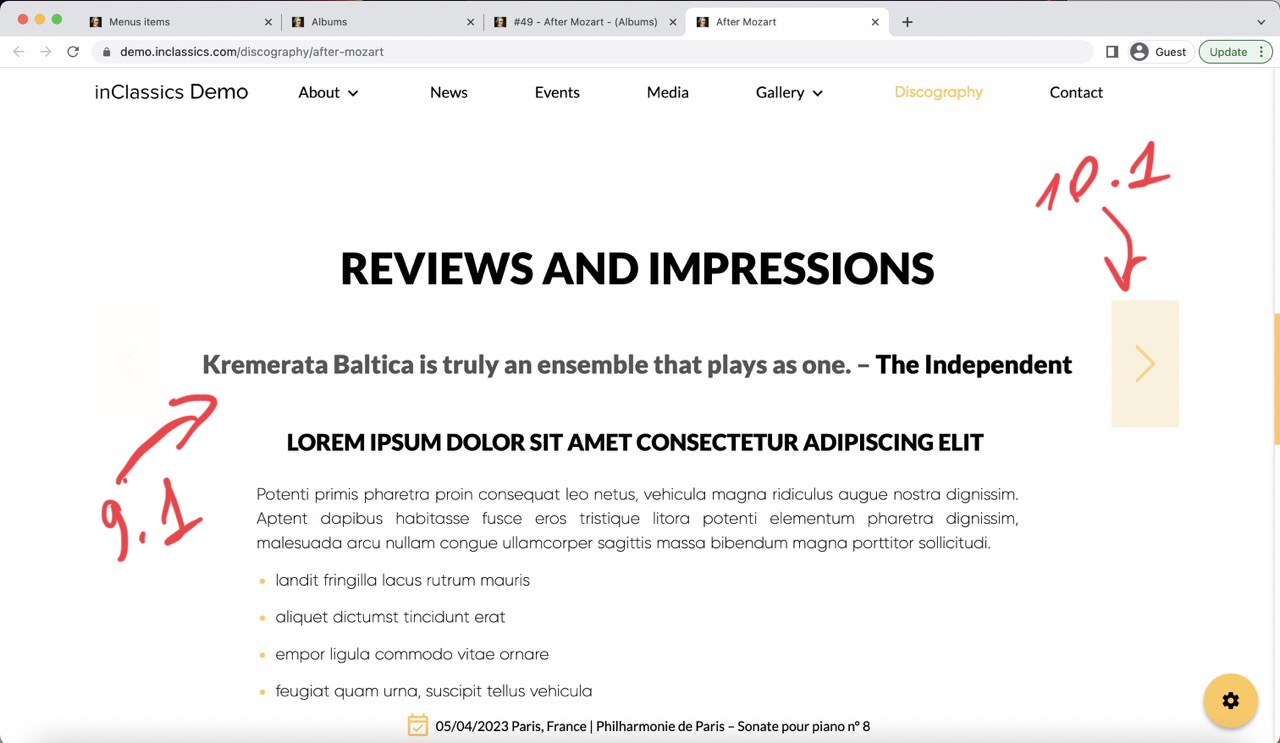
- add quotes into the quotes field (9, 9.1)
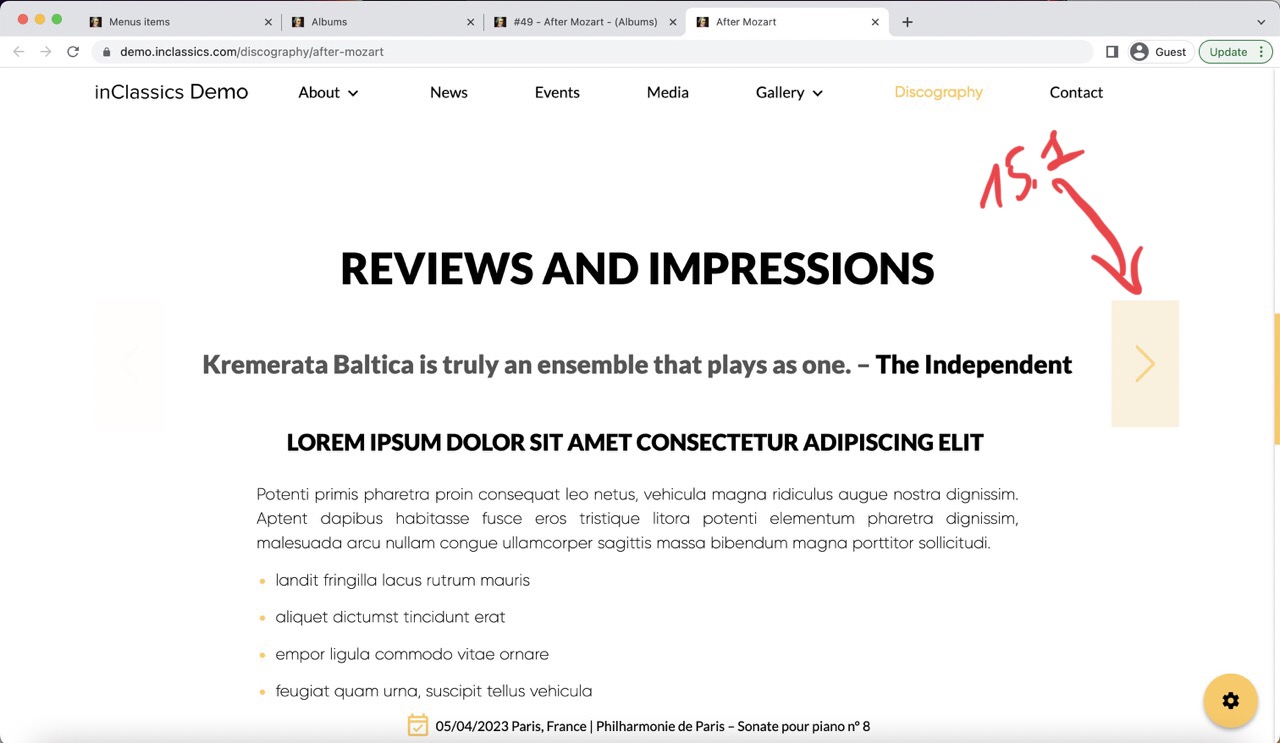
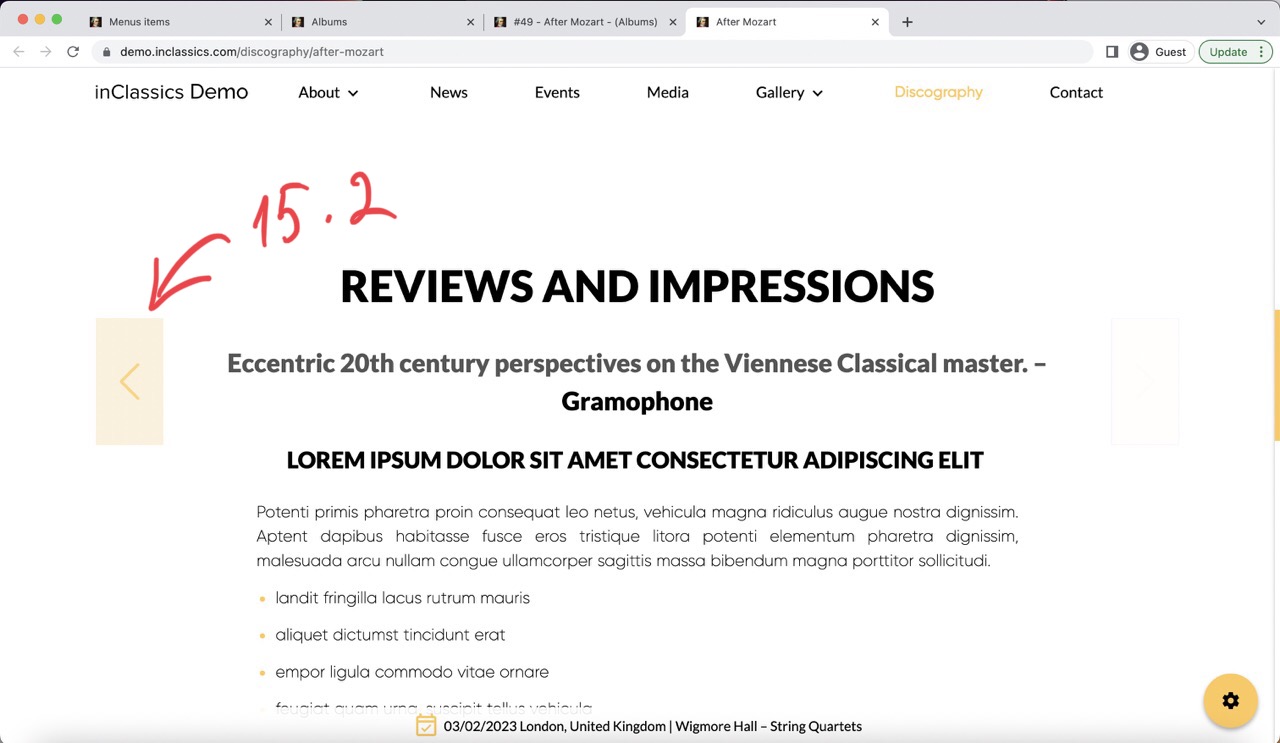
If you have more than one quote to add, you can create a scrolling gallery of quotes (10.1):
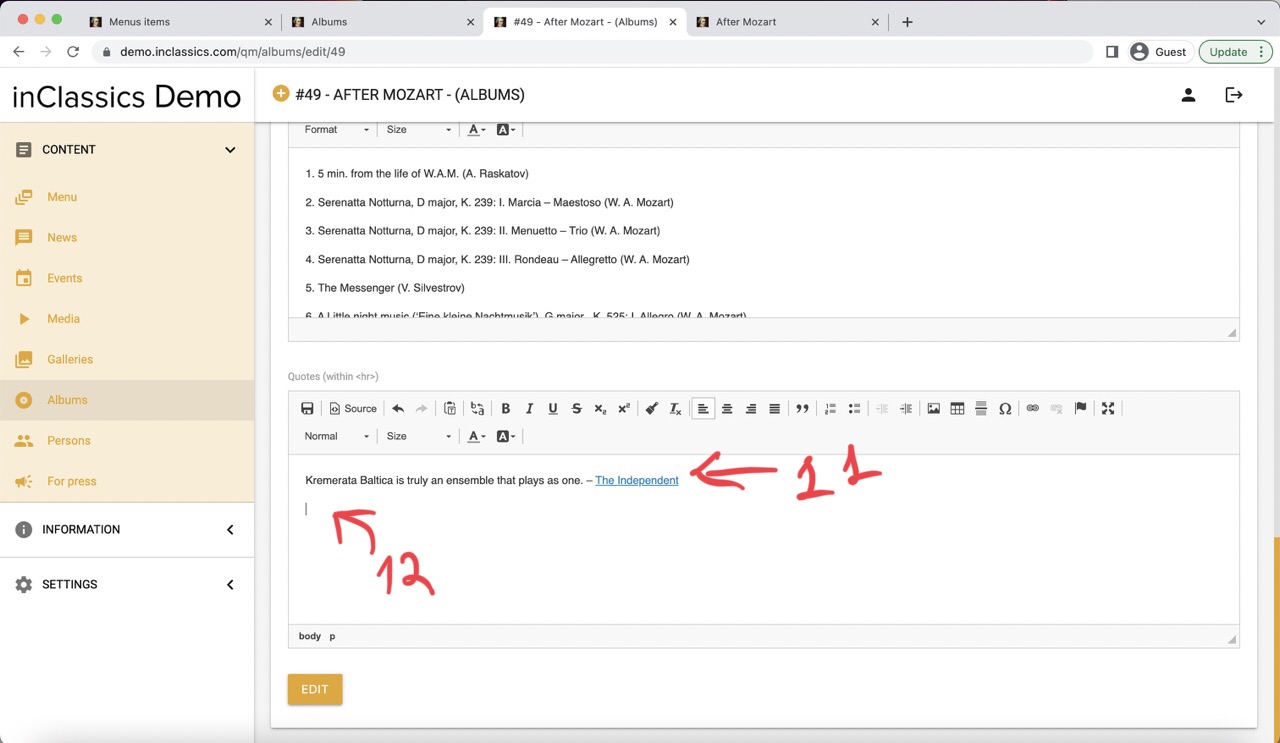
- add the first quote (11)
- click enter to go to the next line in your text editor (12)
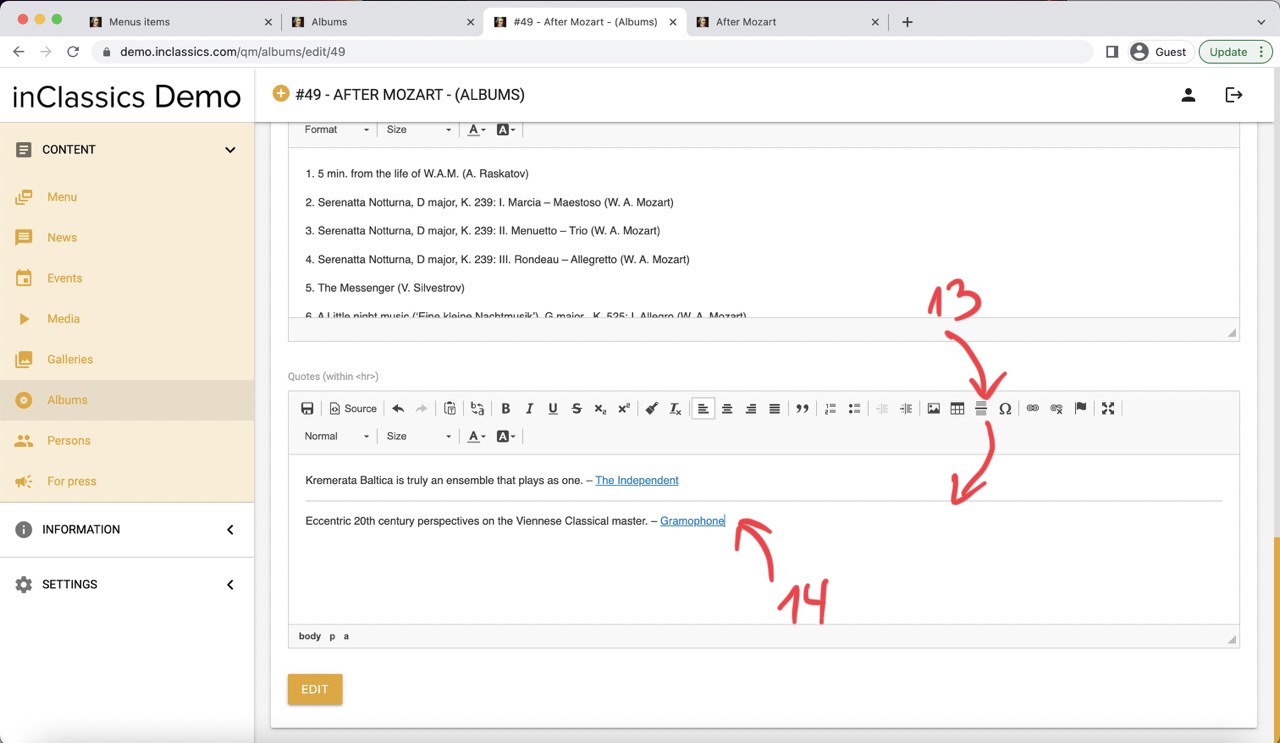
- click on the horizontal like icon to add a divider (13)
- enter next quote (14)
- repeat as many times as needed
This will create a gallery of quotes (15.1, 15.2) that can be scrolled through
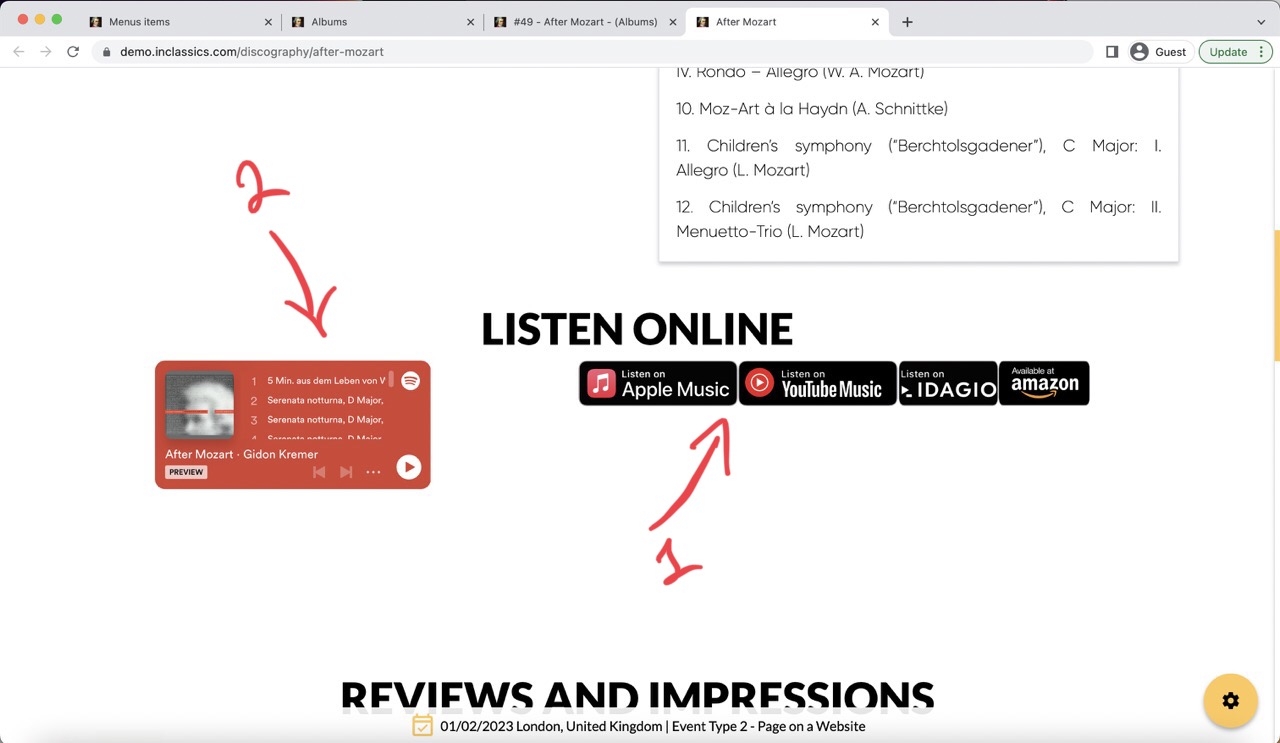
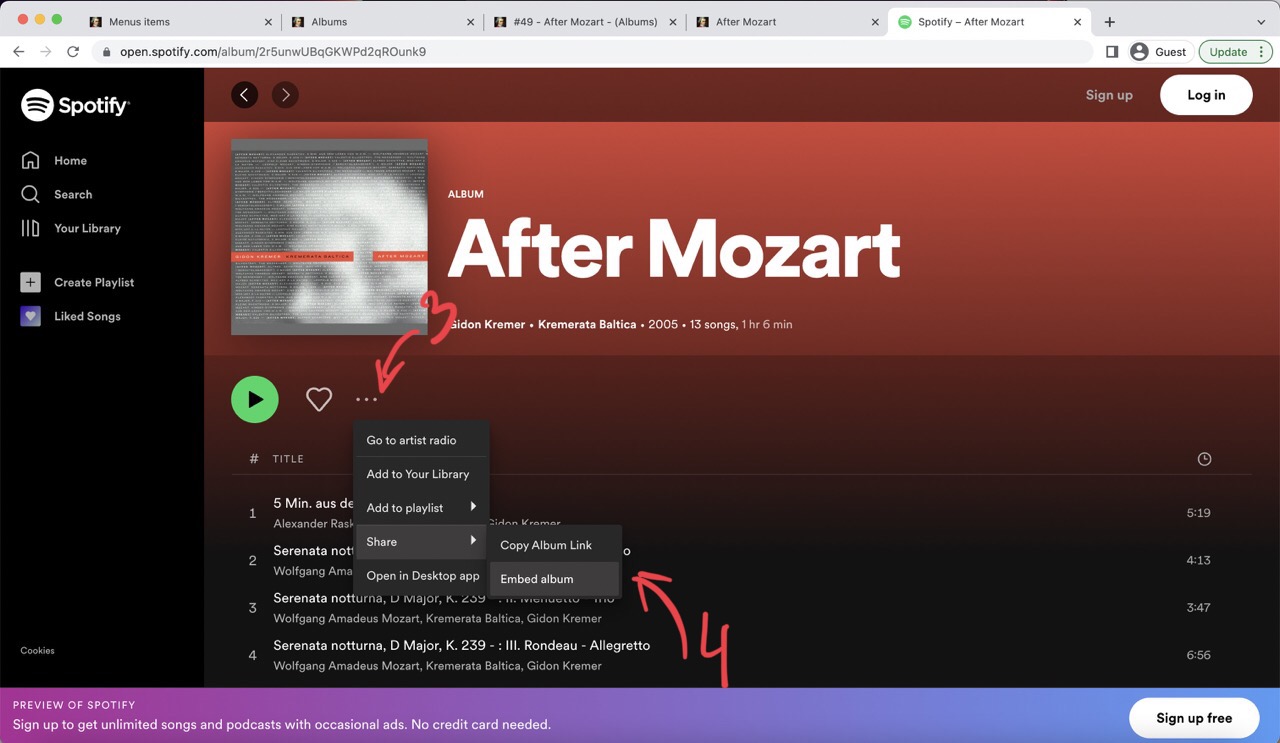
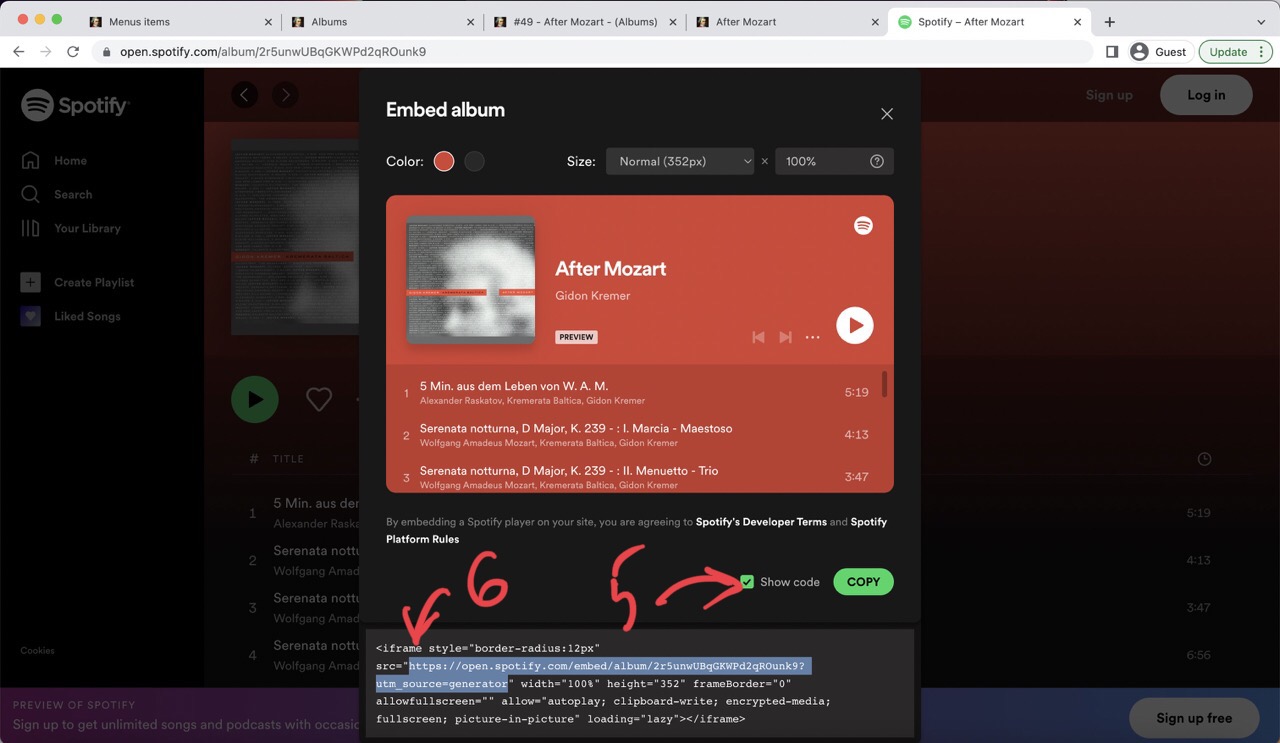
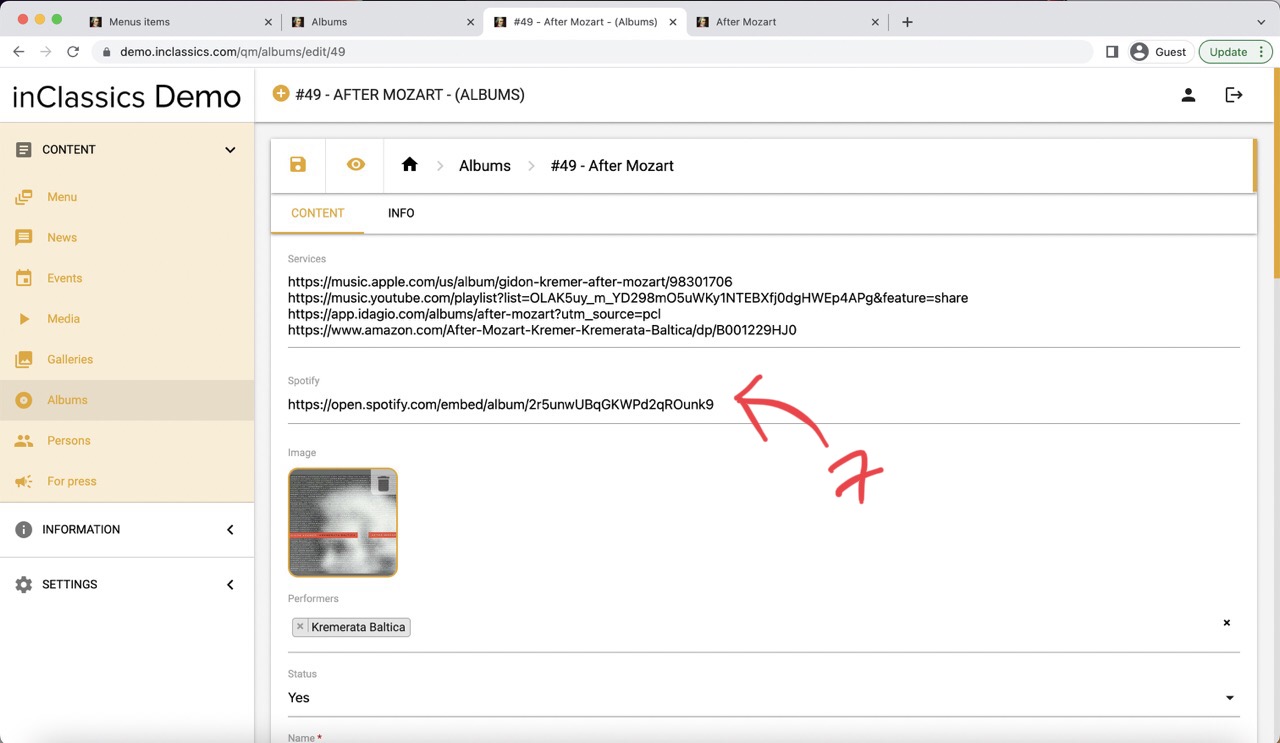
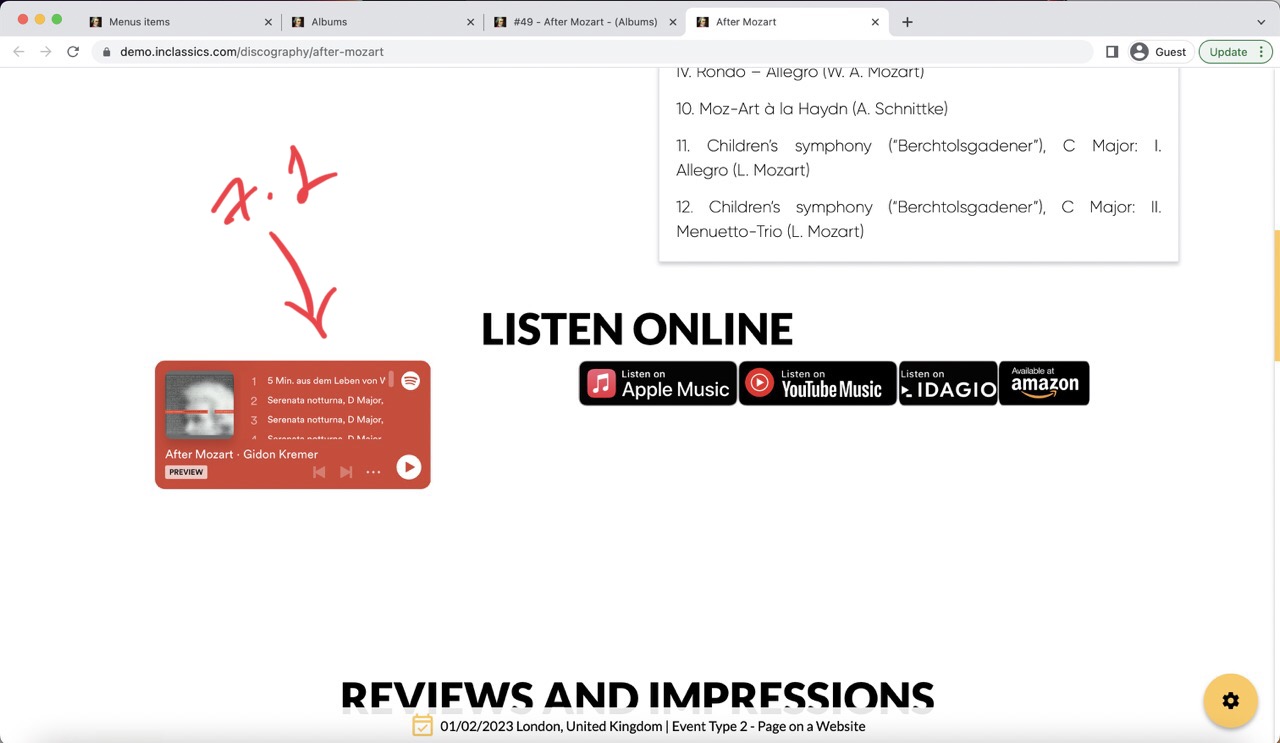
You can also add links to Spotify, streaming services and online stores. The buttons (1) and Spotify player (2) will be generated automatically.
To add a Spotify link:
- go to Spotify
- find an album that you want to add
- click on three dots icon (3)
- go to share, embed album (4)
- click show code checkmark (5)
- select and copy the link that is in between the quotes ("...") of the src= (6)
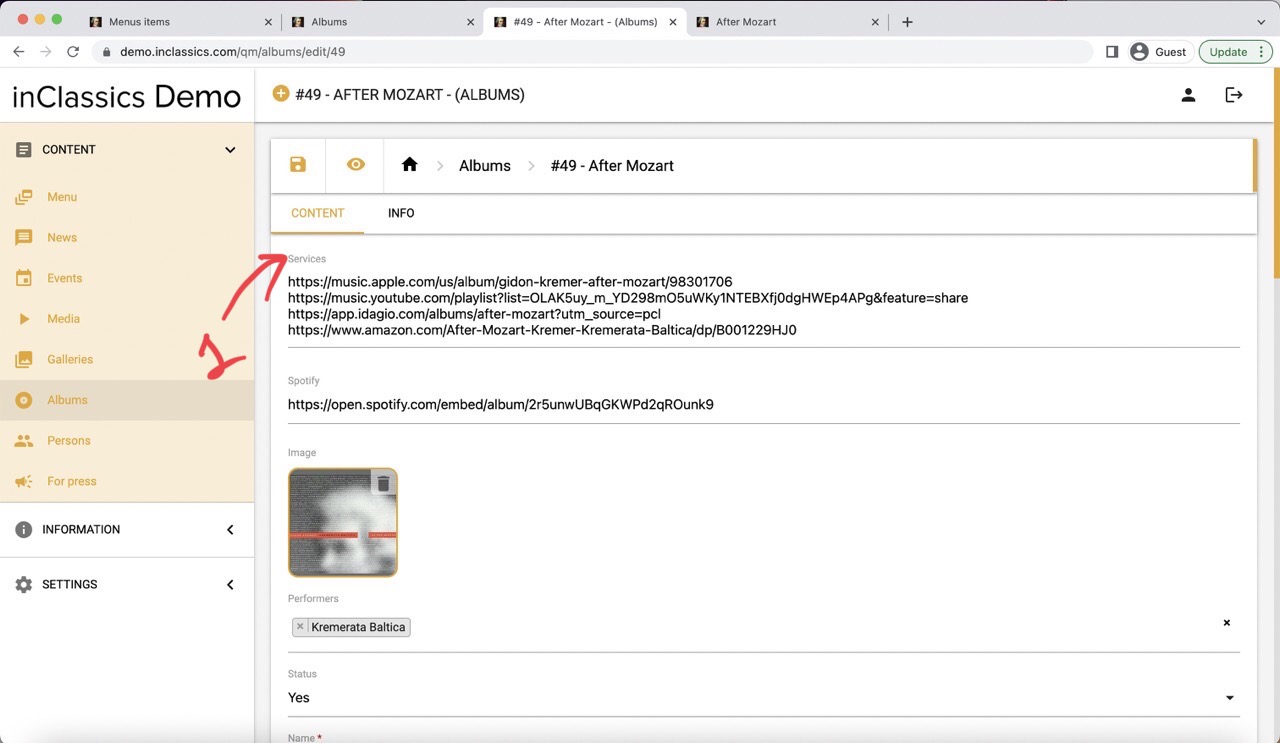
- add links to streaming services and online stores in the services field (1)
- you can enter multiple links by pressing enter to create a new line and adding more links there
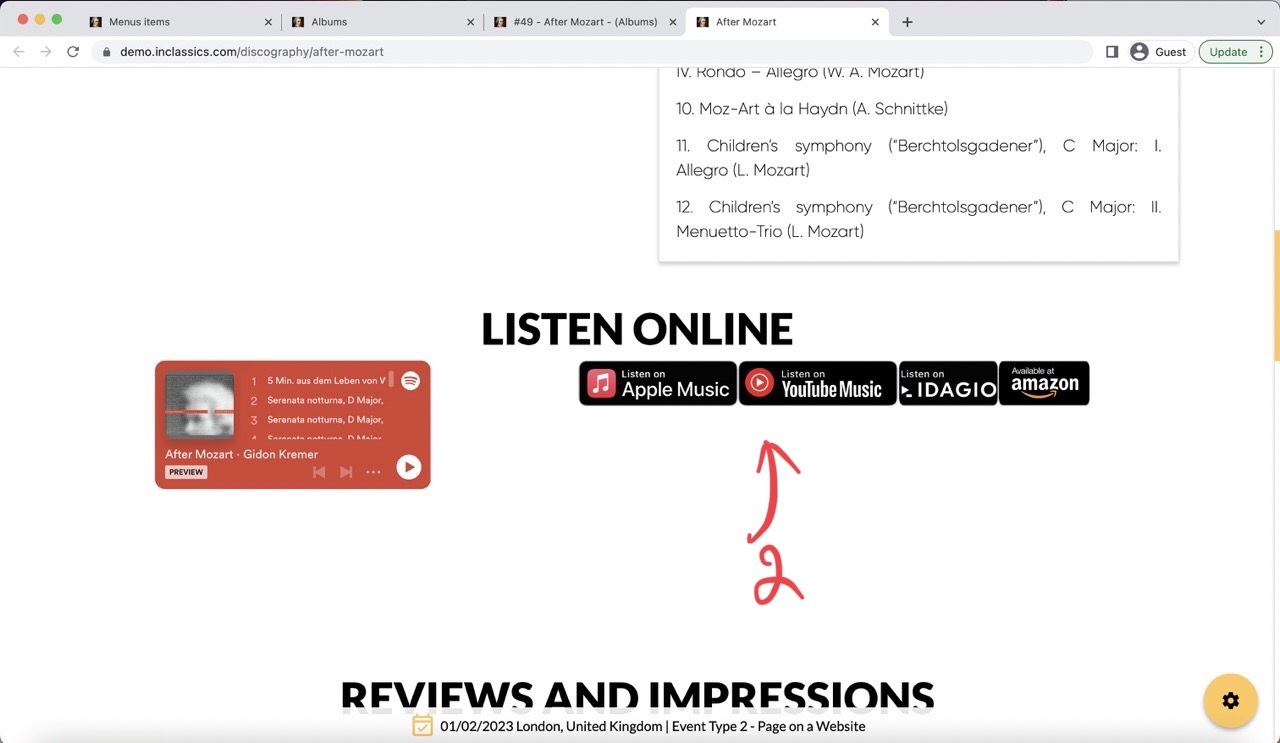
- the listen buttons will be created automatically (2)
Troubleshooting Links to Streaming Services and Online Stores
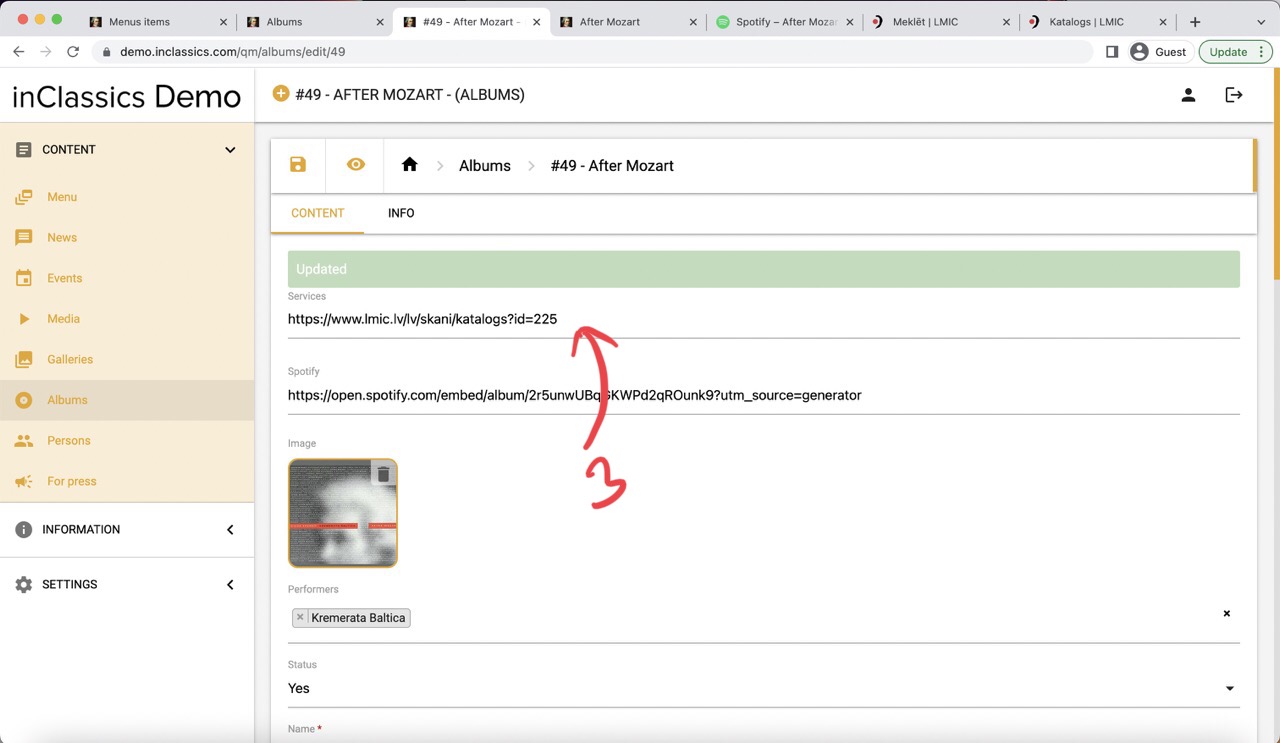
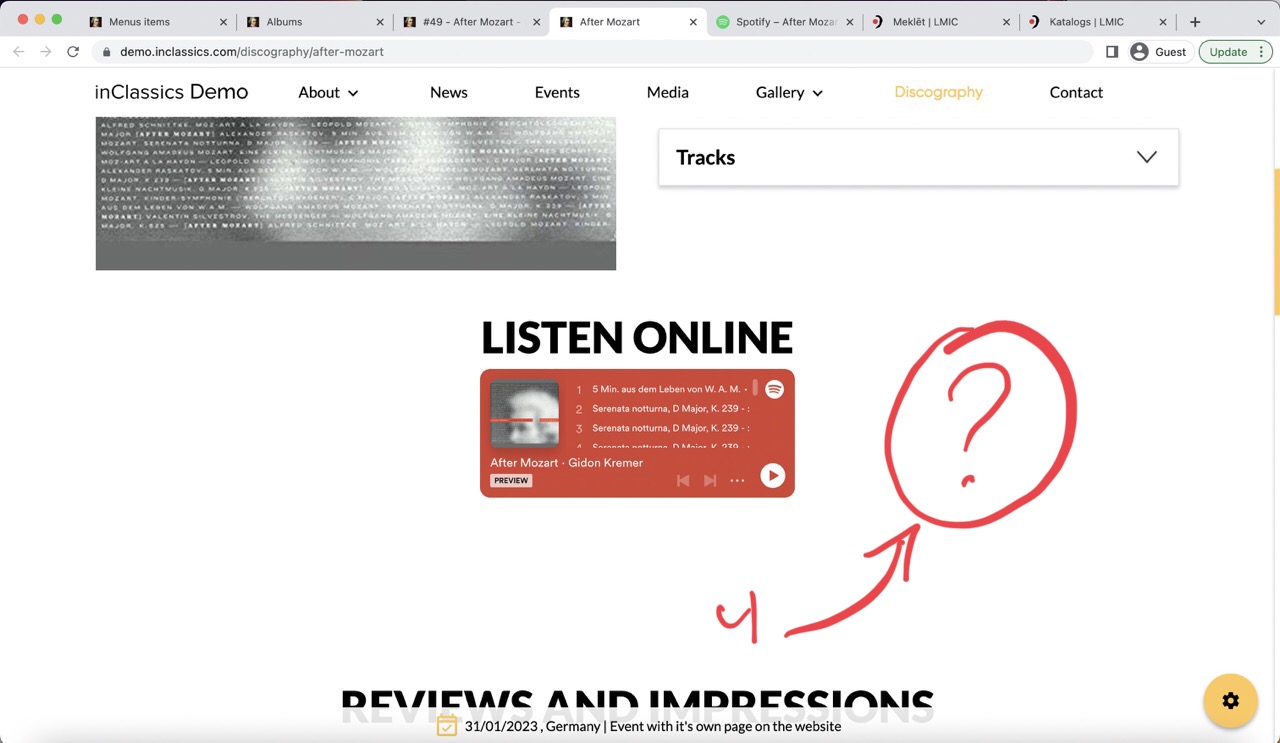
If you entered the link to the service tab (3) but you don't see it on your page (4), it means that this service is not added to the database and doesn't have the icon for it.
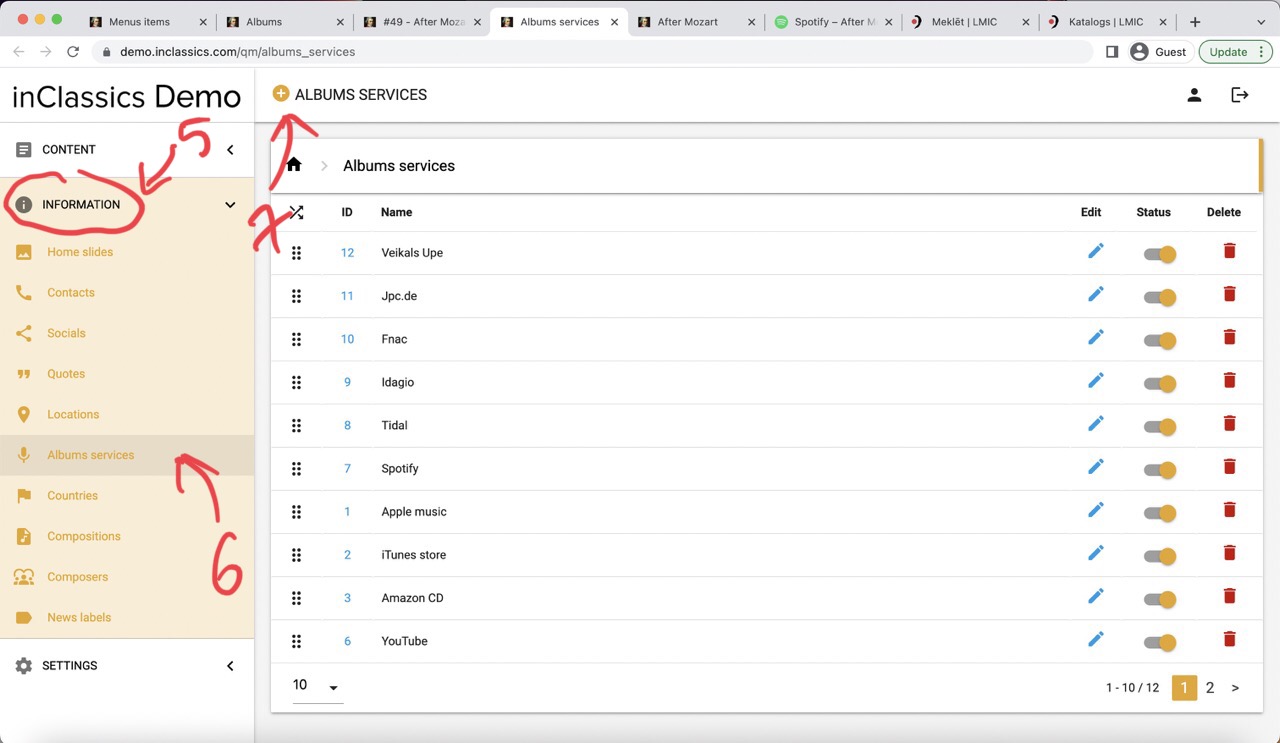
To add a service and icon to your database:
- go to admin panel
- information tab (5)
- albums services (6)
- click on the plus icon (7)
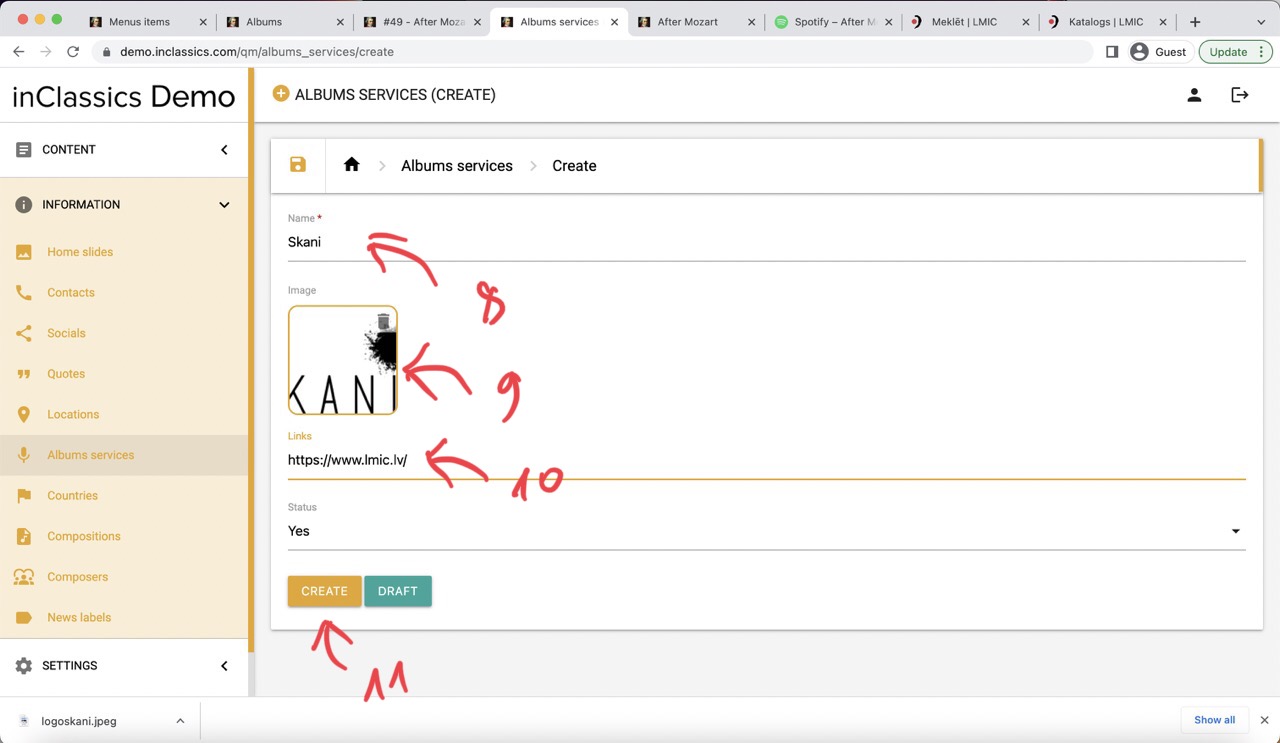
- add the name of the website (8)
- image (9)
- link (10) (not the full link to your recording but the beginning of the link like yourservice.com)
- click create (11)
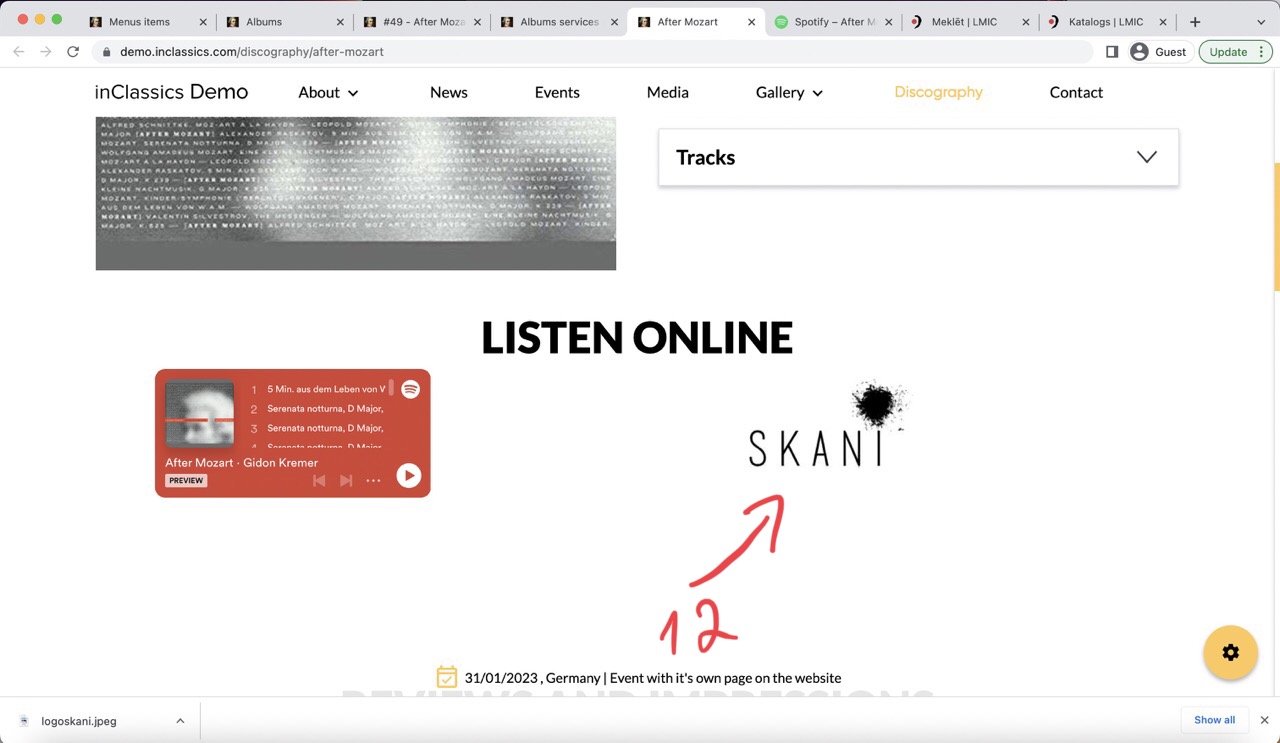
Now your service is added to the database and the button appears on your page (12)
Manage Discography
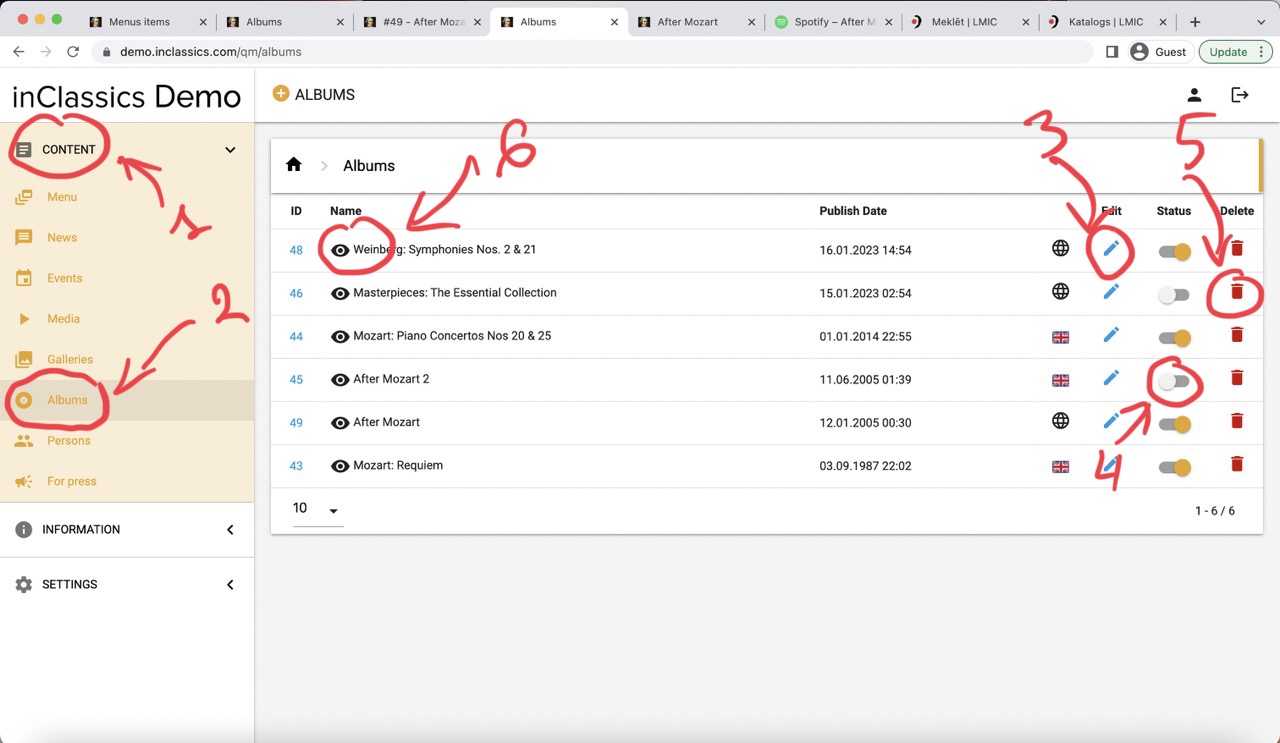
To manage your discography:
- go to admin panel
- content tab (1)
- albums (2)
Here you can:
- edit album (3)
- show or hide album on your website (4)
- delete album (5) (this can not be undone)
- see the albums page (6)