Persons Management
Video Tutorial
(2 min)
Persons
You can create a database of people on your website . You can then choose people from this database to add performers to your events and discography. You can also use this database when creating your own custom pages on the website, for example to display group or orchestra members, composers and so on.
The added benefit is, when you change any information about the person, it will automatically update on any page of the website where this person is displayed.
Two Types of Persons
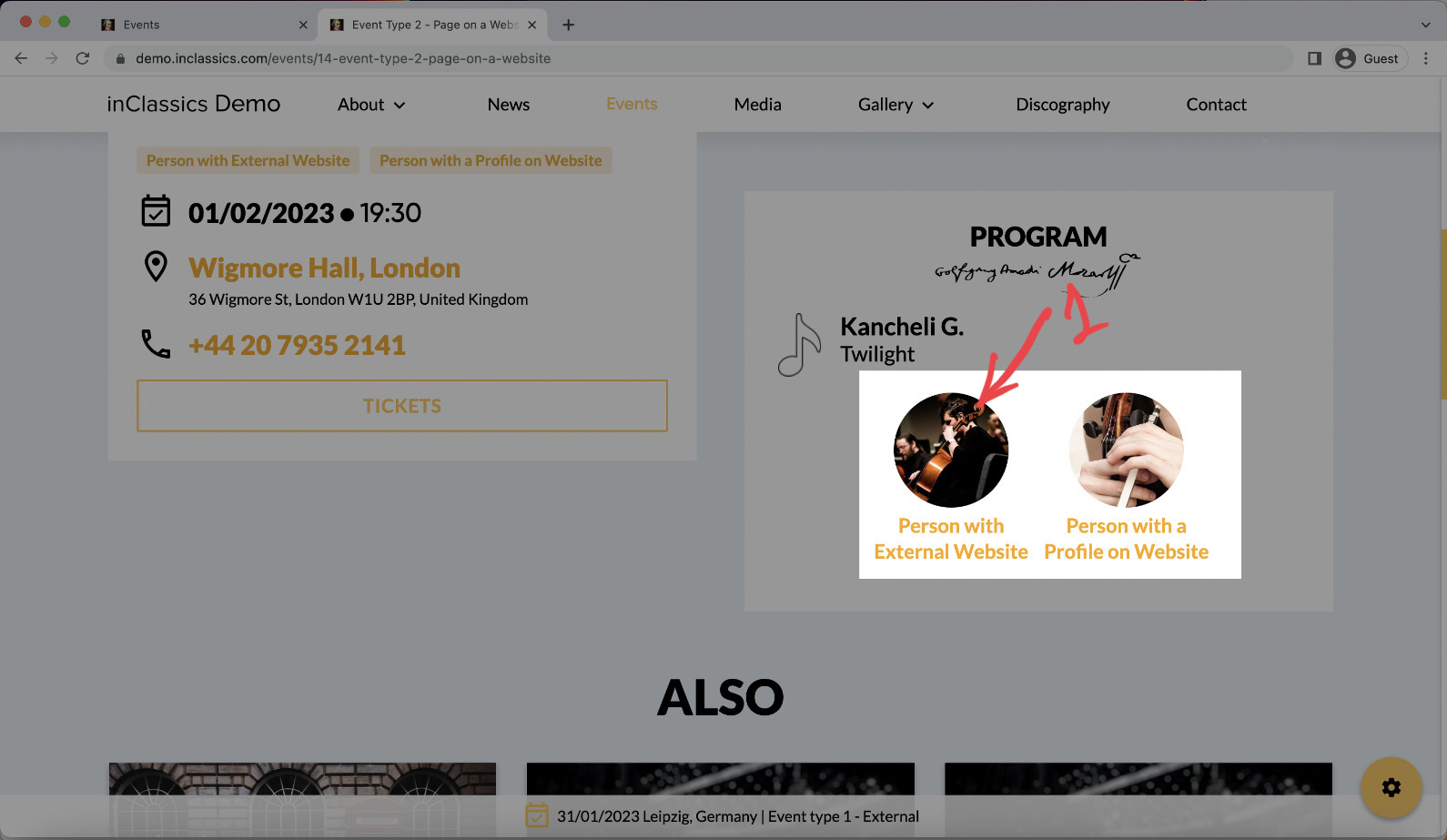
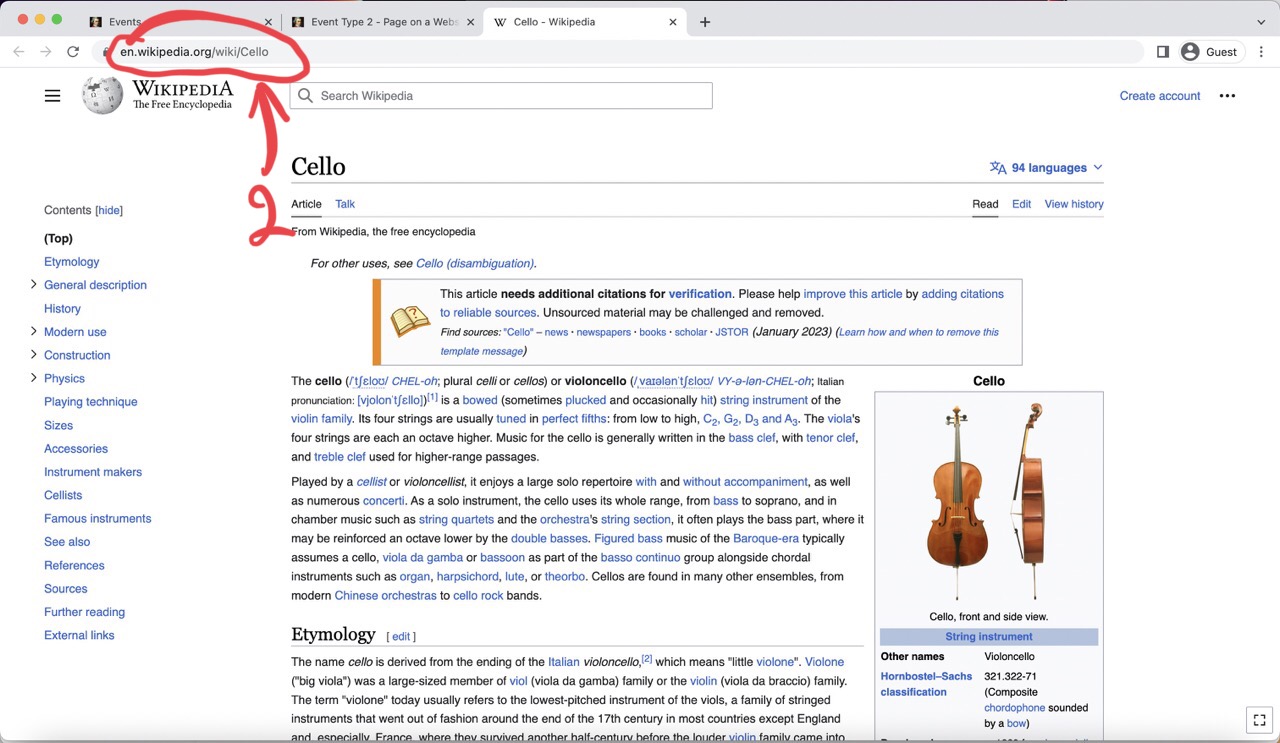
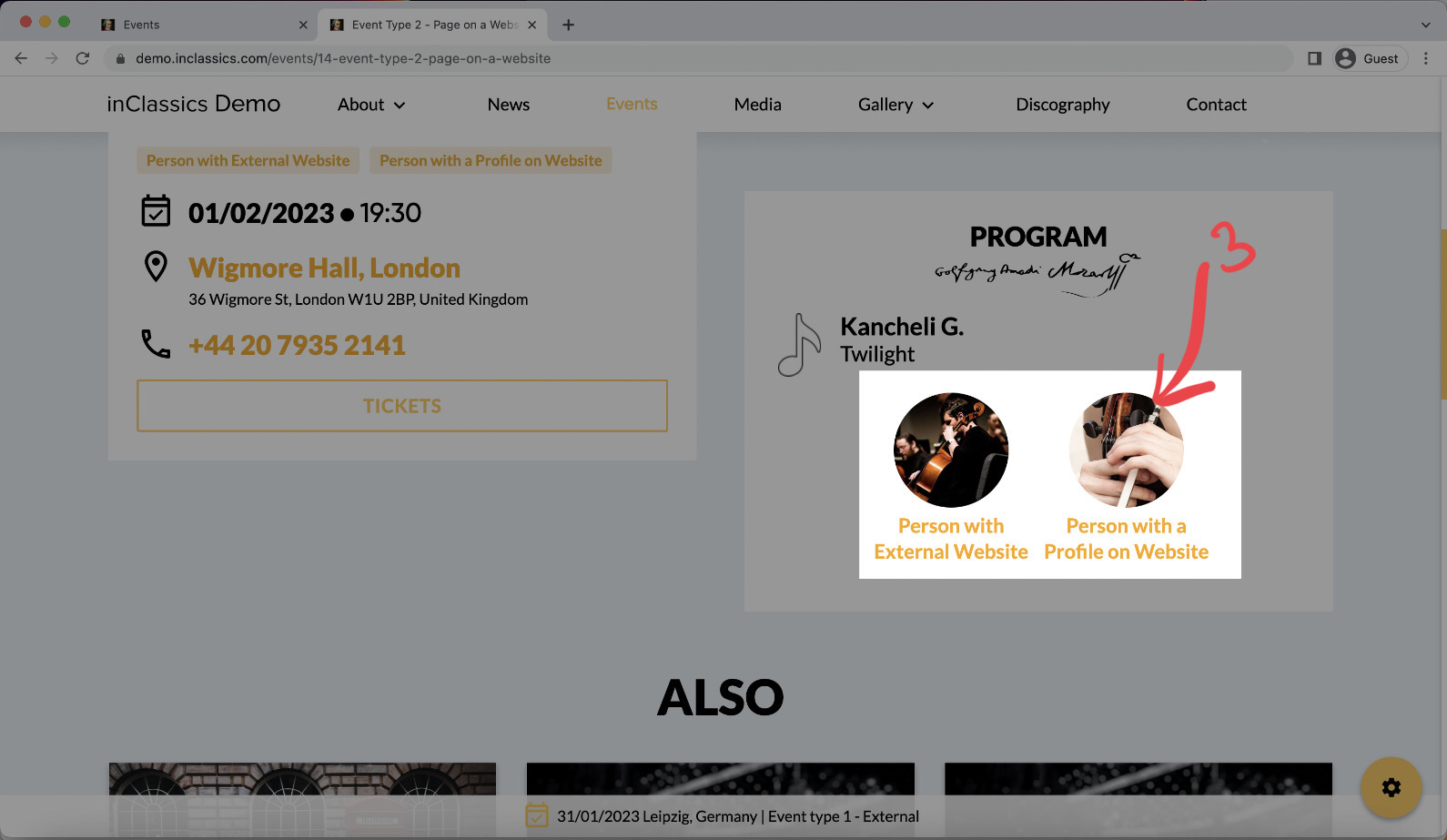
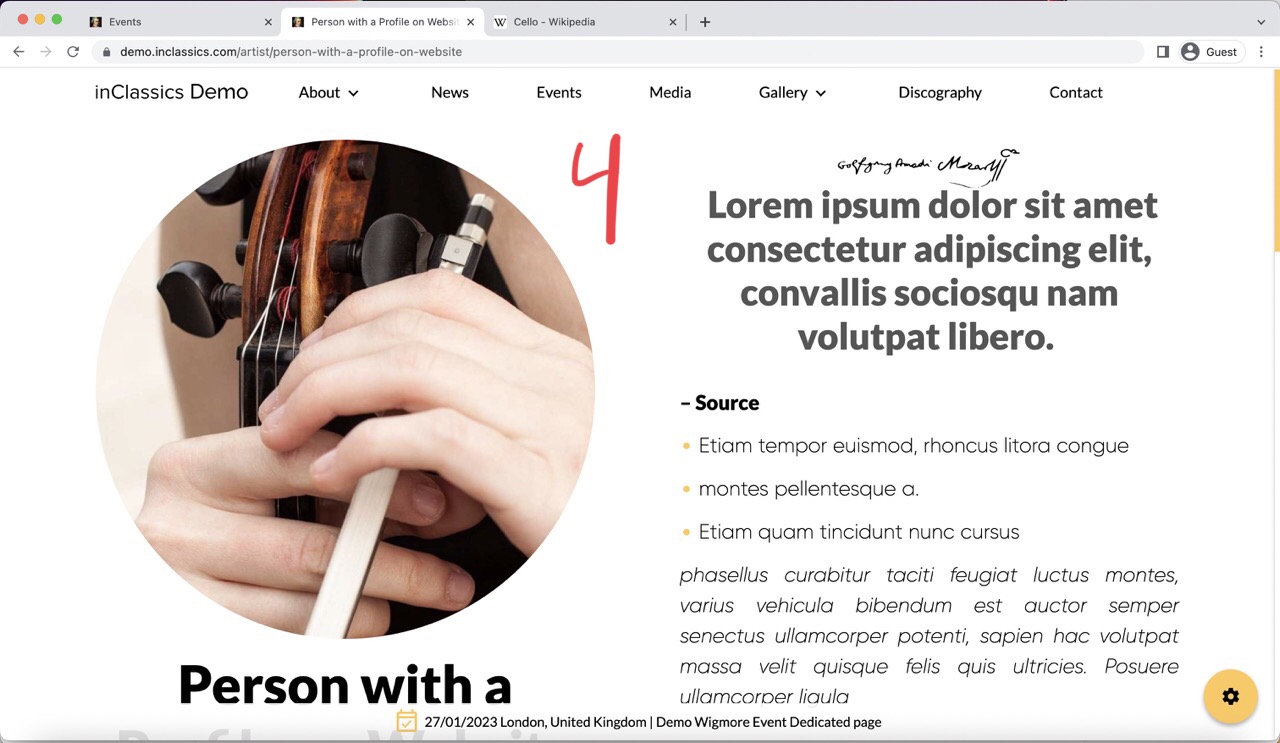
You can create two types of profiles for a person.
- A person has a link to an external page (like a person's website or social media account), when a visitor is clicking on the person (1), they go to that external website you provided (2) to learn more about the person.
- A person has their own profile on your website. When the visitor clicks on the person (3), they go to the profile page on your website (4) where they can learn more.
We recommend creating these profiles as they help with search engine rankings and add valuable content to your website.
Manage and Create Persons
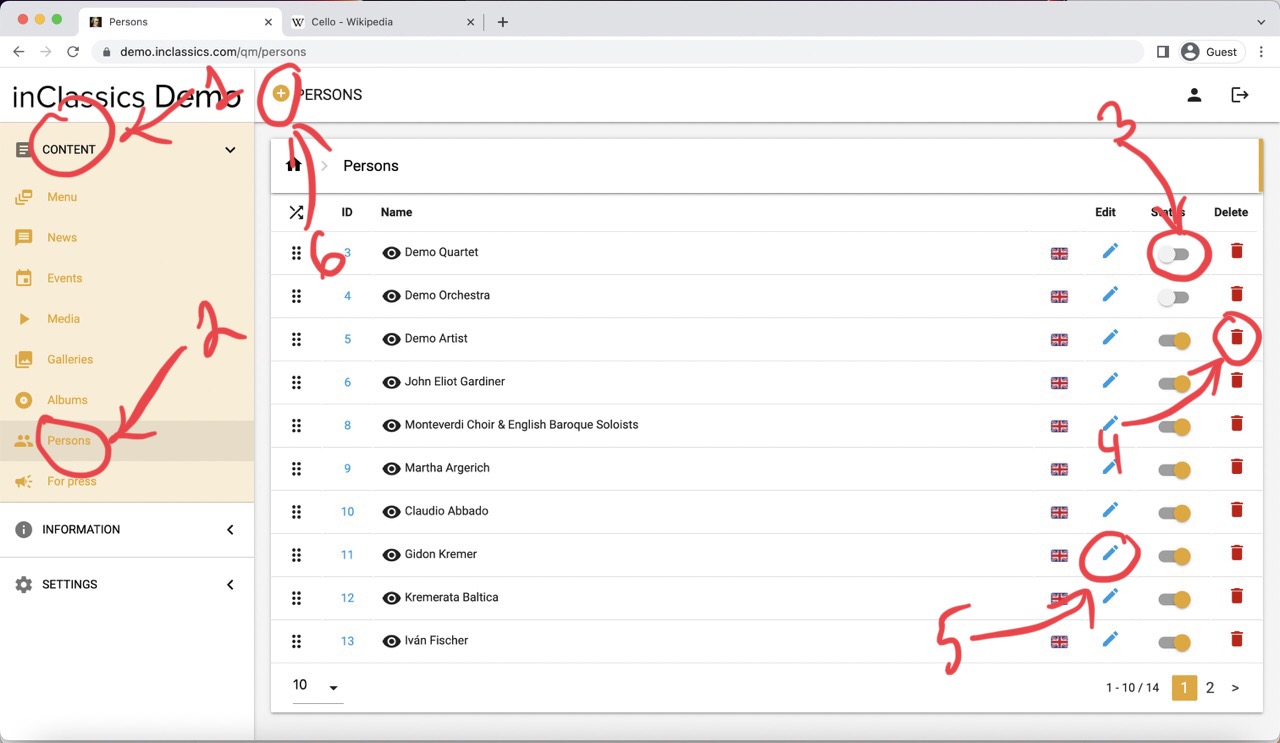
To add a person to the database:
- go to the admin panel
- content tab (1)
- click persons (2)
Here you see the list of all the persons in your database. You can:
- publish and unpublish them from your website using the toggle switch (3)
- delete by pressing on the bin icon (4)
- edit by pressing on the pencil icon (5)
- create a person by clicking on the plus icon (6)
Create a Person with an External Link
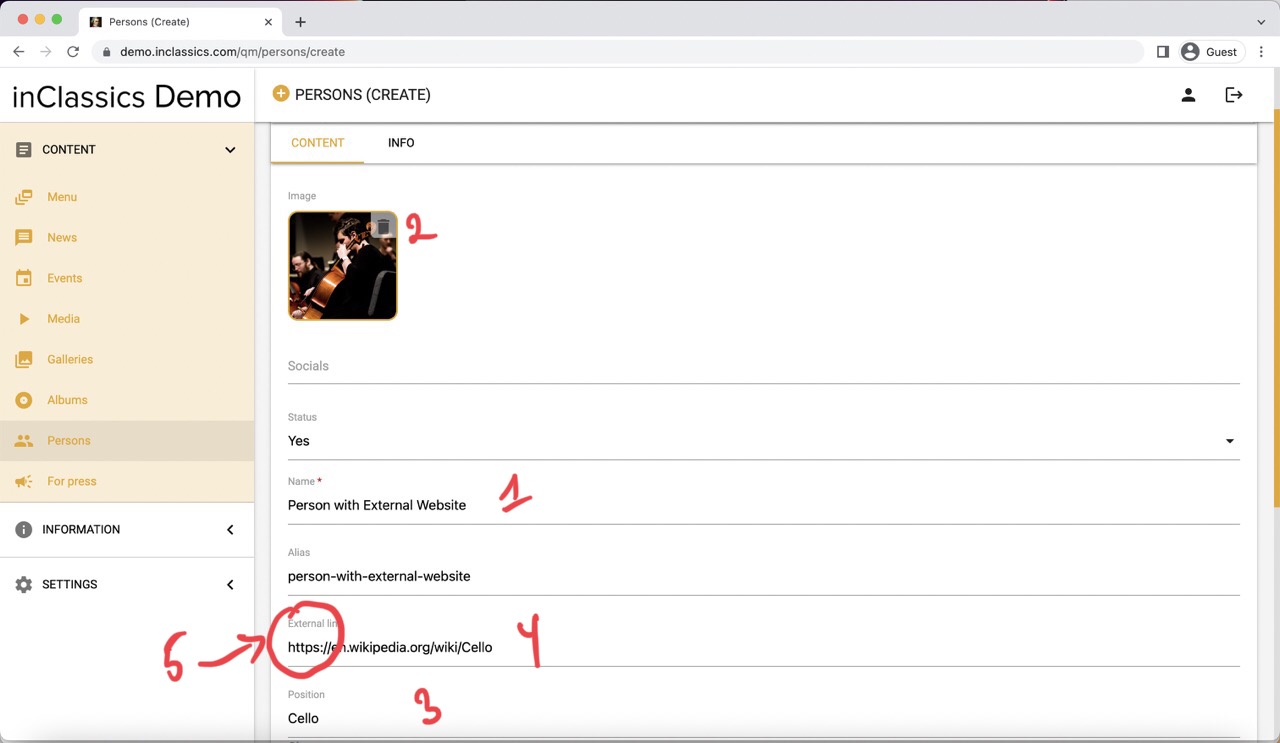
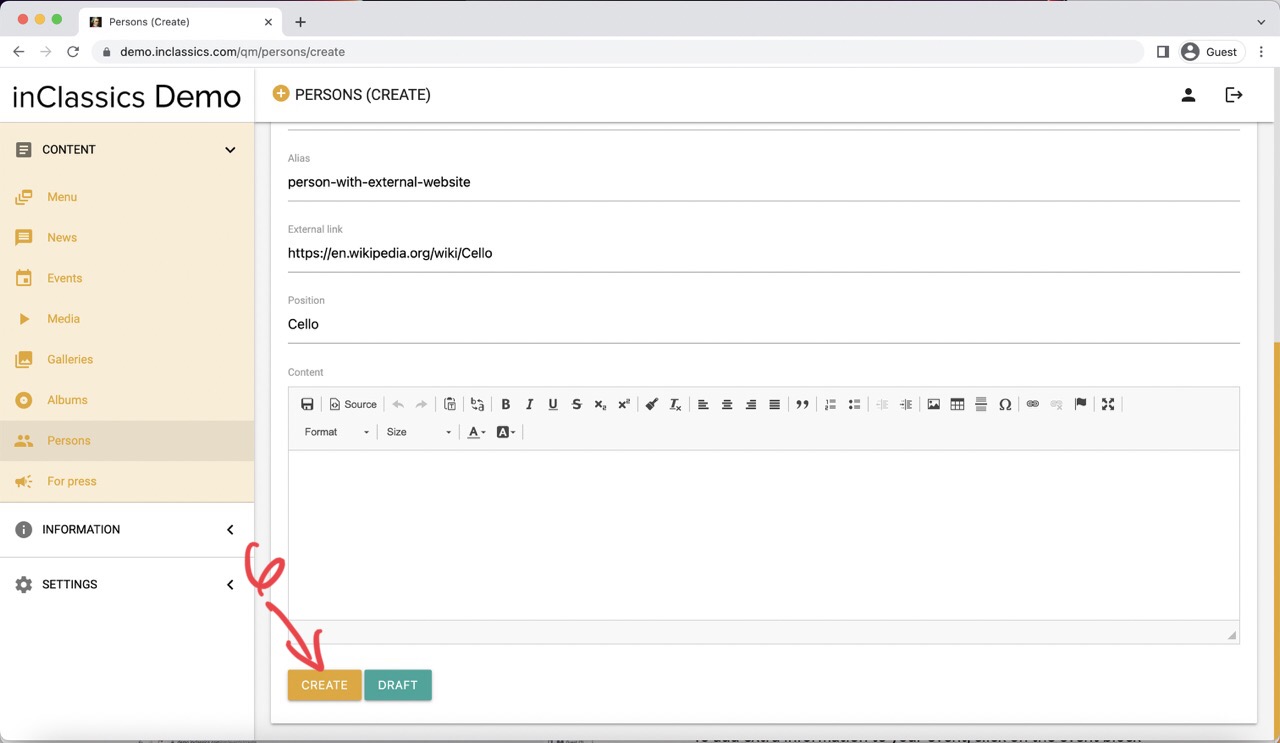
To create a person with an external website:
- provide person's name (1)
- image (2)
- position (or instrument) (3)
- an external link (4)
❗️Please note that you should provide a full link as you copy it from the address bar of your browser (5), starting with http or https.
Click create and your person is added to the database and can be used anywhere on the website.
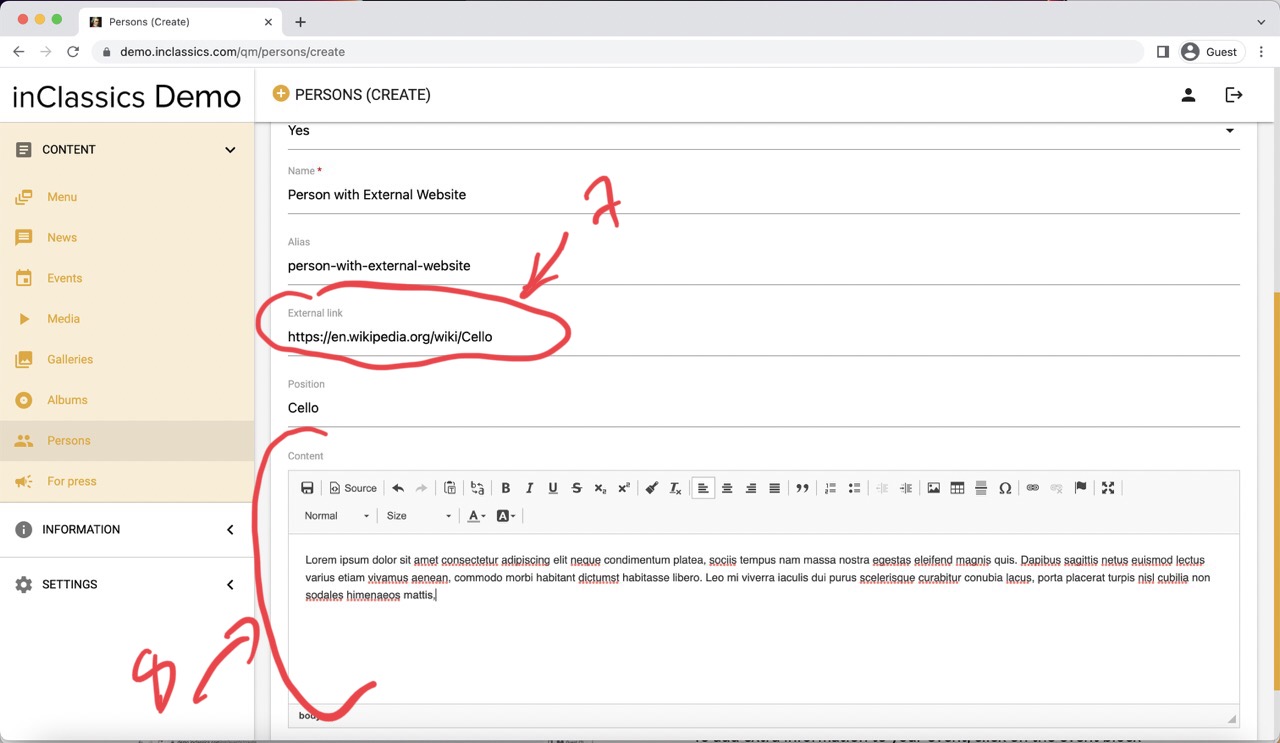
❗️Please note, that if the external link field is not empty, then it doesn't matter if you entered any information in the content field. Clicking on this person will always redirect user to the external website. If you want to have a profile for the person on your website, you should keep the external link field empty.
Create a Person With a Profile on your Website
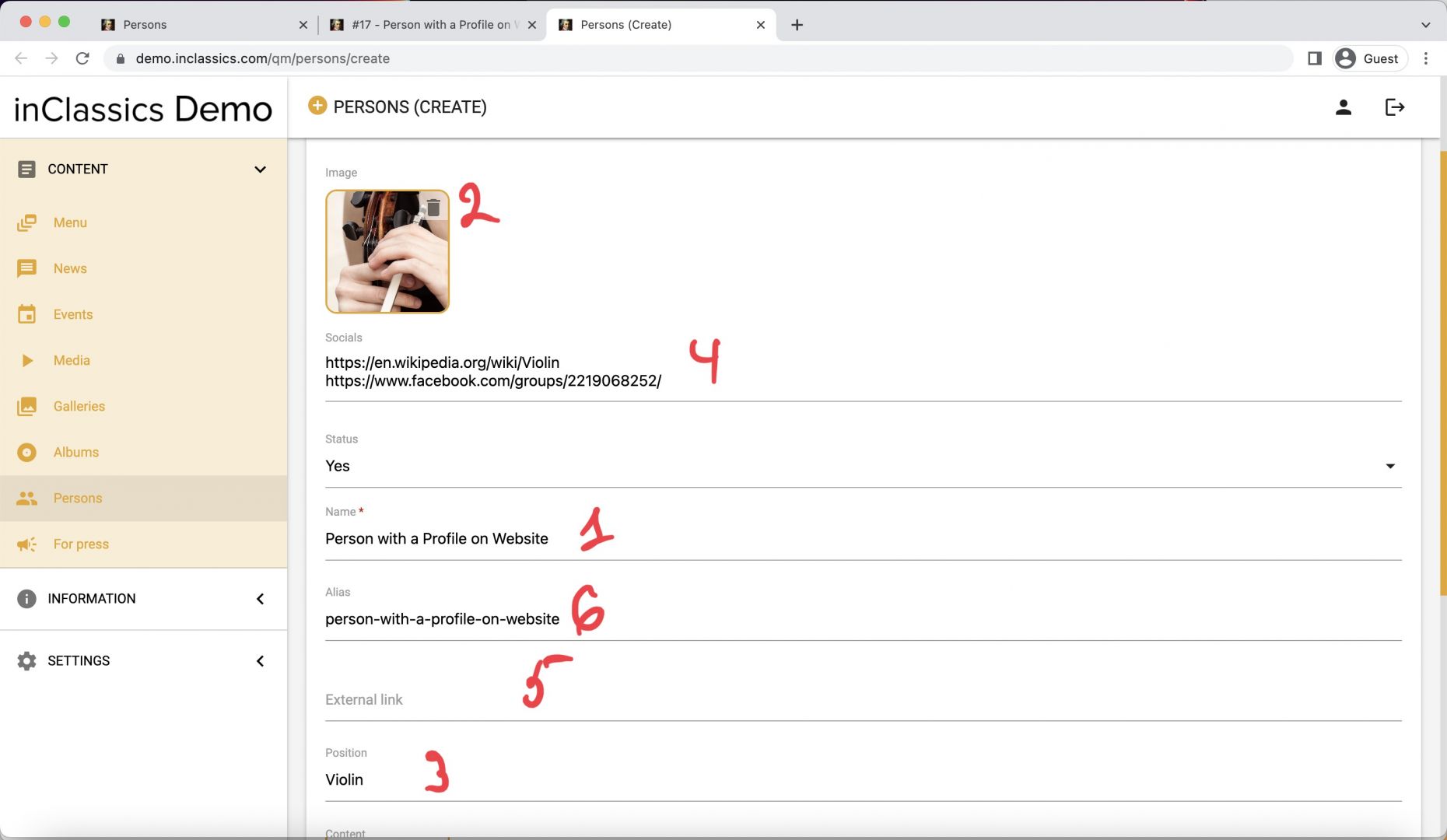
To create a person with a profile on your website:
- provide the person's name (1)
- image (2)
- position (or instrument) (3)
- links to persons website, social media etc. (4)
- !! leave external link field empty (5)
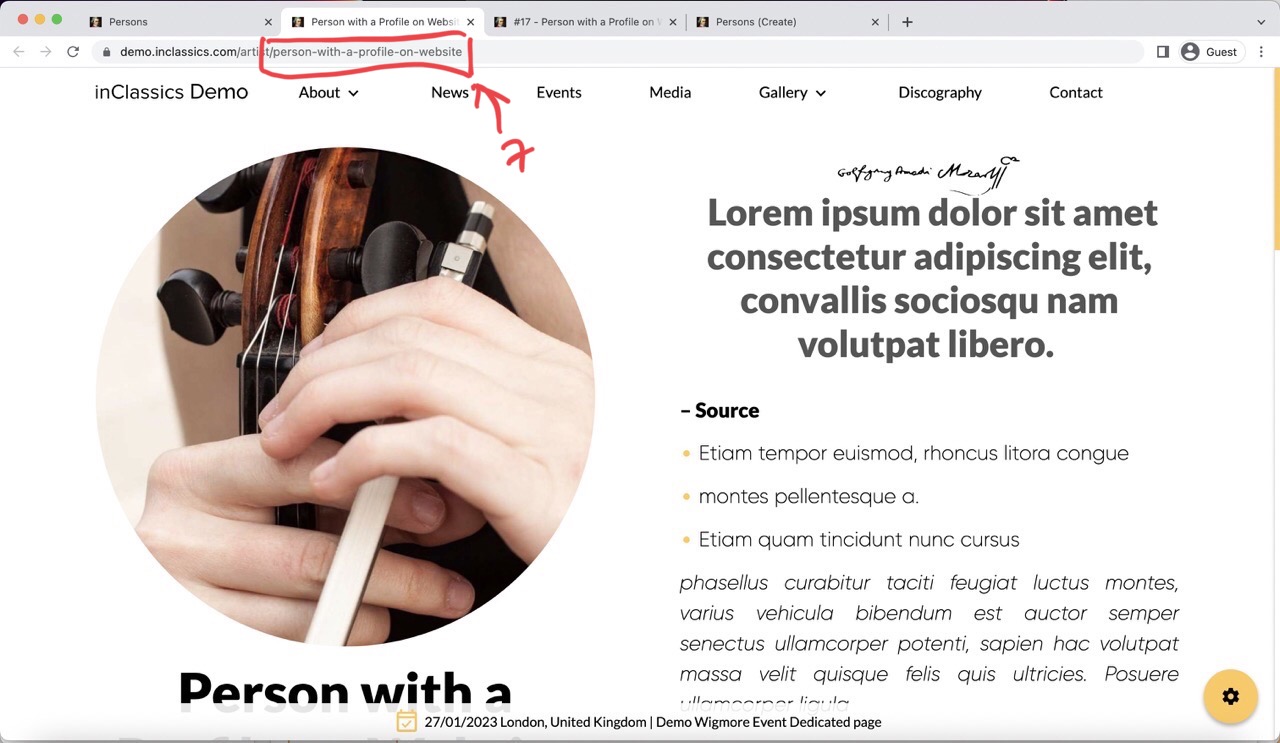
- the alias (6) is a link that will be displayed in the address bar (7), you can leave it as it is automatically generated from the name (1) field
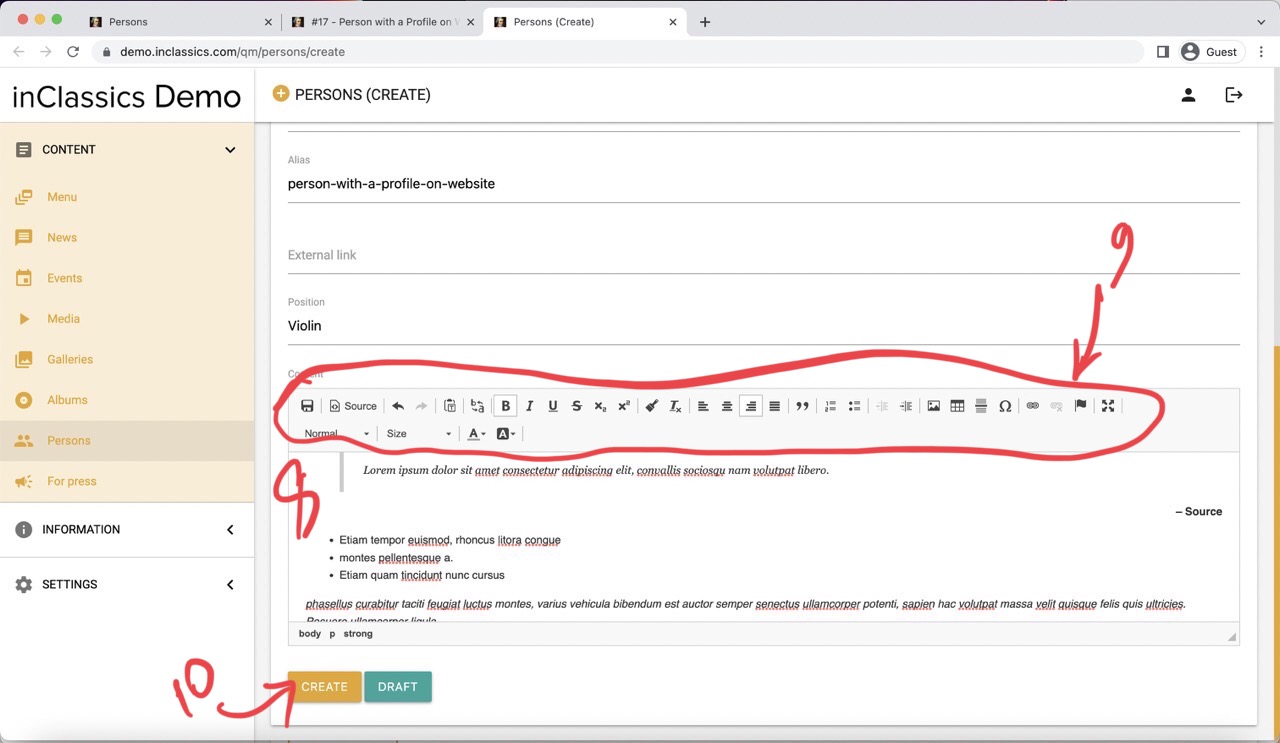
- add content in the text editor (8) (like a short bio or a quote). This content can be formatted any way you like (9)
Click create (10) and now you can choose this person in your events, discography or custom pages.