Composers and Compositions
Video Tutorial
(1 min 30 sec)

If you often perform the same pieces, you can create a database of composers and compositions that you can use later to create your events faster.
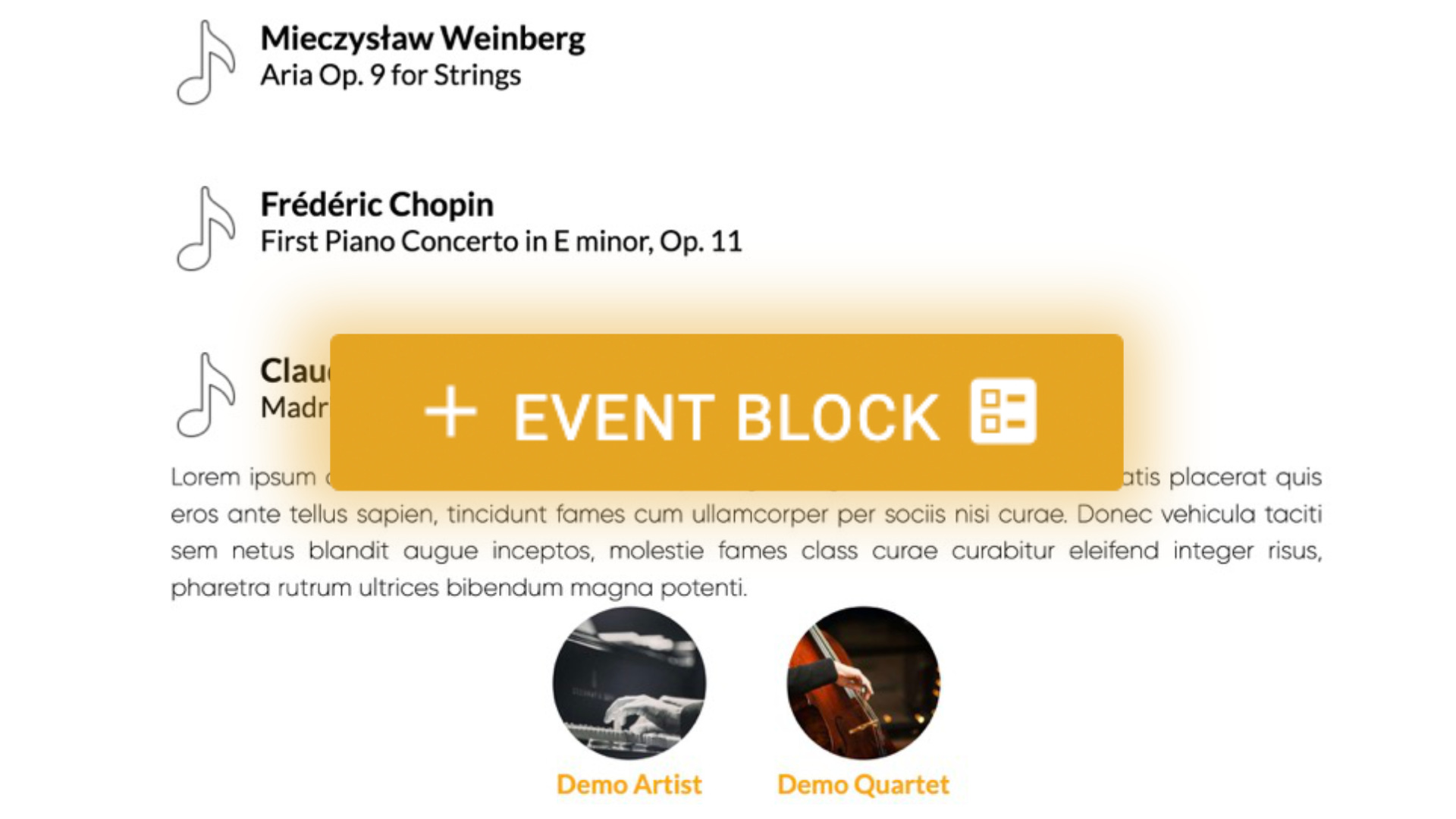
Here you can create a composer and composition title, for example:
You can also add extra information to each composition, such as program notes, quotes and composers.
This is especially useful when you perform the same program with the same people.
Then, when creating your events, rather than copy-paste your program and program notes all the time, you can simply choose the composition from the dropdown menu and all the information you saved will be displayed automatically
Add a Composer
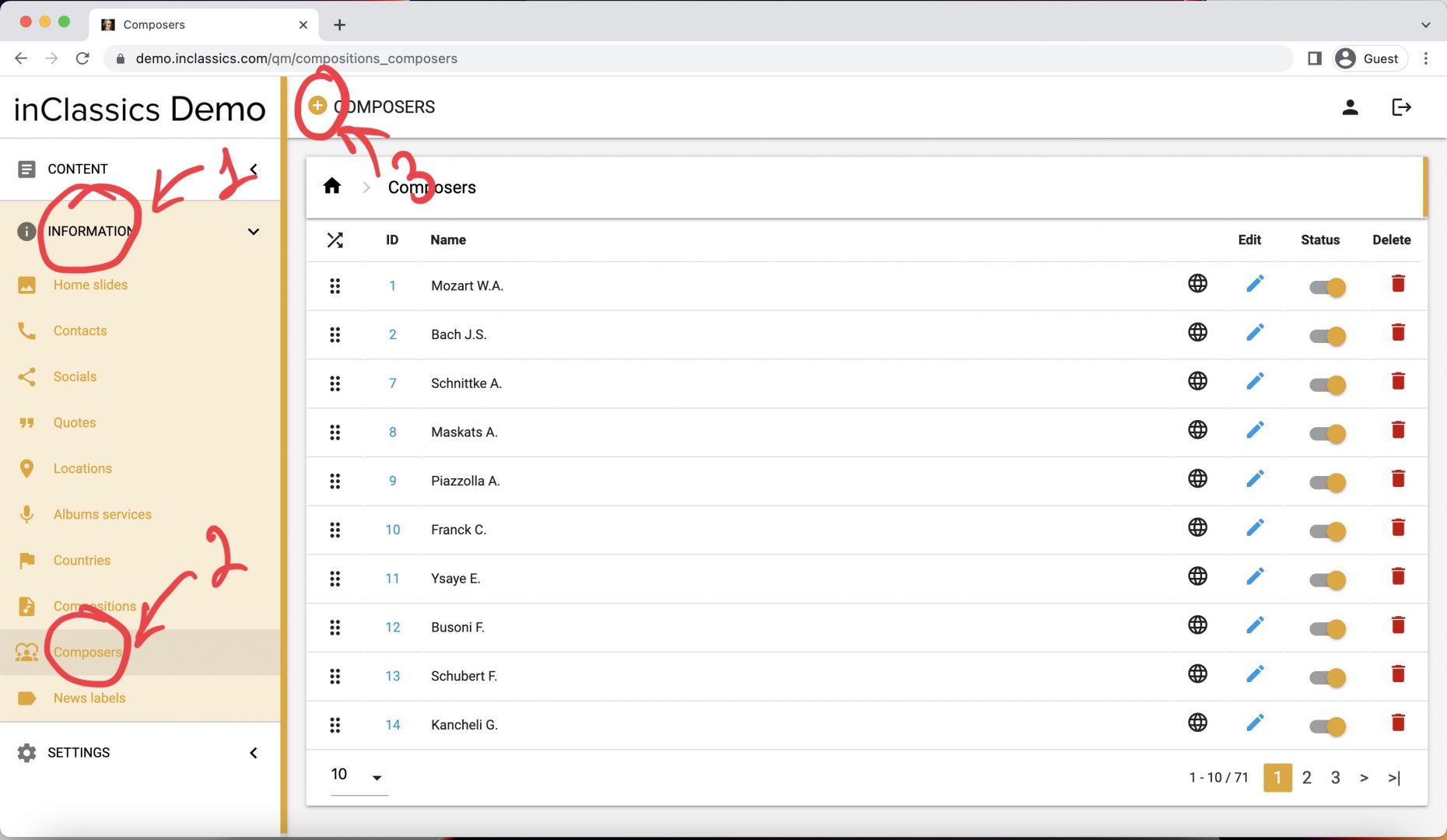
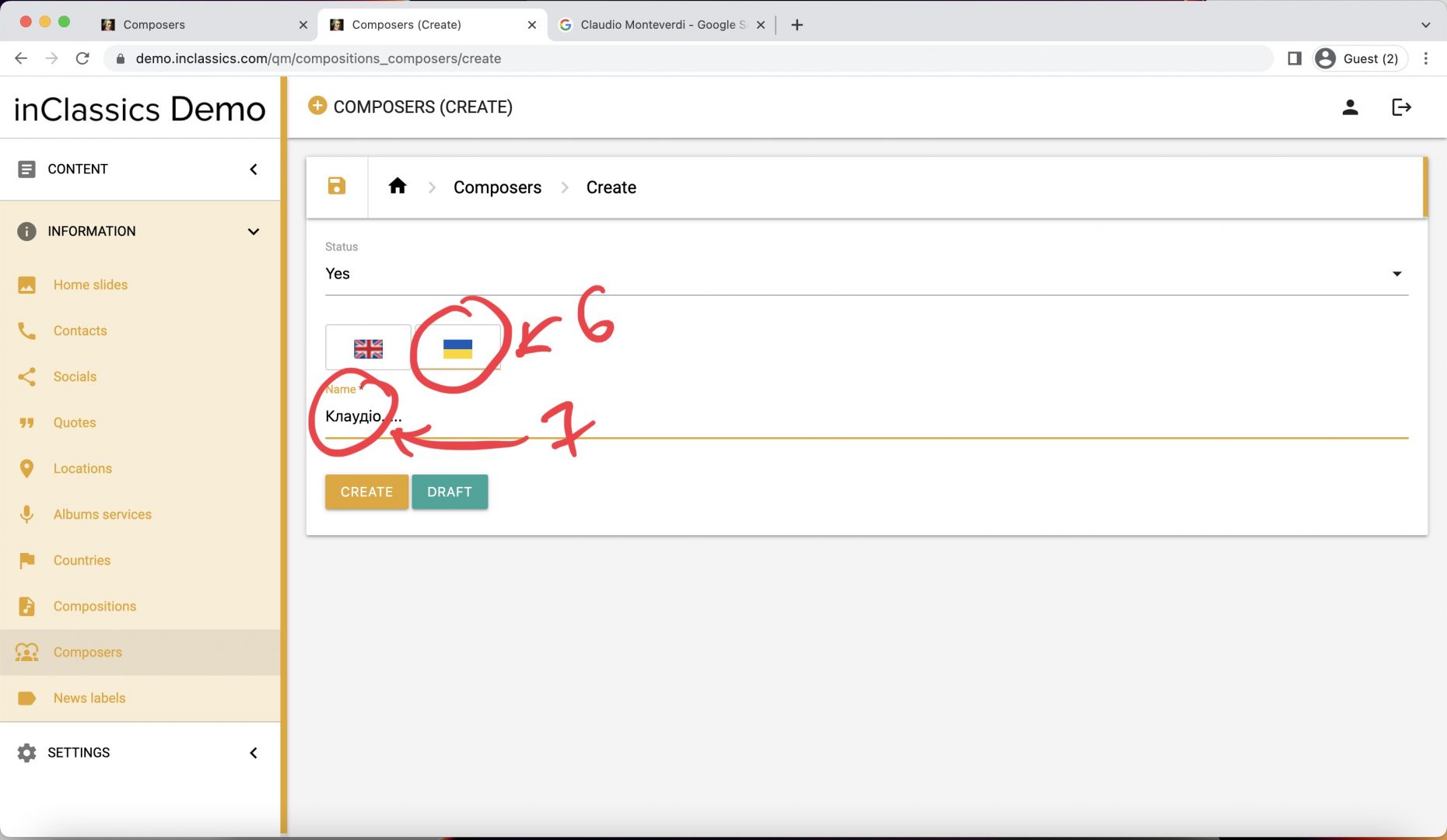
To add a composer to your database:
- go to admin panel
- information tab (1)
- composer (2)
- click on the plus icon next to Composers title (3)
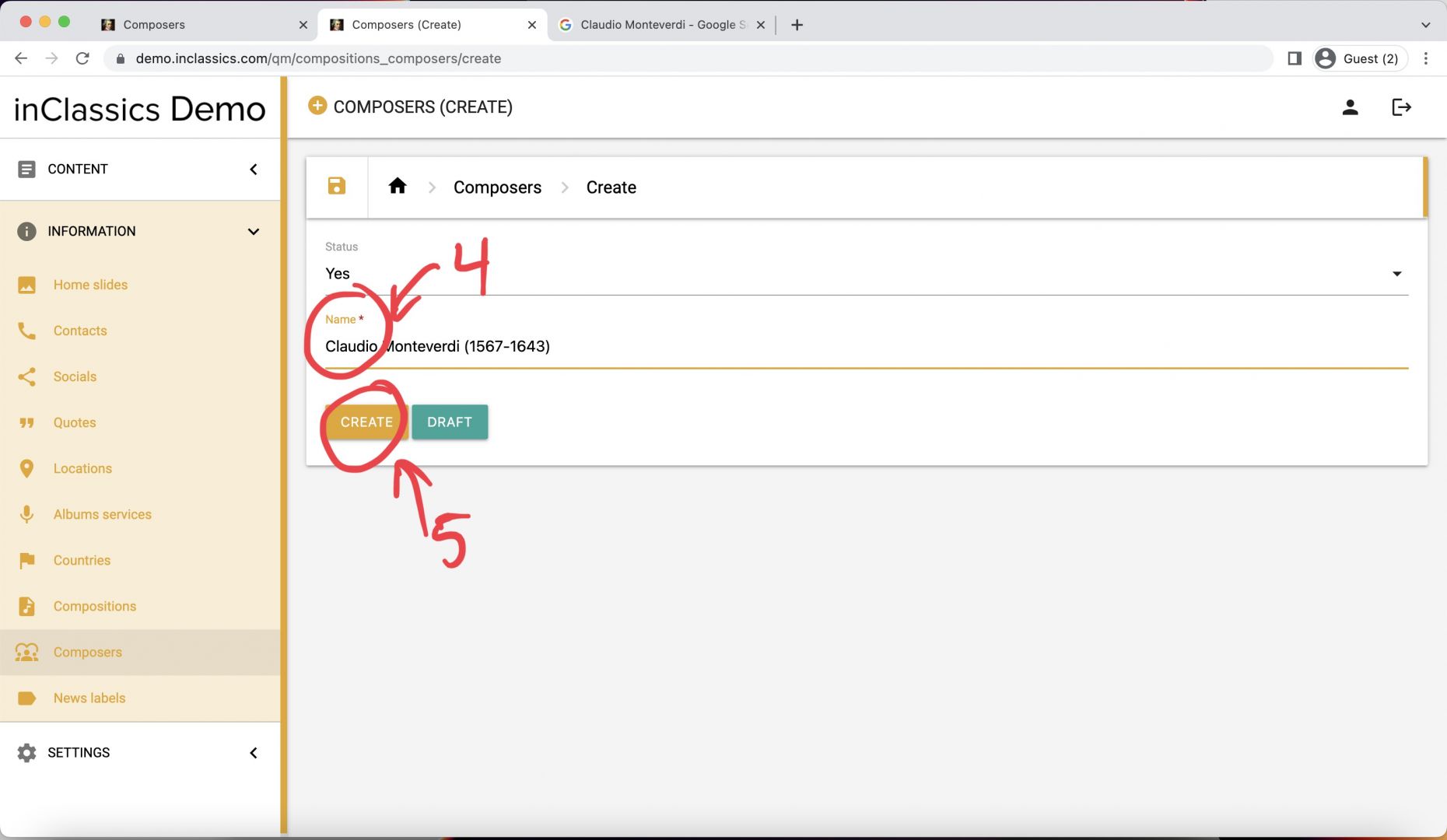
In the composers page:
- add the name and surname of the composer (you can also add when the composer was born for example) (4)
- click create (5)
If your website is multilingual:
- click on the flag (6)
- translate the composers name as well (7)
Manage Composers
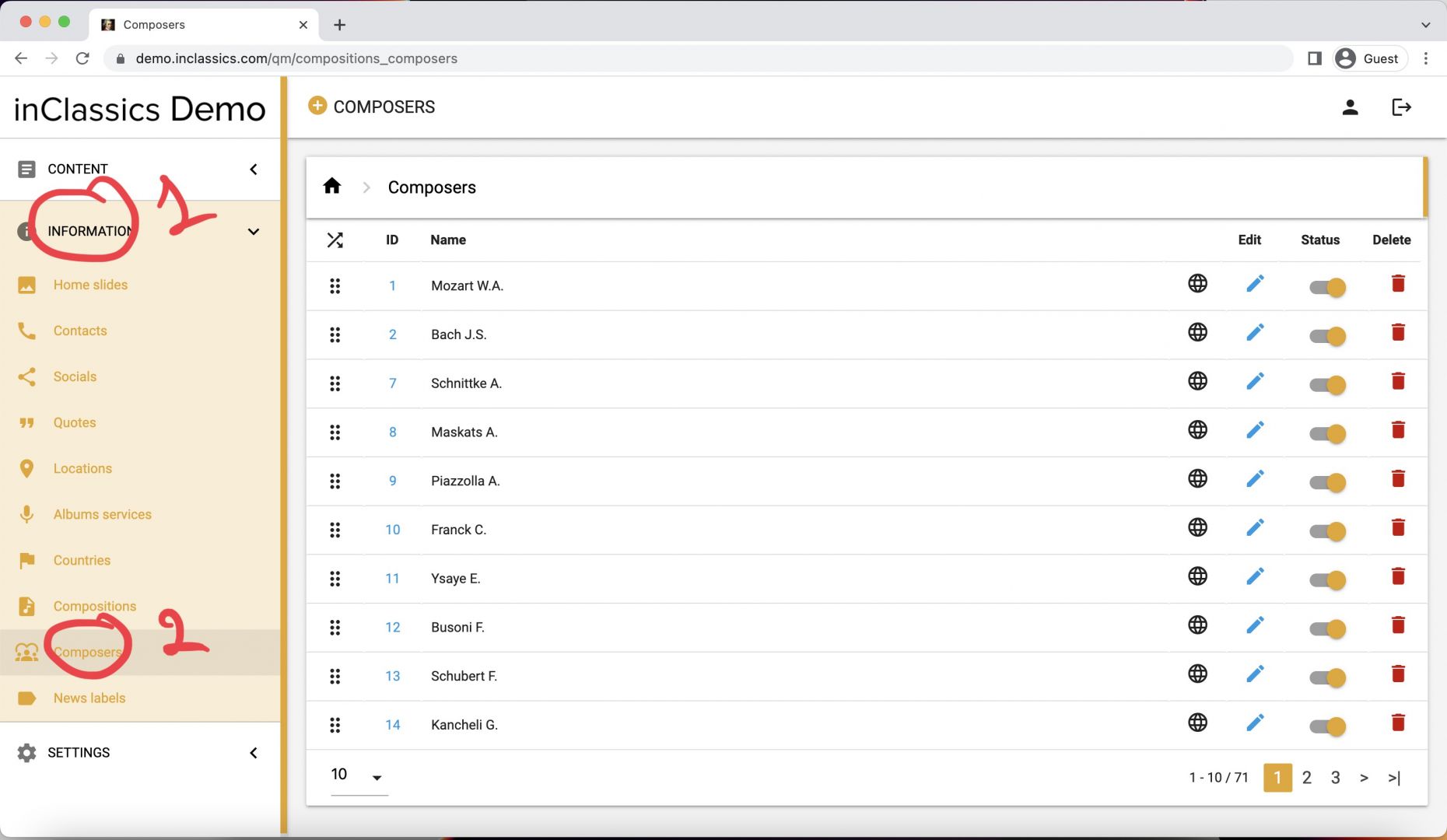
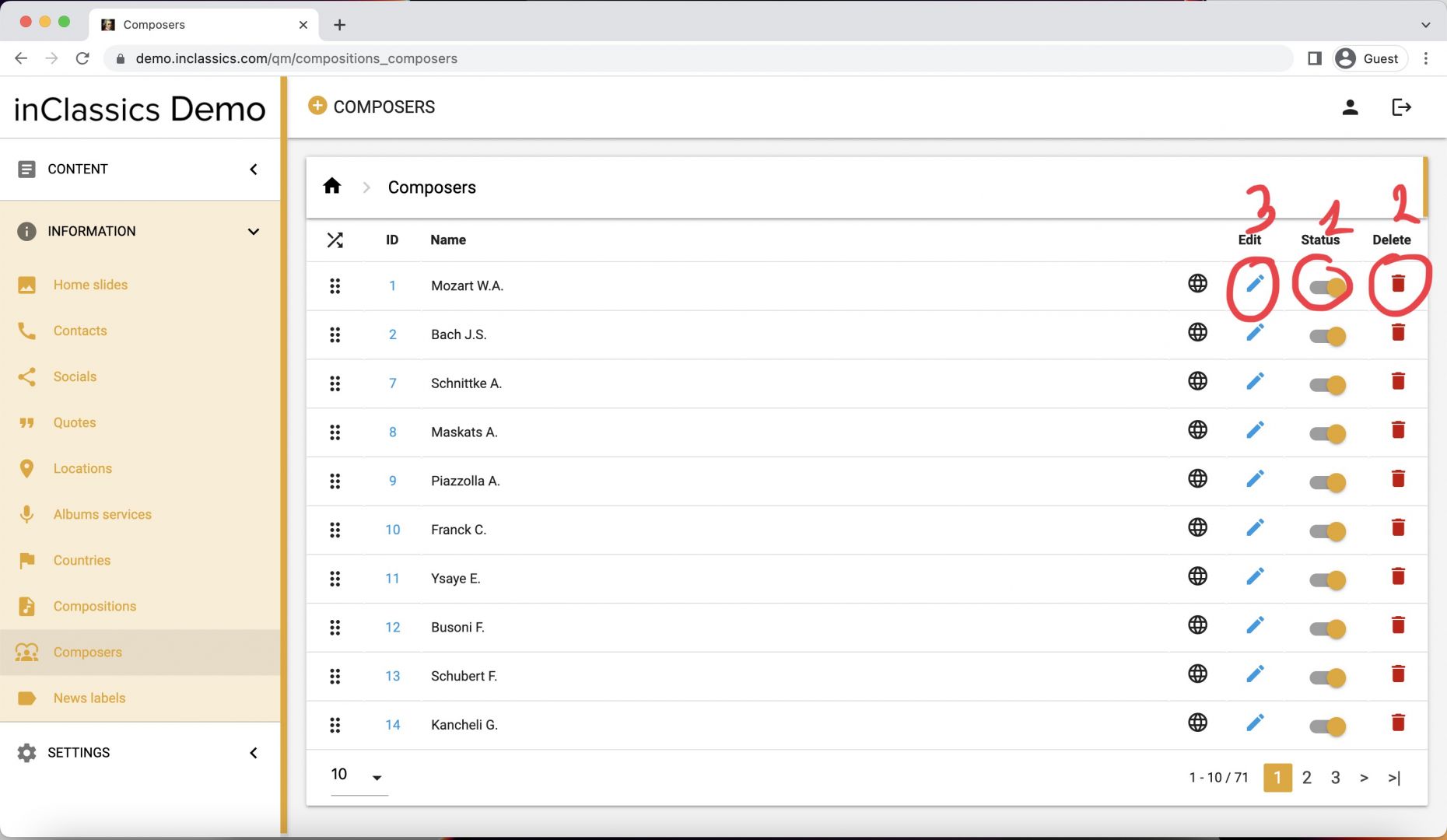
To manage your existing composers:
- go to the admin panel
- information tab (1)
- composer (2)
Here you can:
- Unpublish and publish composers clicking on a toggle icon switch (1)
- Delete composer by clicking on a bin icon (2)
- Edit composer by clicking on the pencil icon (3)
Create and Assign a Composition to the Composer
(You must have a composer in your database)
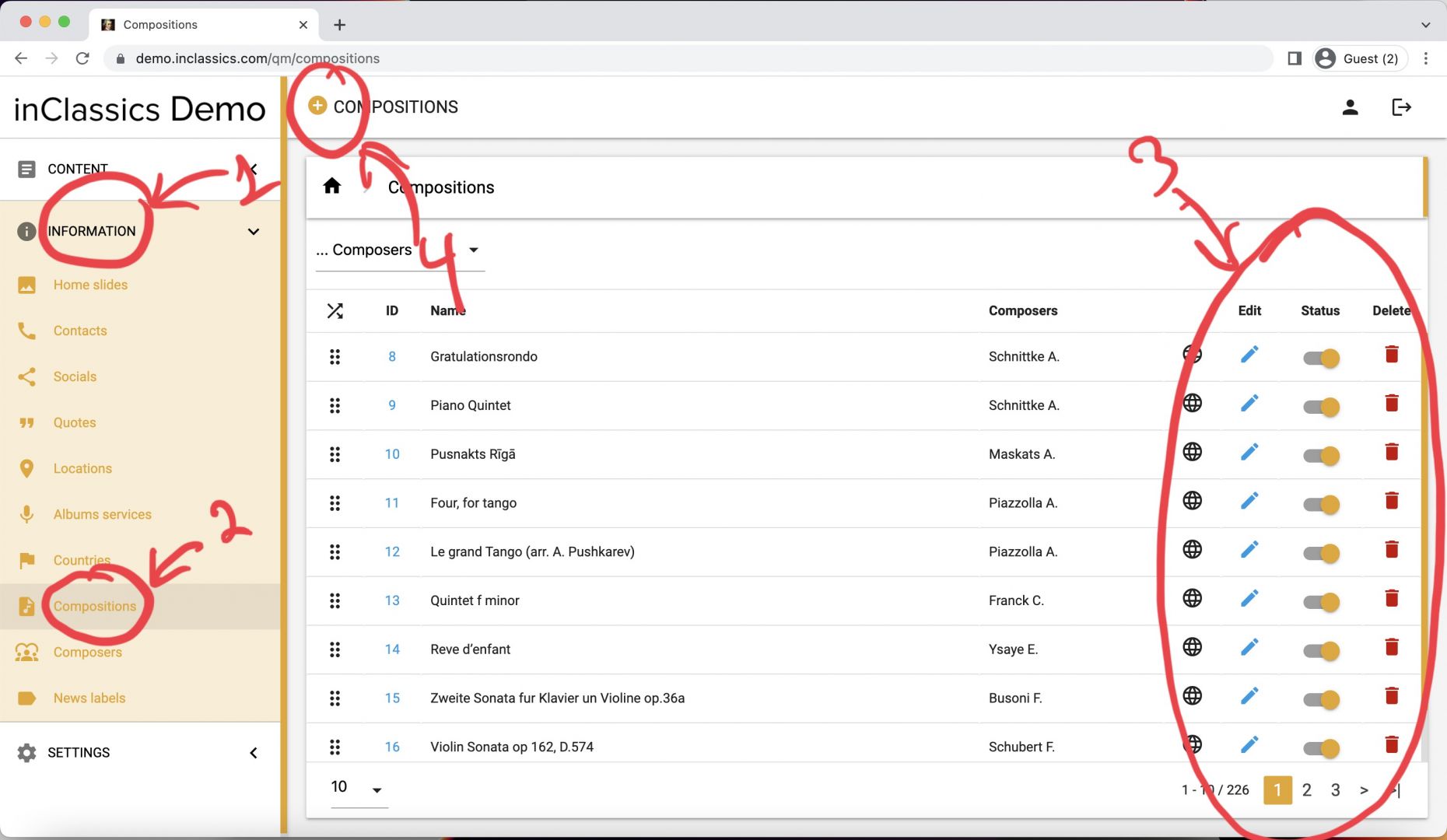
To create a composition:
- go to the admin panel
- information tab (1)
- click on composition (2)
Here you see a list of your compositions and you can edit, publish-unpublish and delete them the same way as the composers (3)
When you have a composer in the database, you can create and assign a composition to this composer
- to create a new composition click on a plus icon (4)
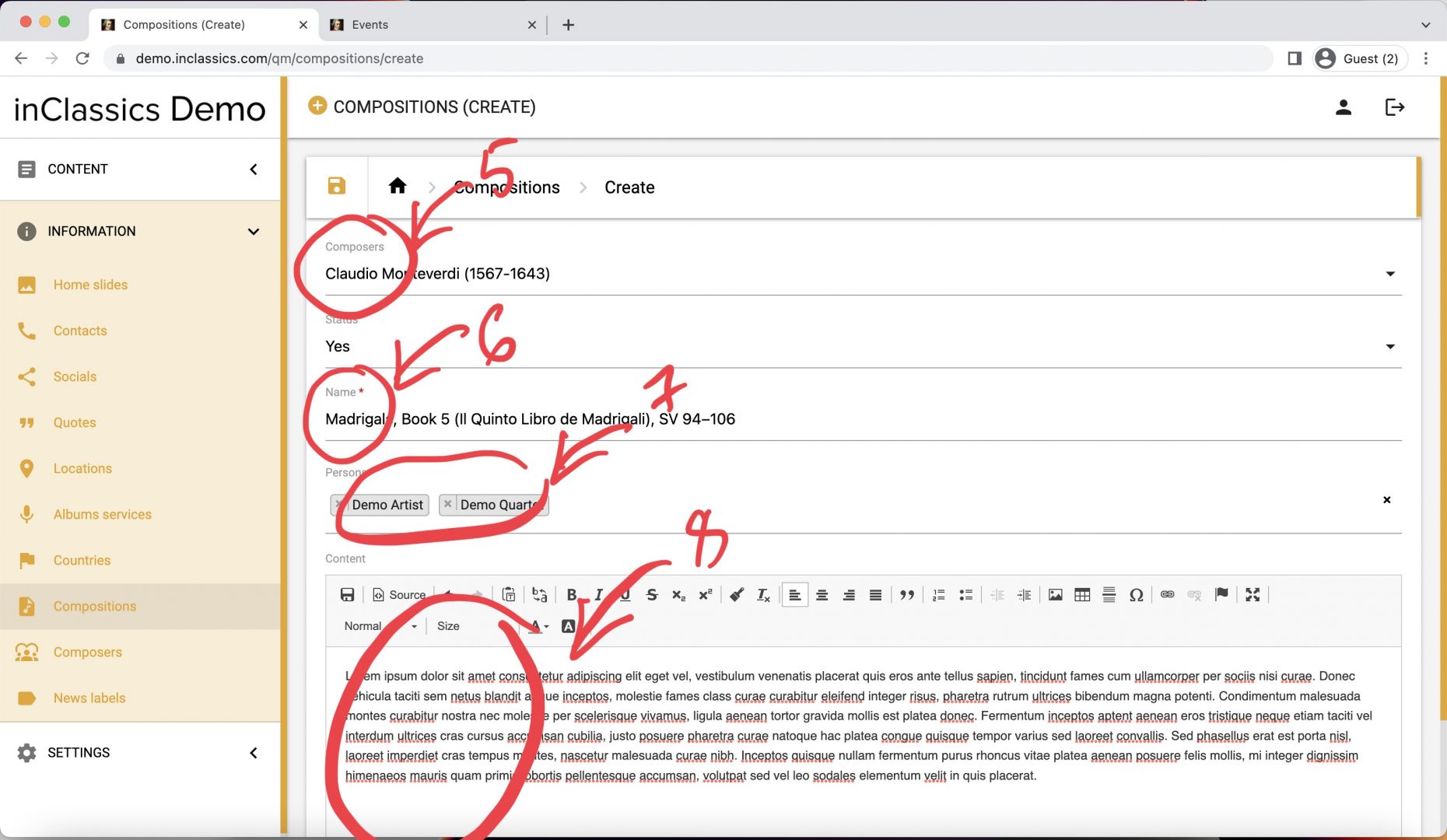
In your compositions (create) page:
- choose a composer
- add composition name
- persons (which can be useful when performing the same pieces with the same people)
- the text content (details about the composition, program notes etc.)
- click create button
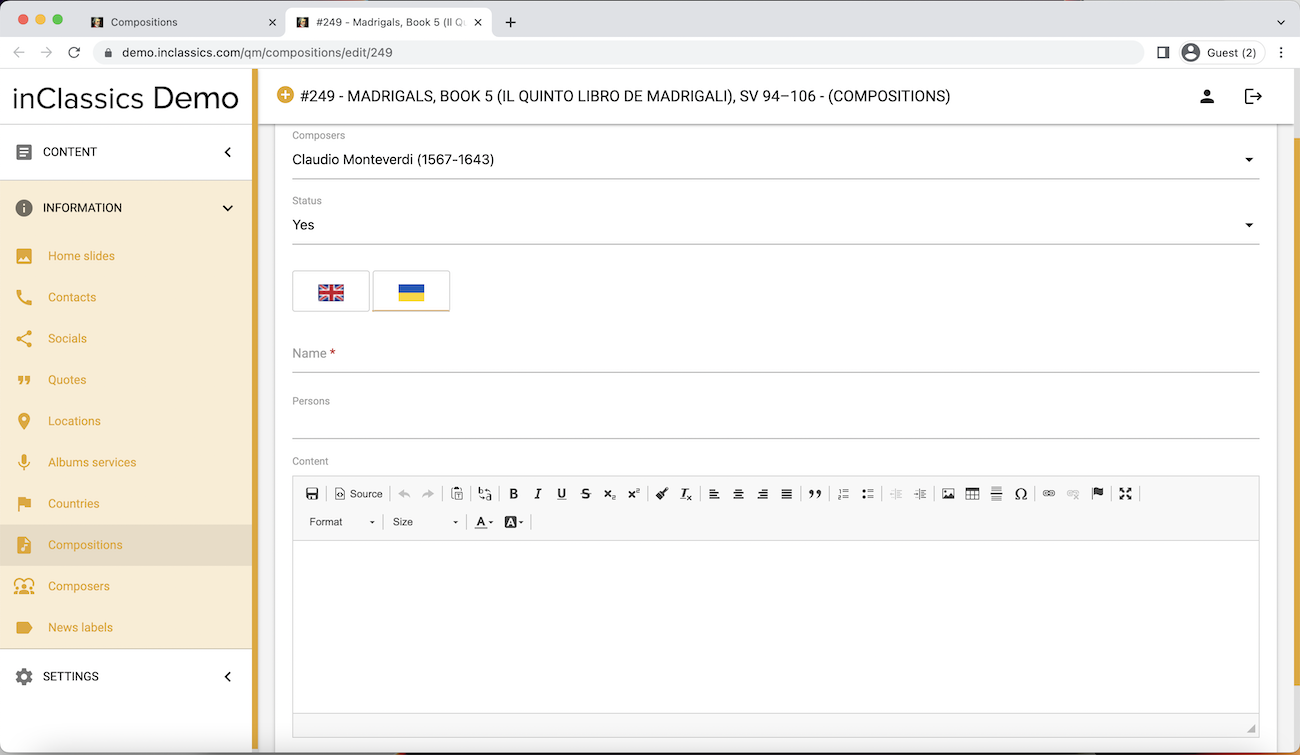
If your website is multilingual, don't forget to translate the content under the flag tab
Choose a Composition in your Event or Event Block
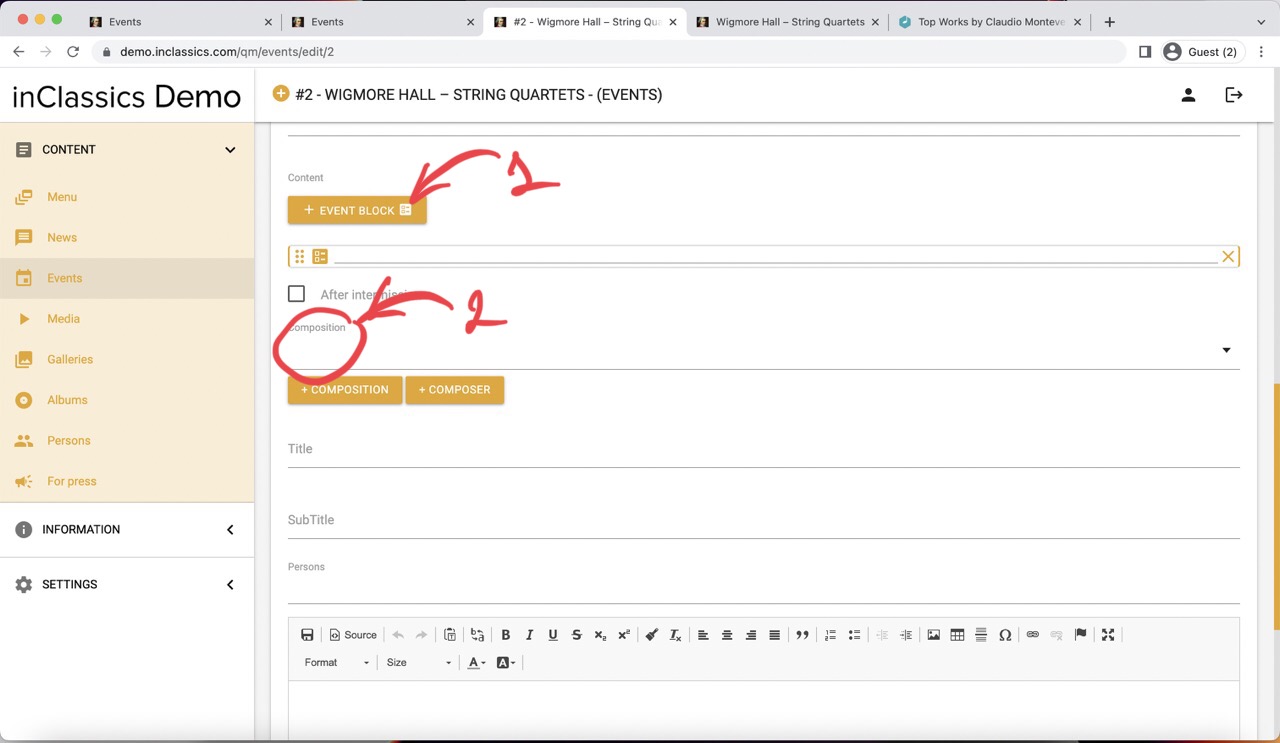
Now you can use your composition in your events page.
- go to create or edit your event
- add an event block (1)
- click on composition field to see your saved compositions (2)
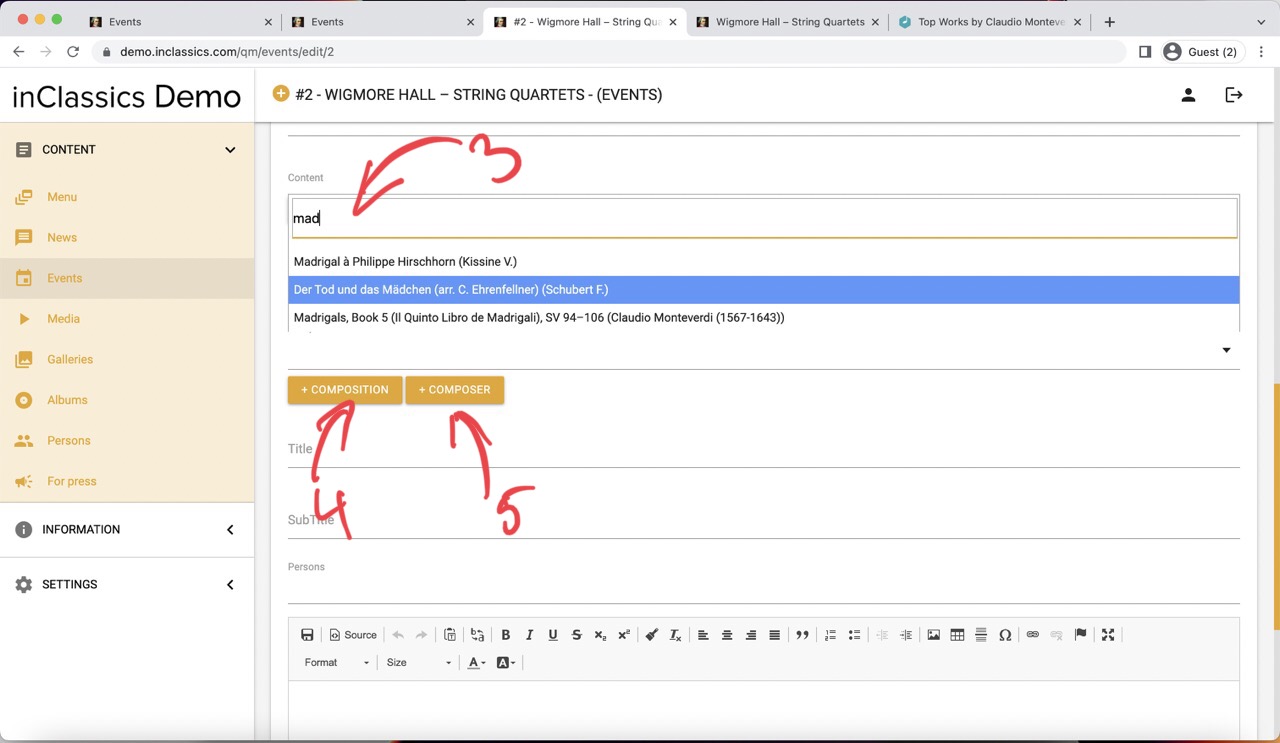
- choose a composition from your list (3)
- repeat adding blocks and choosing compositions until you added the whole program
- save your changes and your program is created
If you cant find a composition in your events creation page, you can add composition (4) or composer (5) directly from this page and it will appear in the menu.