Quotes Page Management
Check out demo quotes page
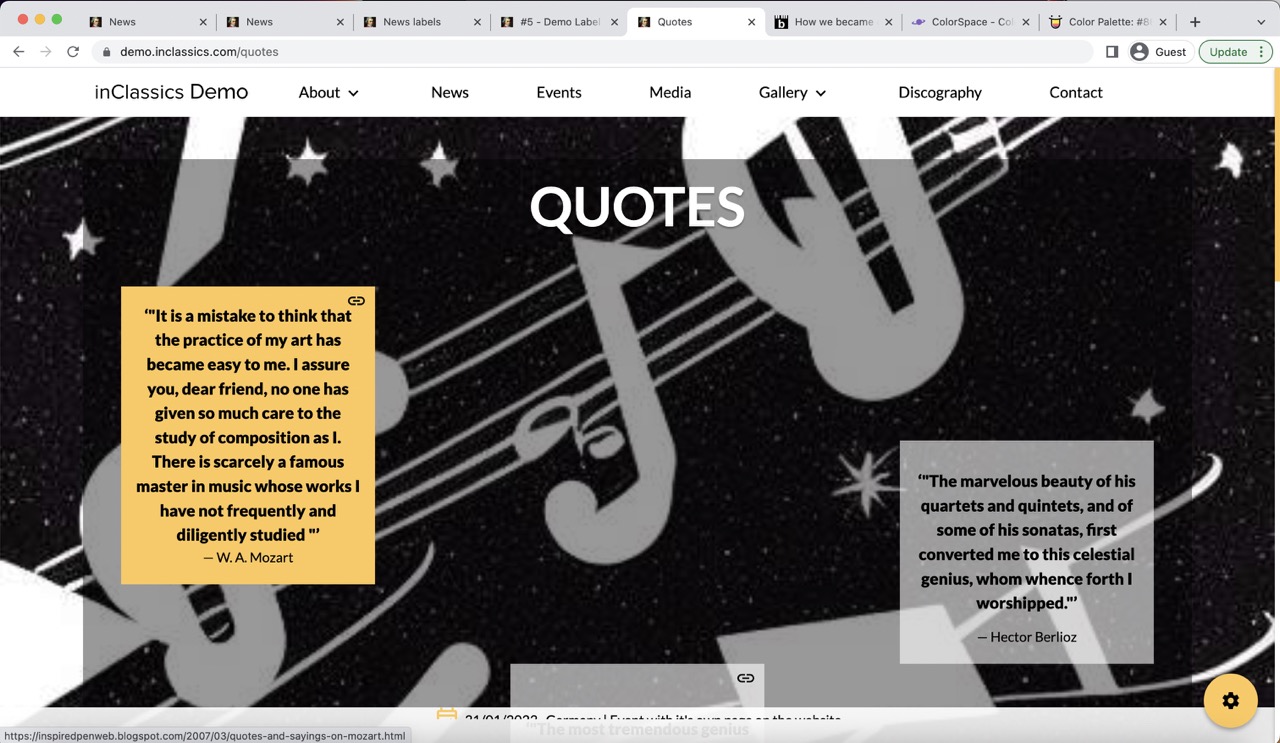
There is a special page on the website to display your quotes.
The background images change every few seconds.
Quotes can have a link to the source.
Change Background Images
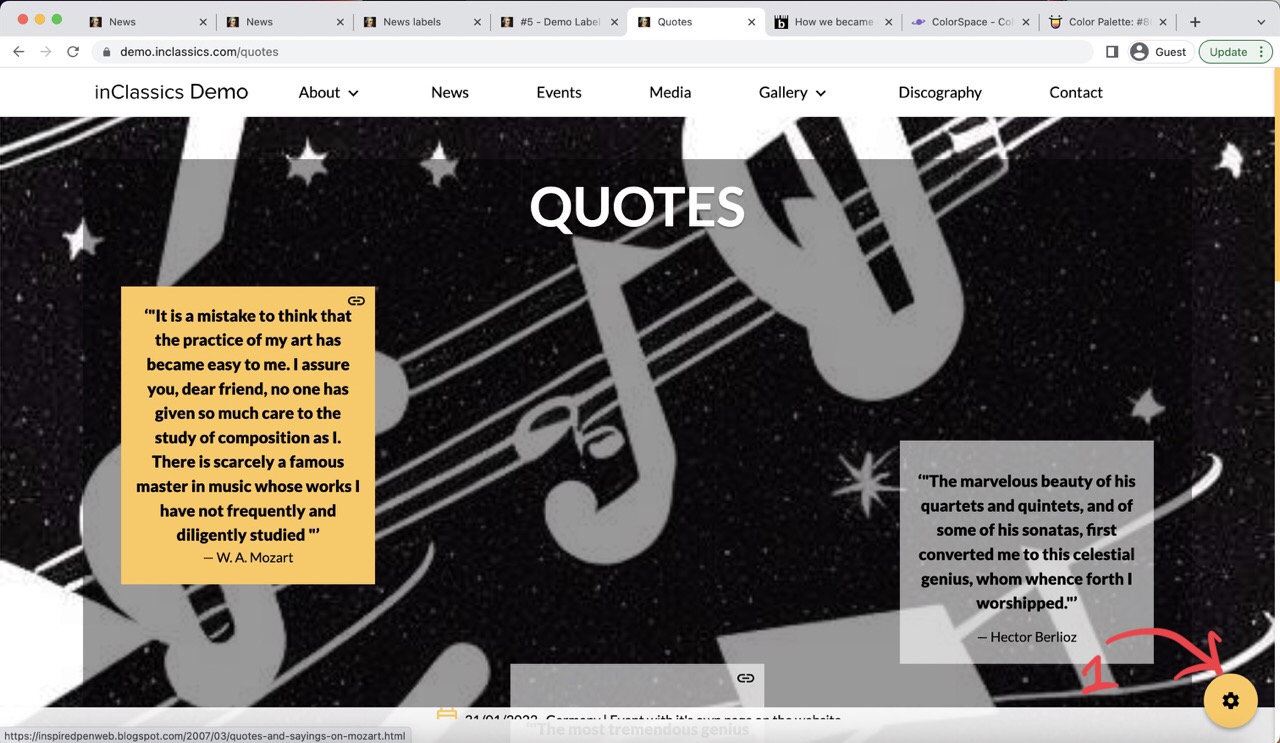
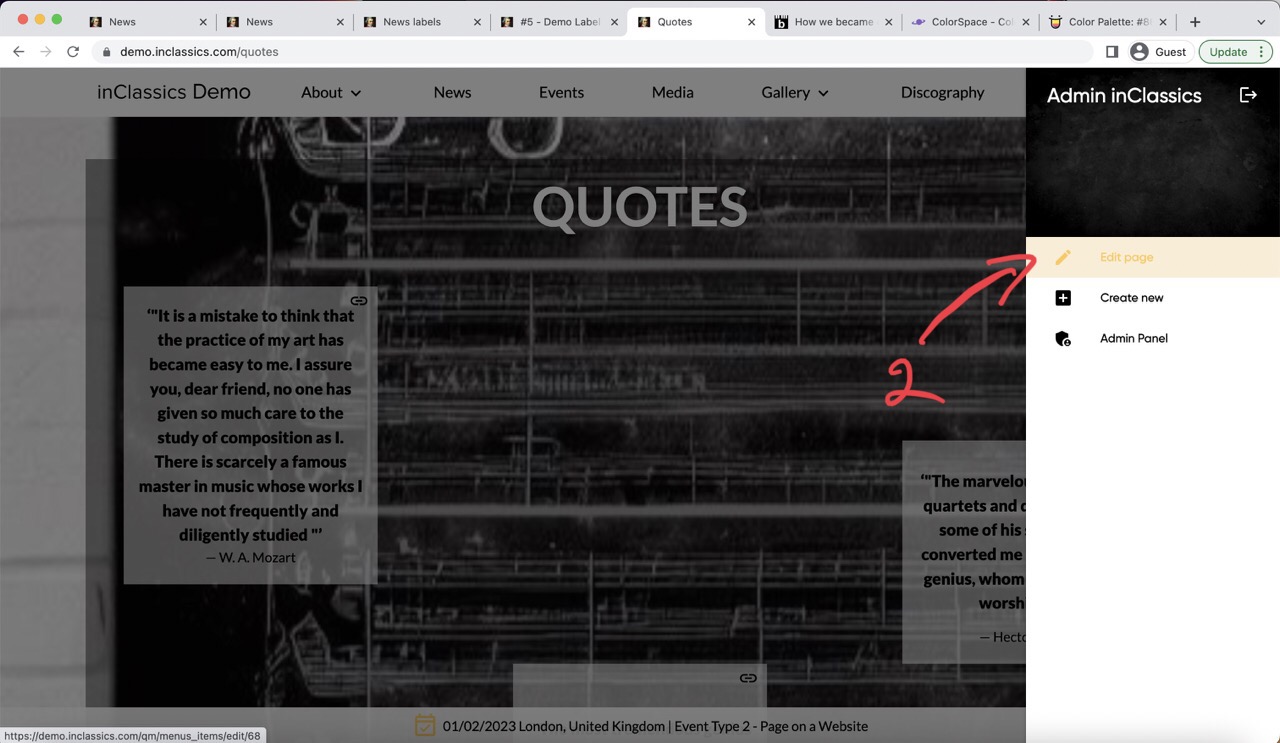
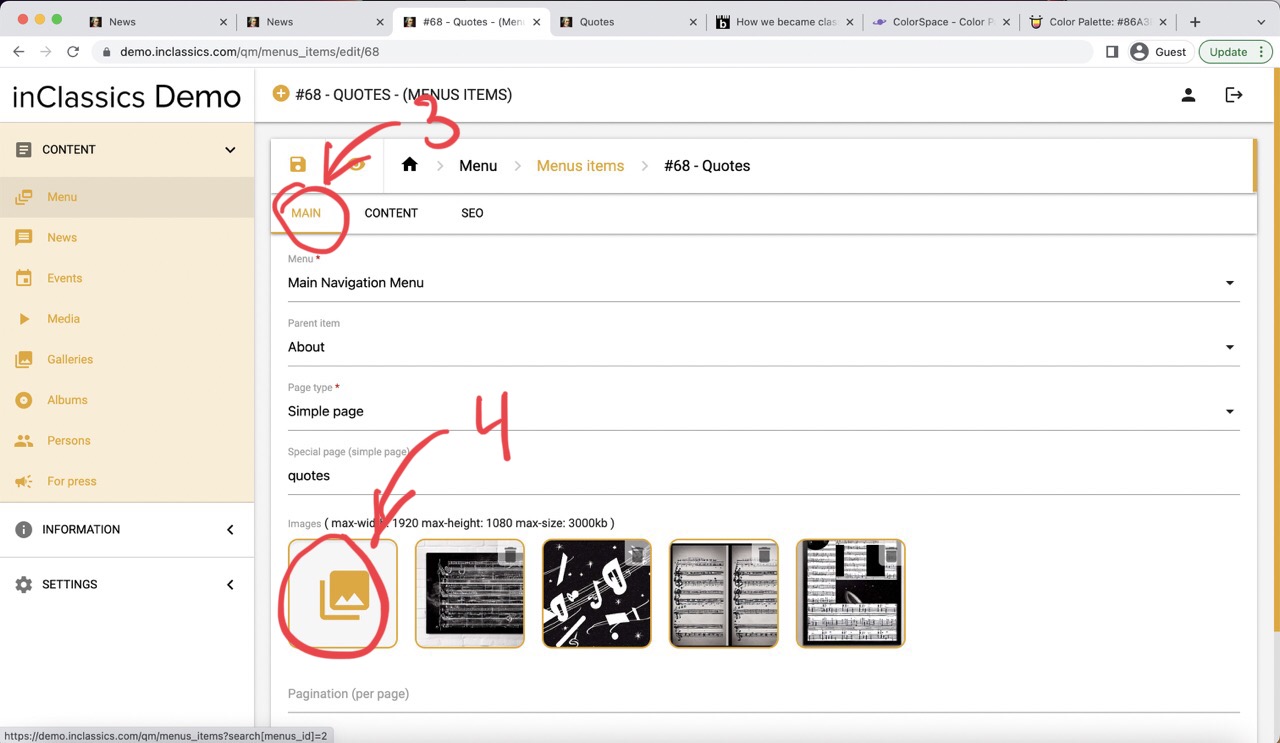
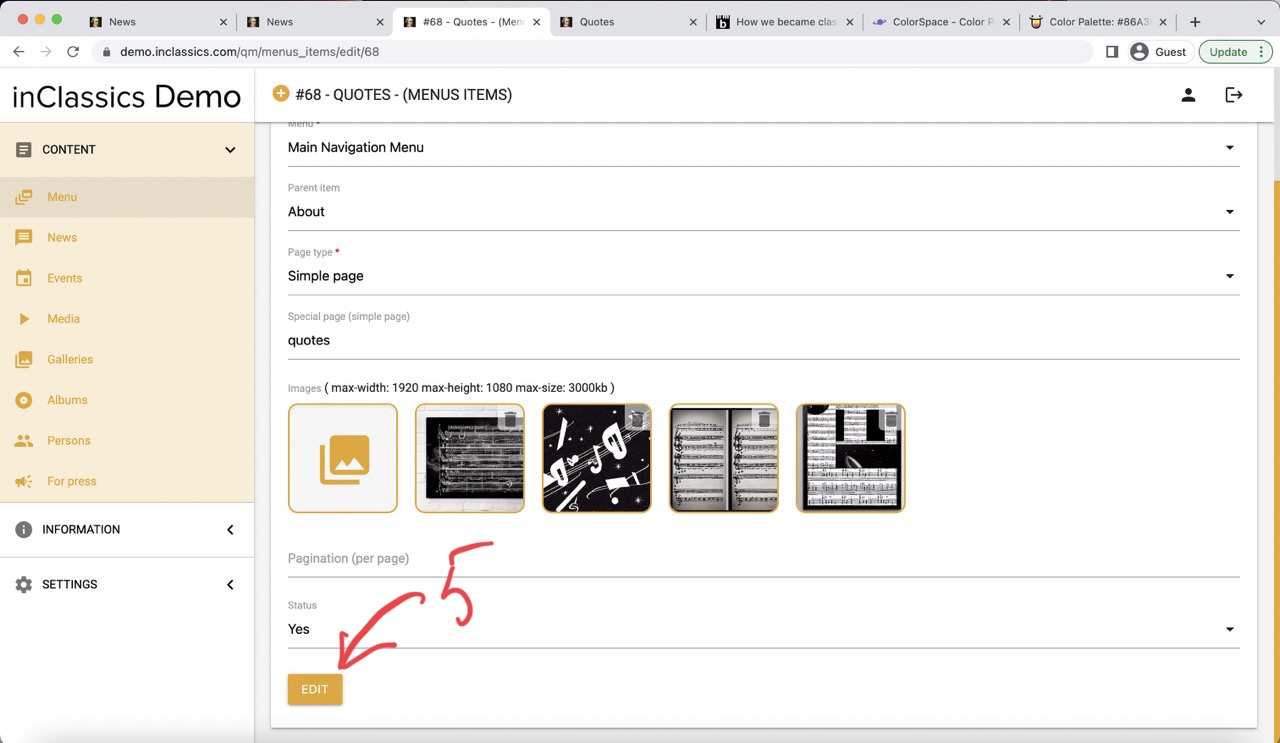
To change the background images:
- go to your quotes page
- click on the settings button (1)
- click "edit page" (2)
- go to the "main" tab (3)
- upload images (4)
- click edit (5)
Add a Quote
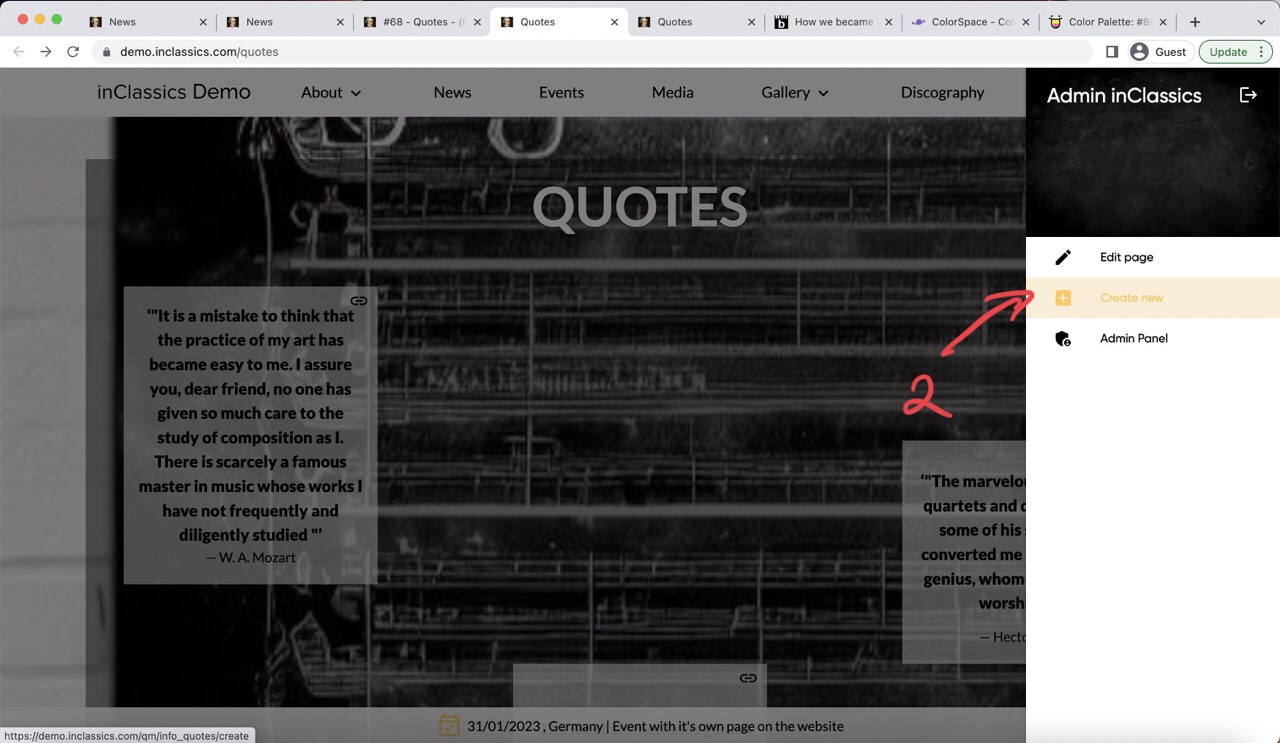
To create a quote:
- go to quotes page
- click on the settings button (1)
- click create new (2)
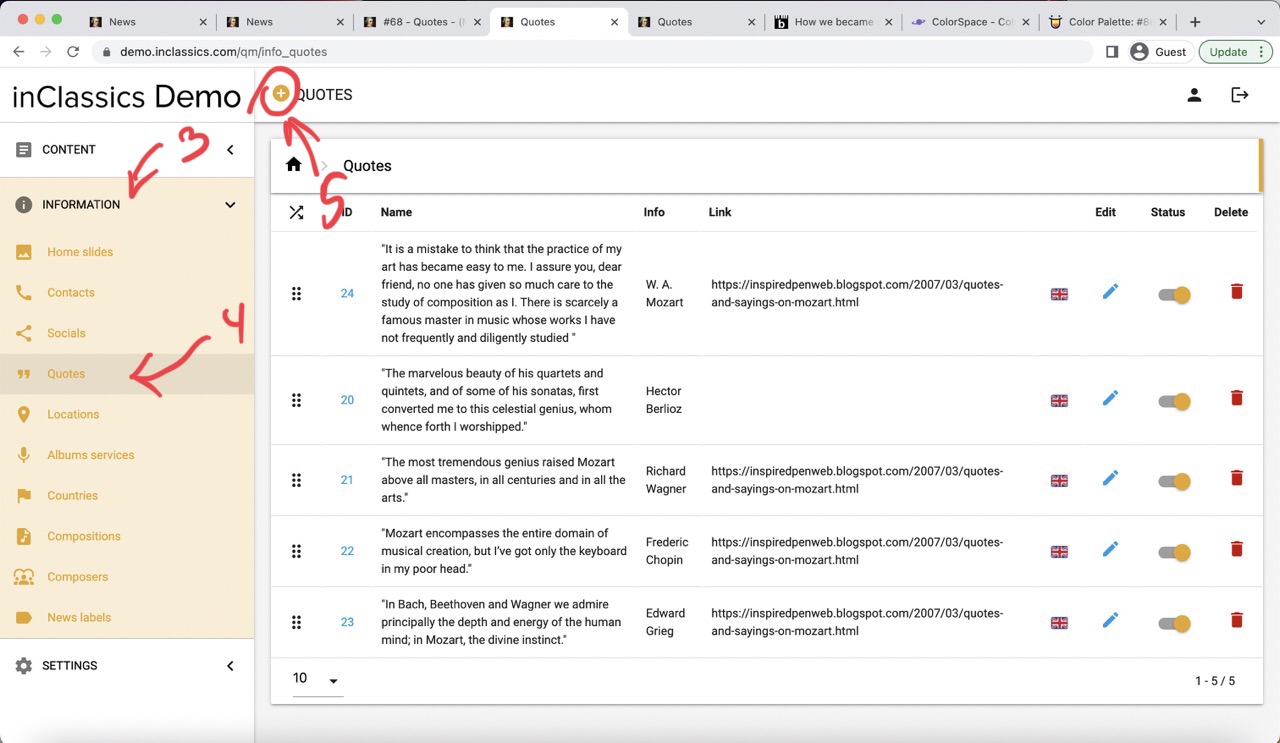
To do it from within you admin panel:
- go to the information tab (3)
- quotes (4)
- click on the plus icon (5)
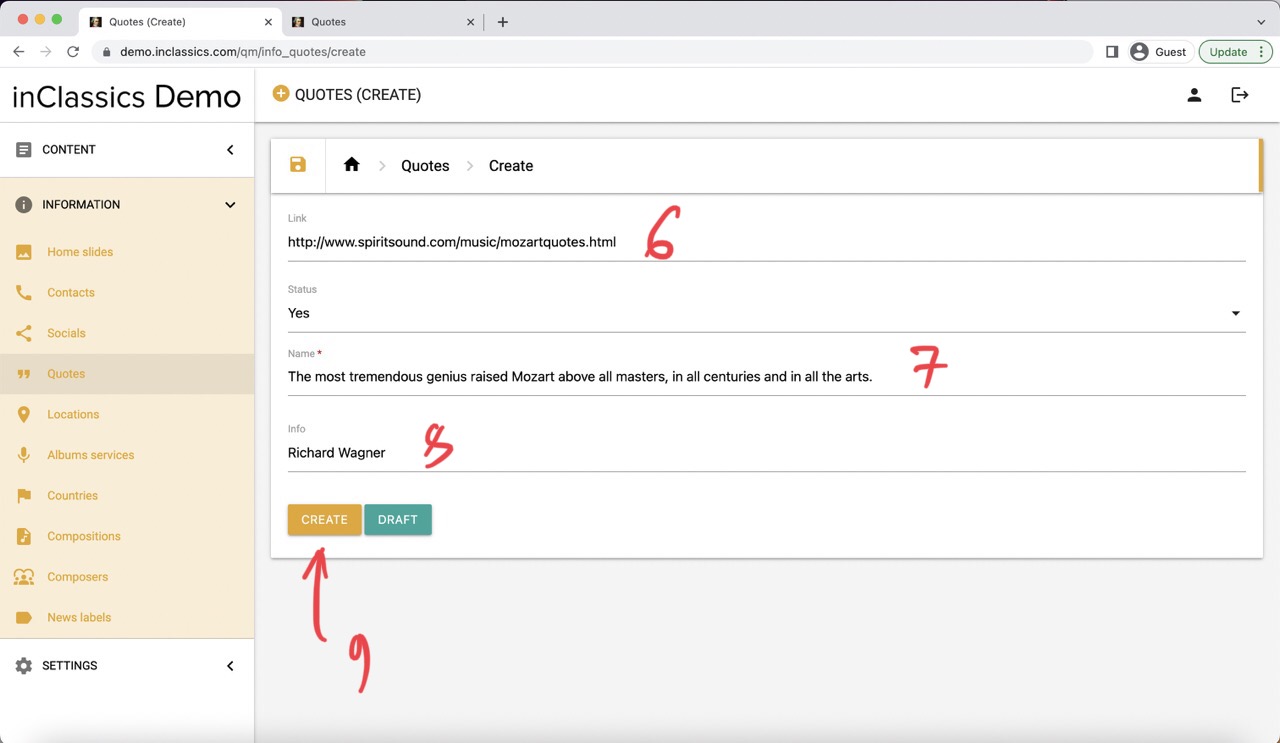
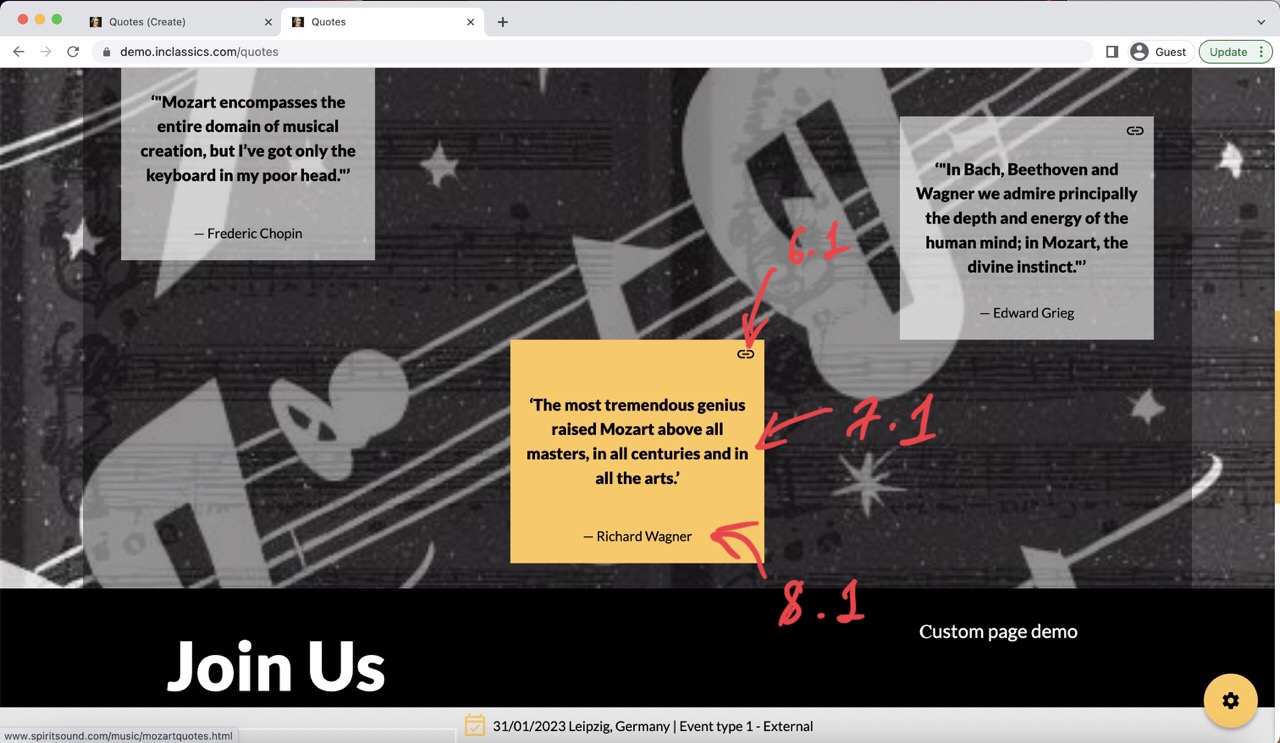
Here you can add:
- link to the source (6, 6.1)
- quote text (7, 7.1)
- quote author (8, 8.1)
- click create (9)
Manage Quotes
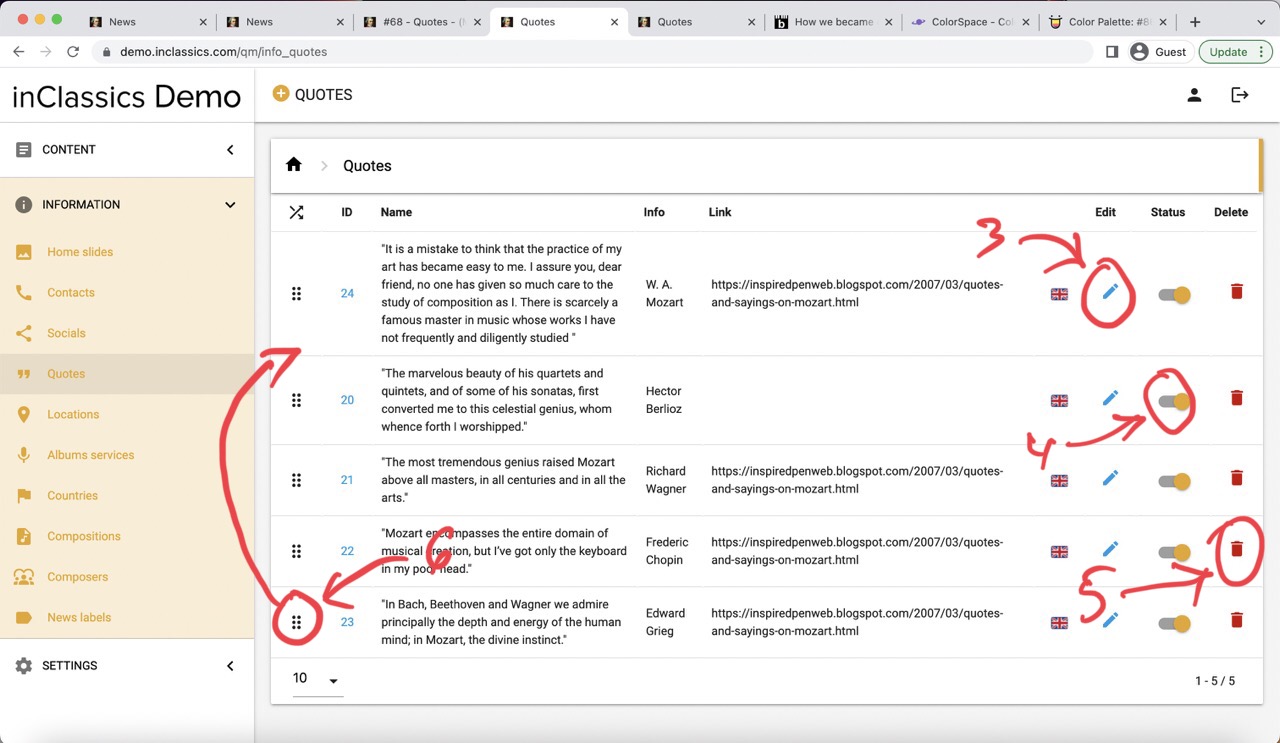
To manage your quotes:
- go to the admin panel
- go to the information tab (1)
- quotes (2)
Here you can:
- edit quote (3)
- publish or unpublish quote (4)
- delete quote (5)
- change quotes order by pressing and holding on the dots icon and dragging the quote into another place (6)