Locations Management
Video Tutorial
(55 seconds)
Check out the location in the demo event
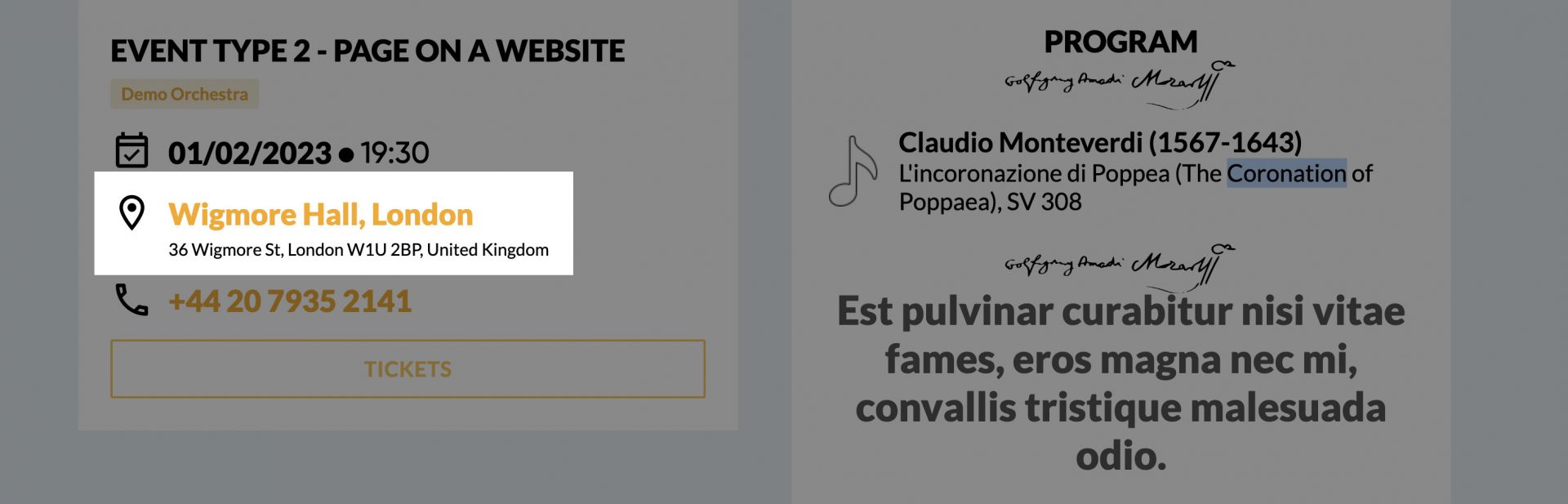
When you create the event, you can add a venue where this event is happening.
You can also save all the information about this venue in your database.
This will allow you to add a location and all the information about it in one click. When you add the address, your website will generate a link to this location on google maps automatically.
Add and Manage Locations
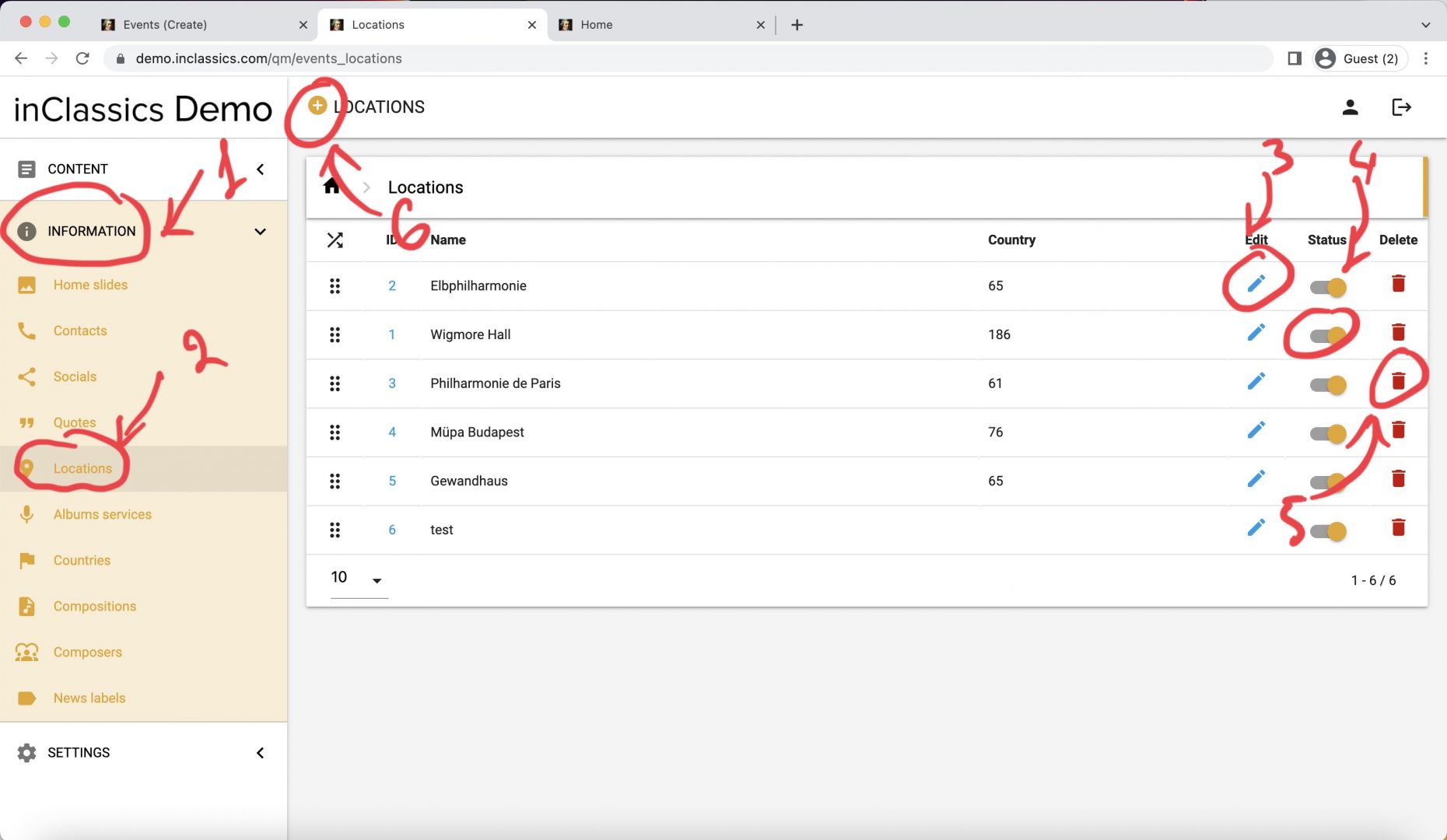
To create a location that you can reuse when publishing your events:
- go to admin panel
- information tab (1)
- click locations (2)
Here you see the list of your saved locations. You can:
- edit locations by clicking on pencil icon (3)
- unpublish and publish them by clicking on a toggle icon (4)
- delete by clicking on the bin (5)
To create a location click on the plus icon next to the Locations title (6)
Add Info about the Location
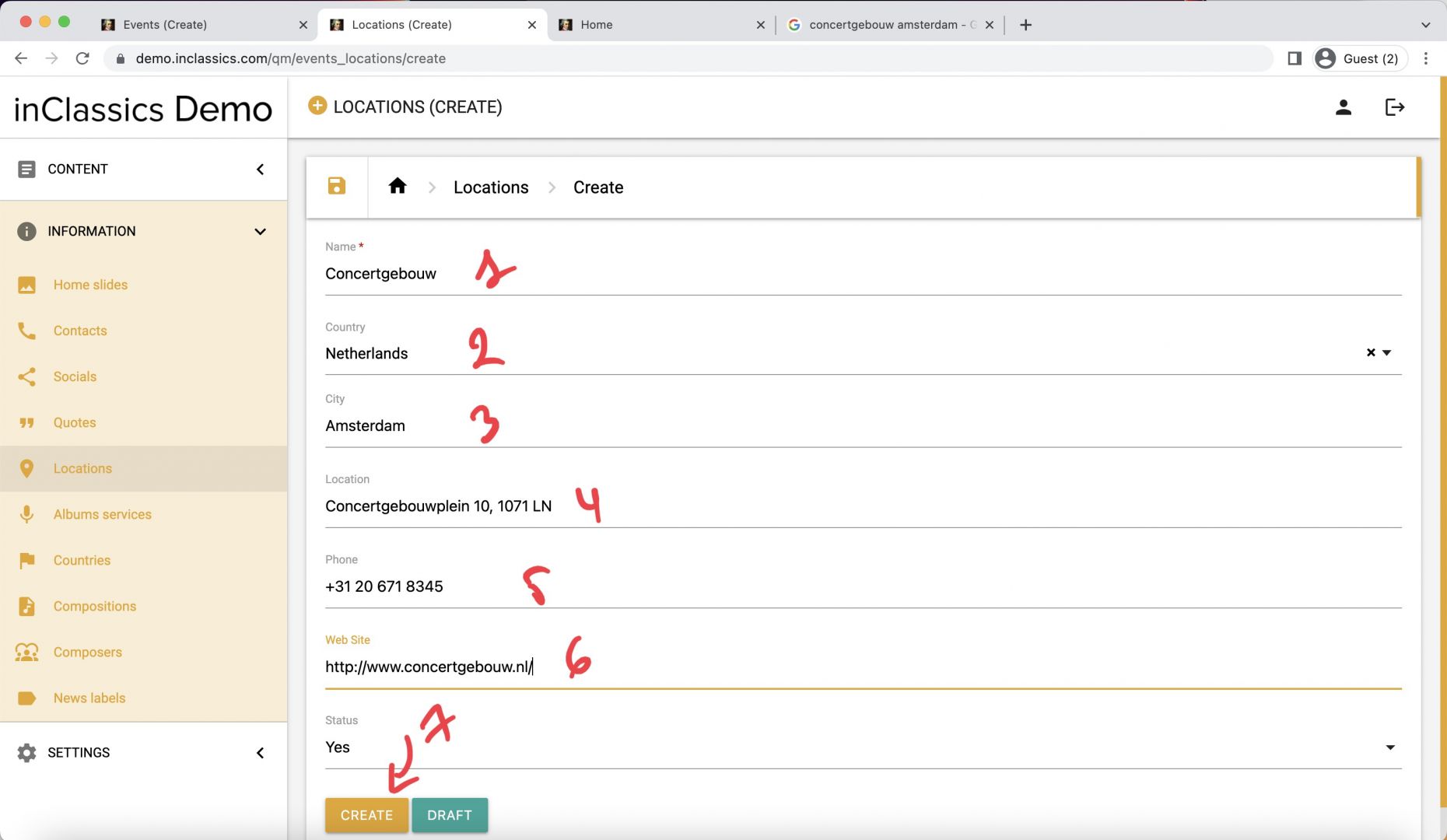
Here you can
- add a location name (1)
- choose a country (2)
- city (3)
- address (4)
- phone number (5)
- website address (6)
- click create (7)
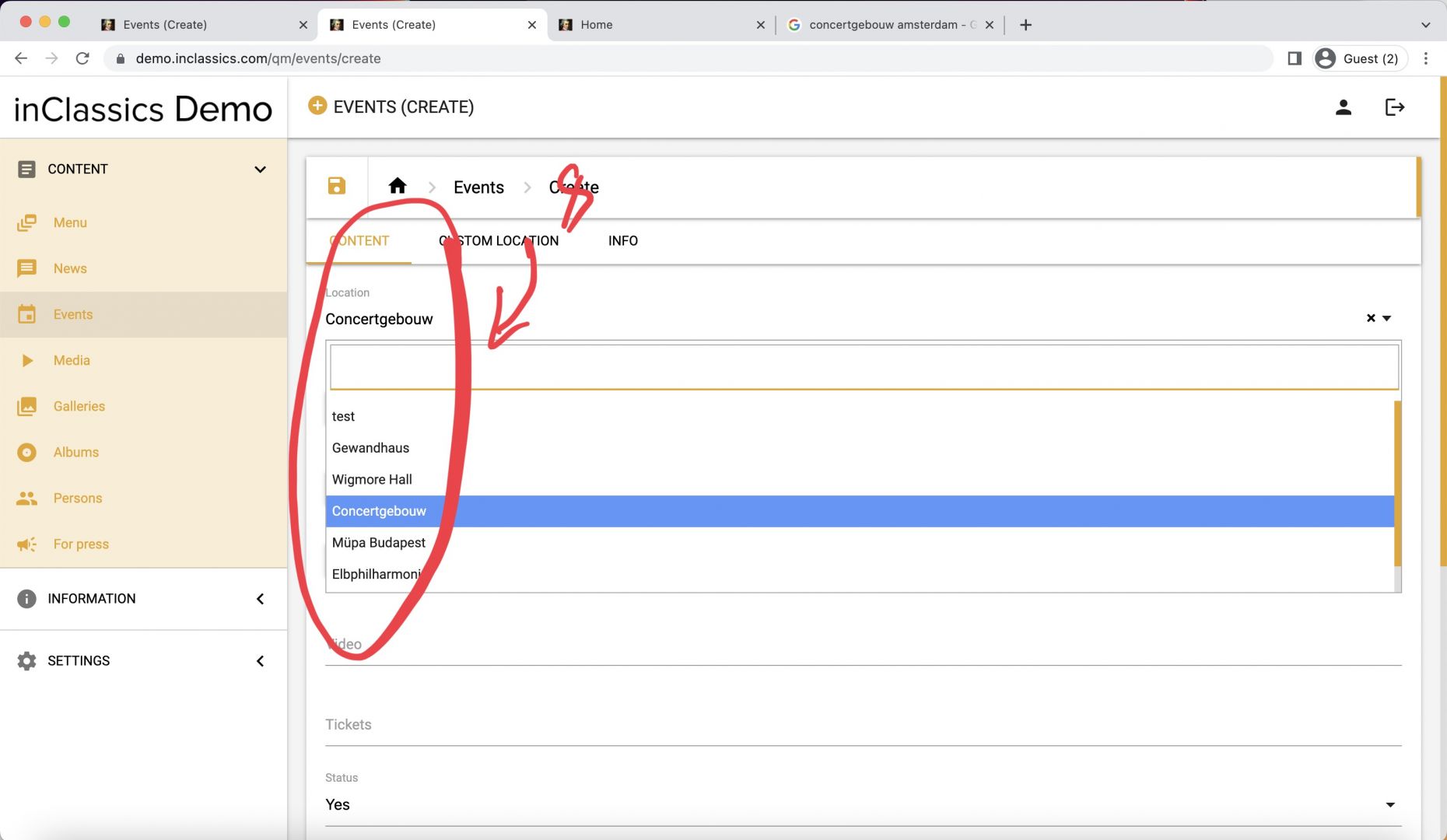
Now you can use this location when creating your event (8)
If you start creating your event and the location is not there, click on information tab and open locations in the new browser tab. Create your location as usual and go back to the Events (Create) tab. Click on locations menu and you will find your new location there.