Custom Page: Cards Block
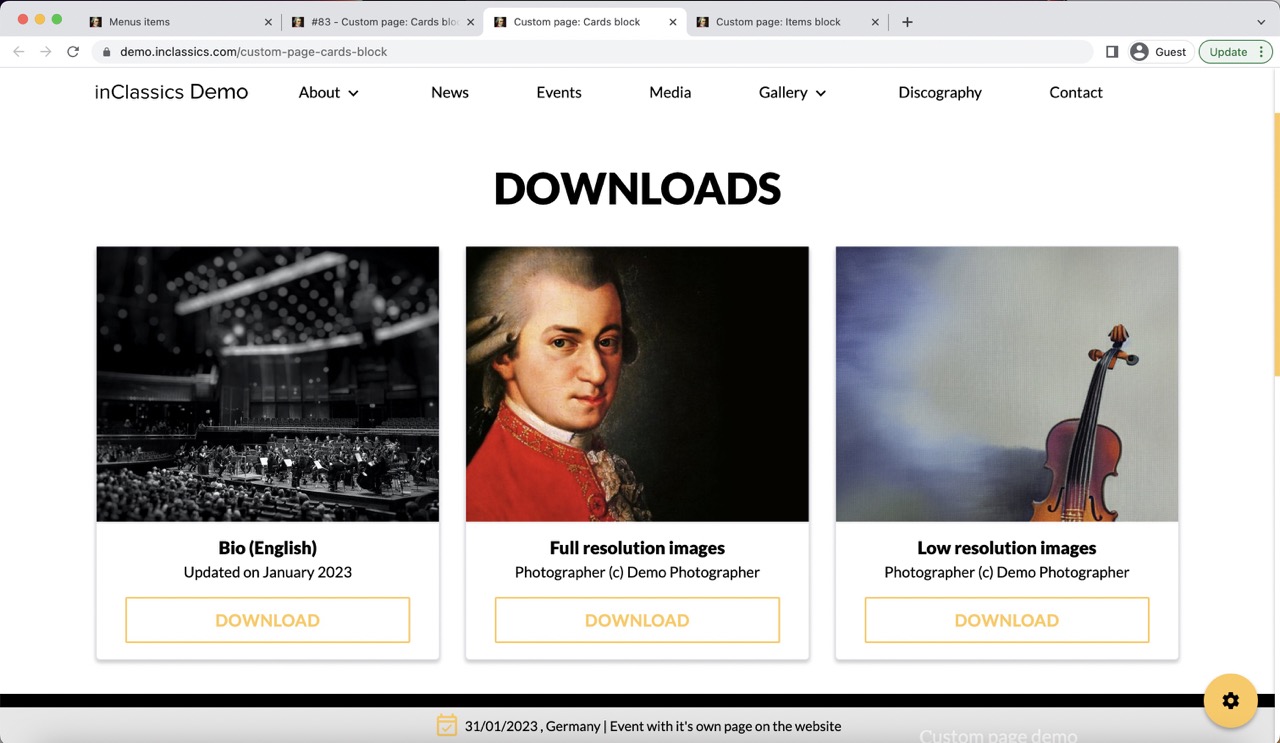
You can add custom cards to your pages to which you can add links or files.
Adding cards allows you to create more interesting design to your pages. You can use it, for example, to create image, bio, press kit downloads links etc.
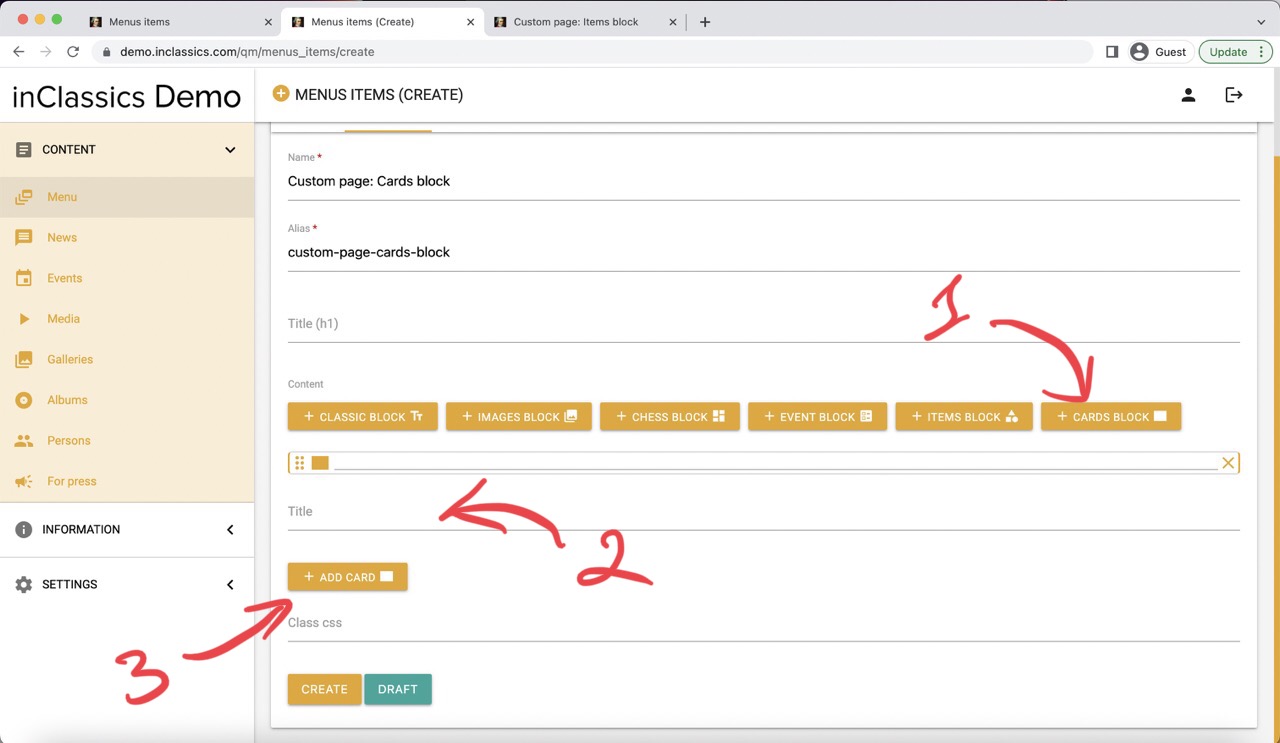
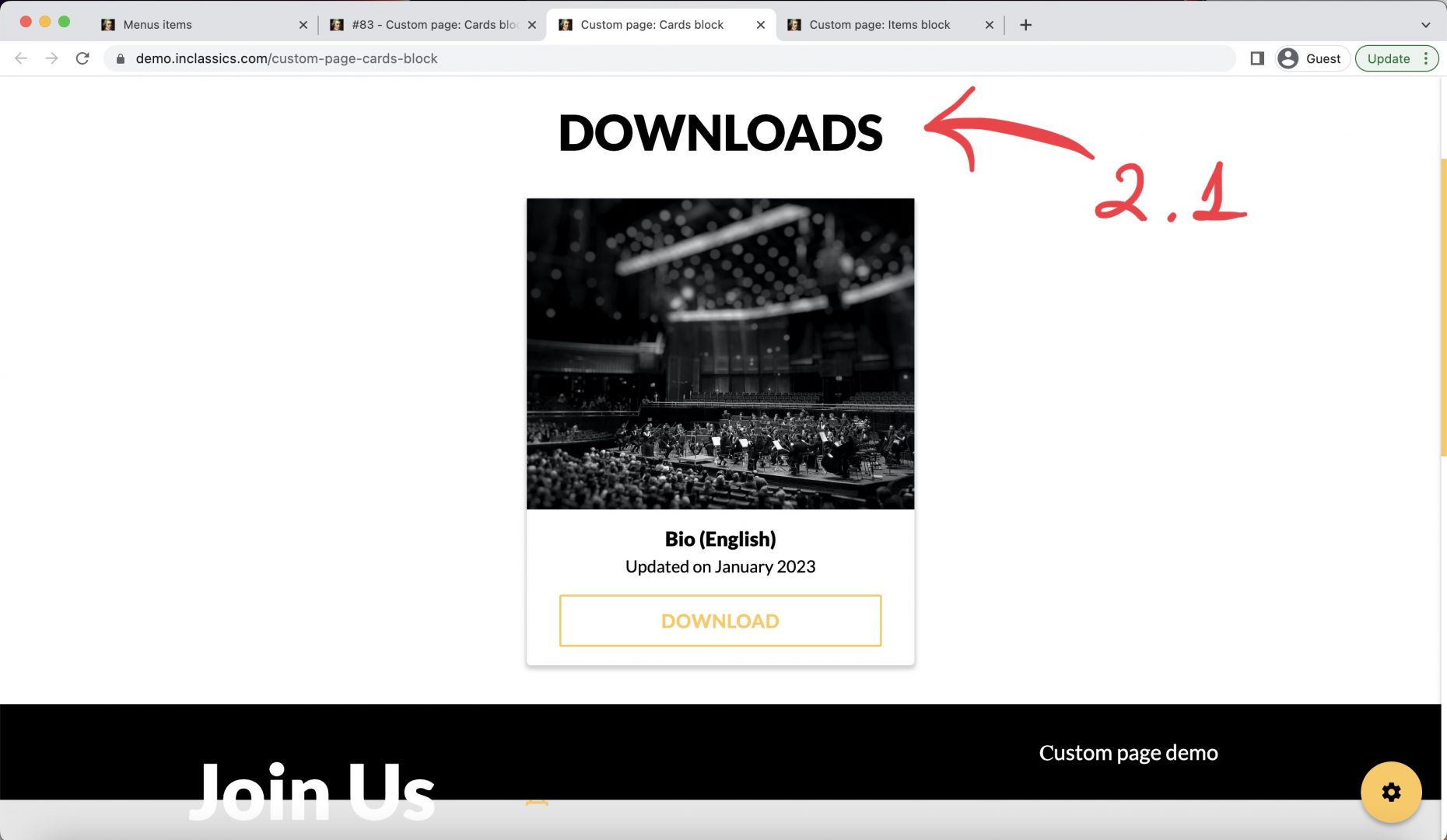
To add cards to your page:
click on the cards block button (1)
write a title for your cards block (2, 2.1) (you can have multiple cards in one card block)
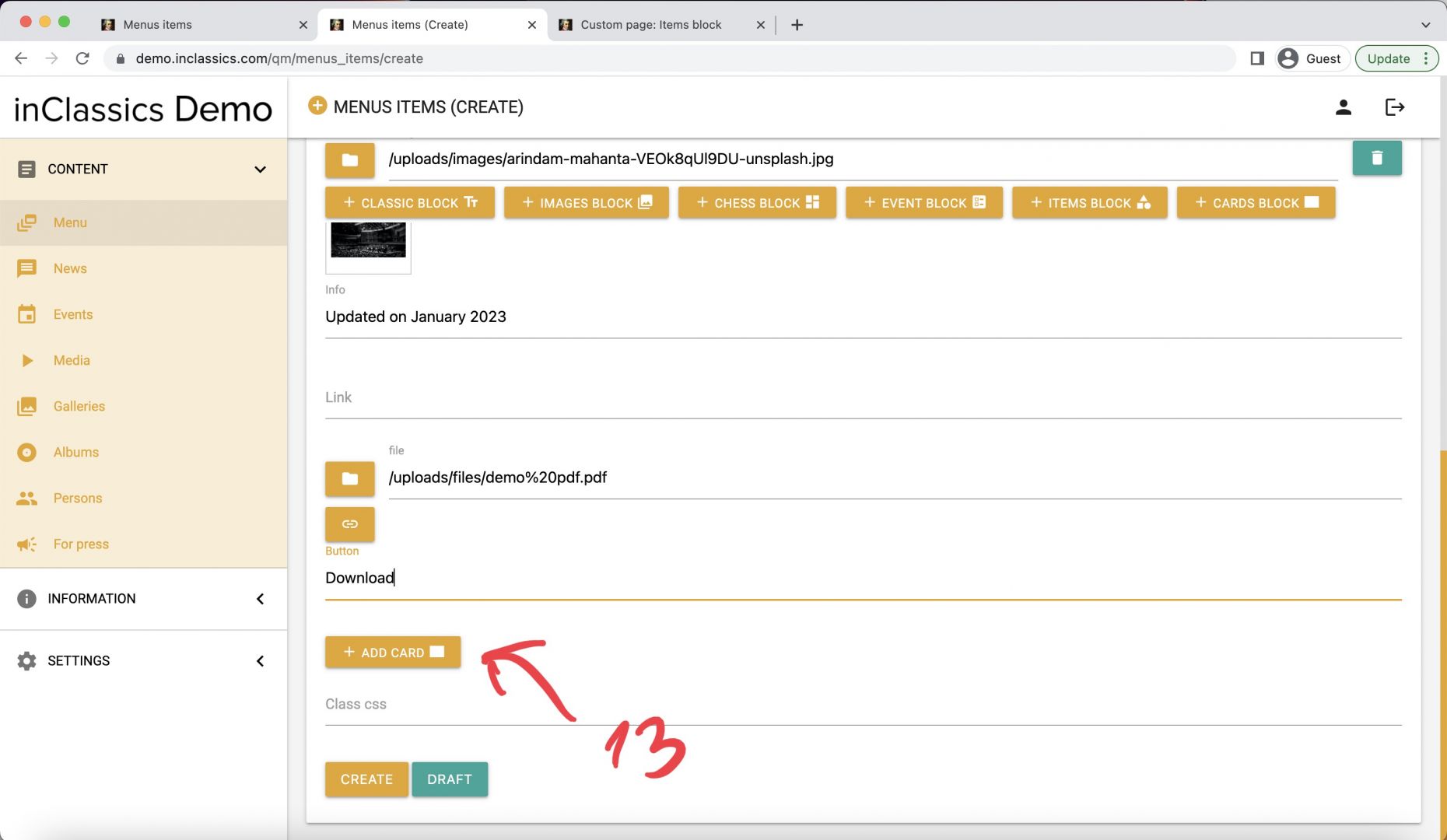
add cards by clicking add card button (3)
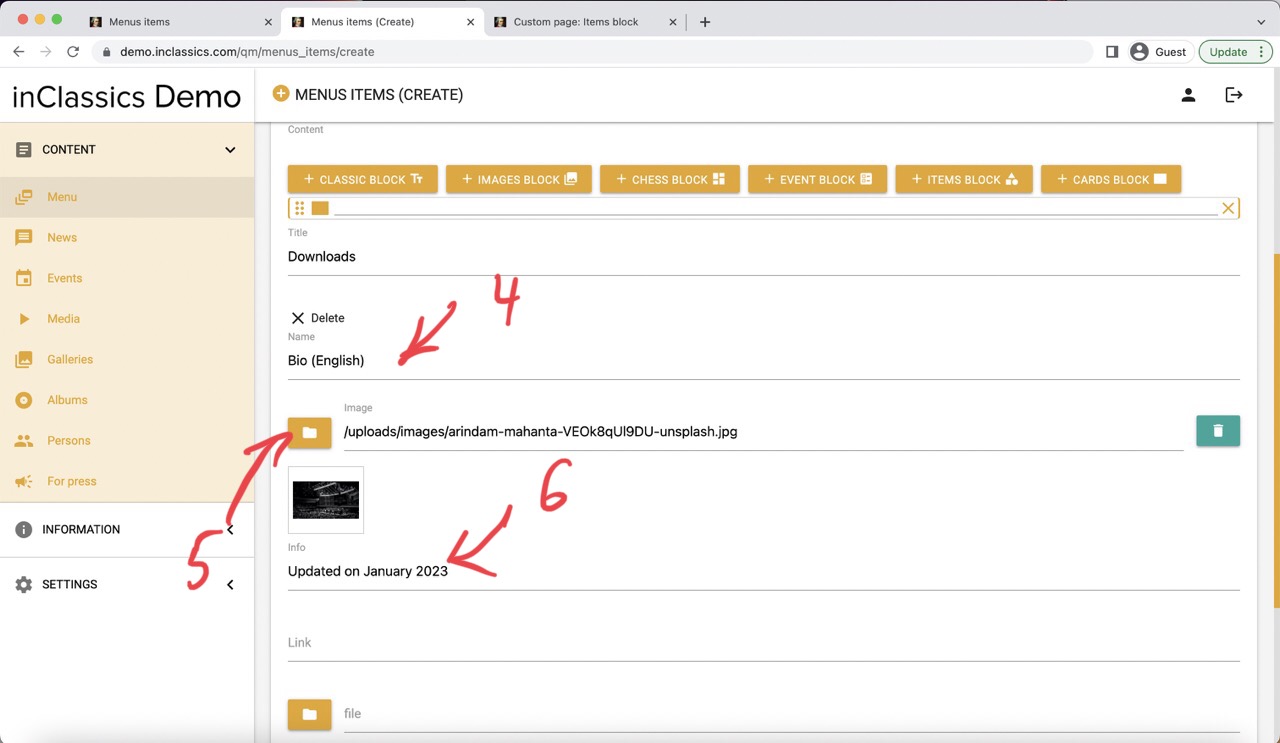
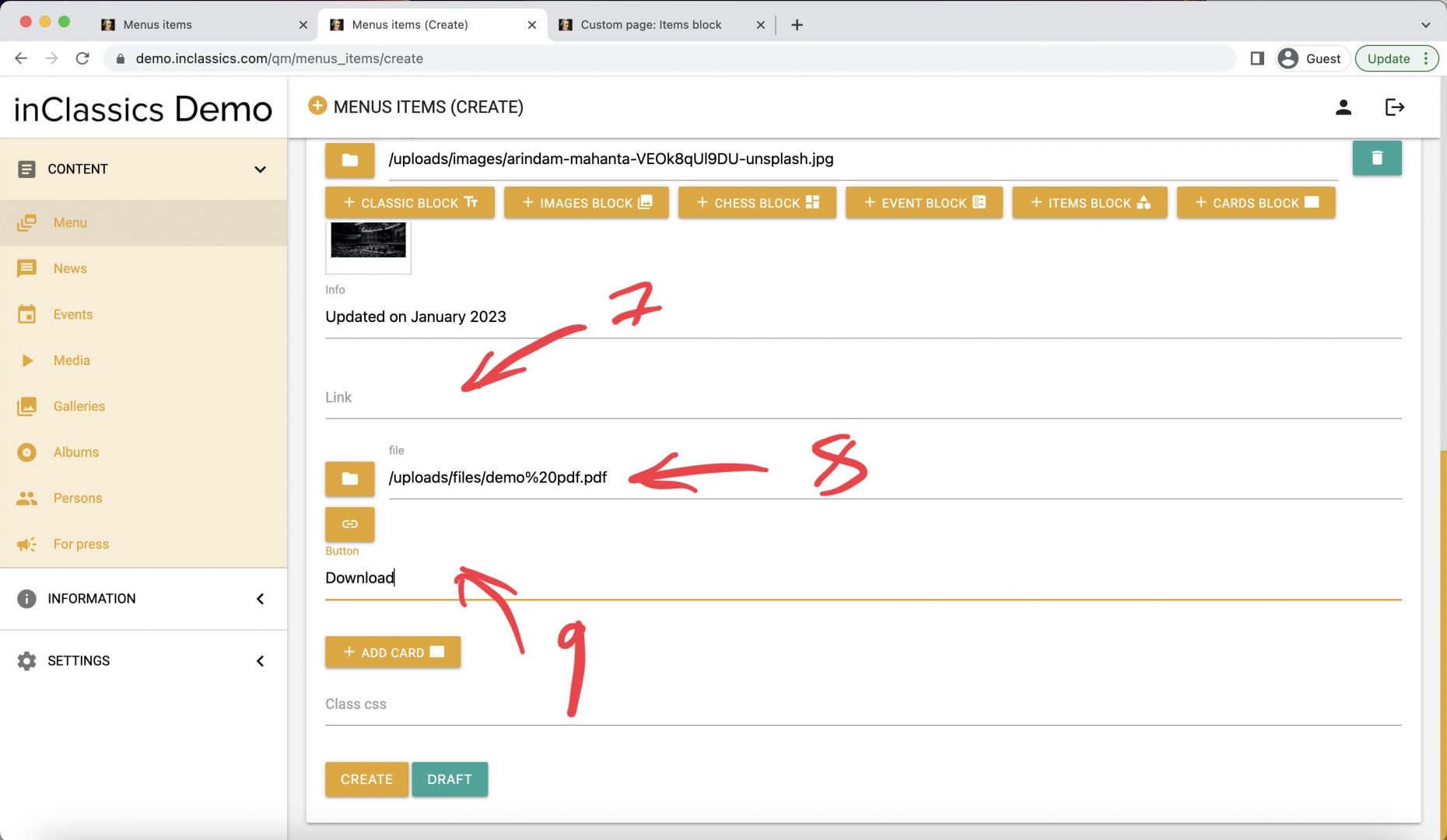
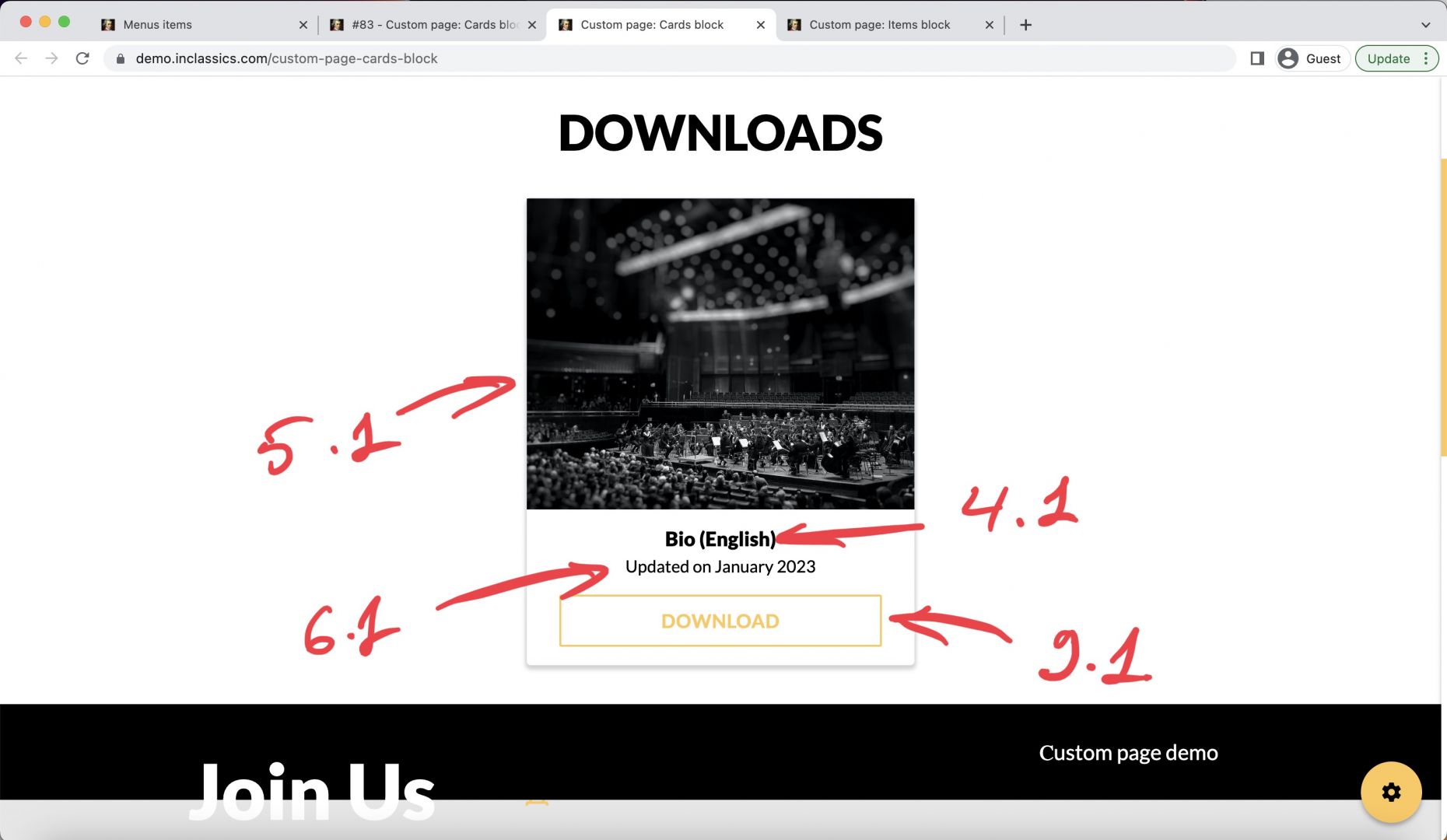
For each card you can add:
- name (4, 4.1)
- image (5, 5.1)
- info (6, 6.1)
- link (7) or file (8)
- text for the button (9, 9.1)
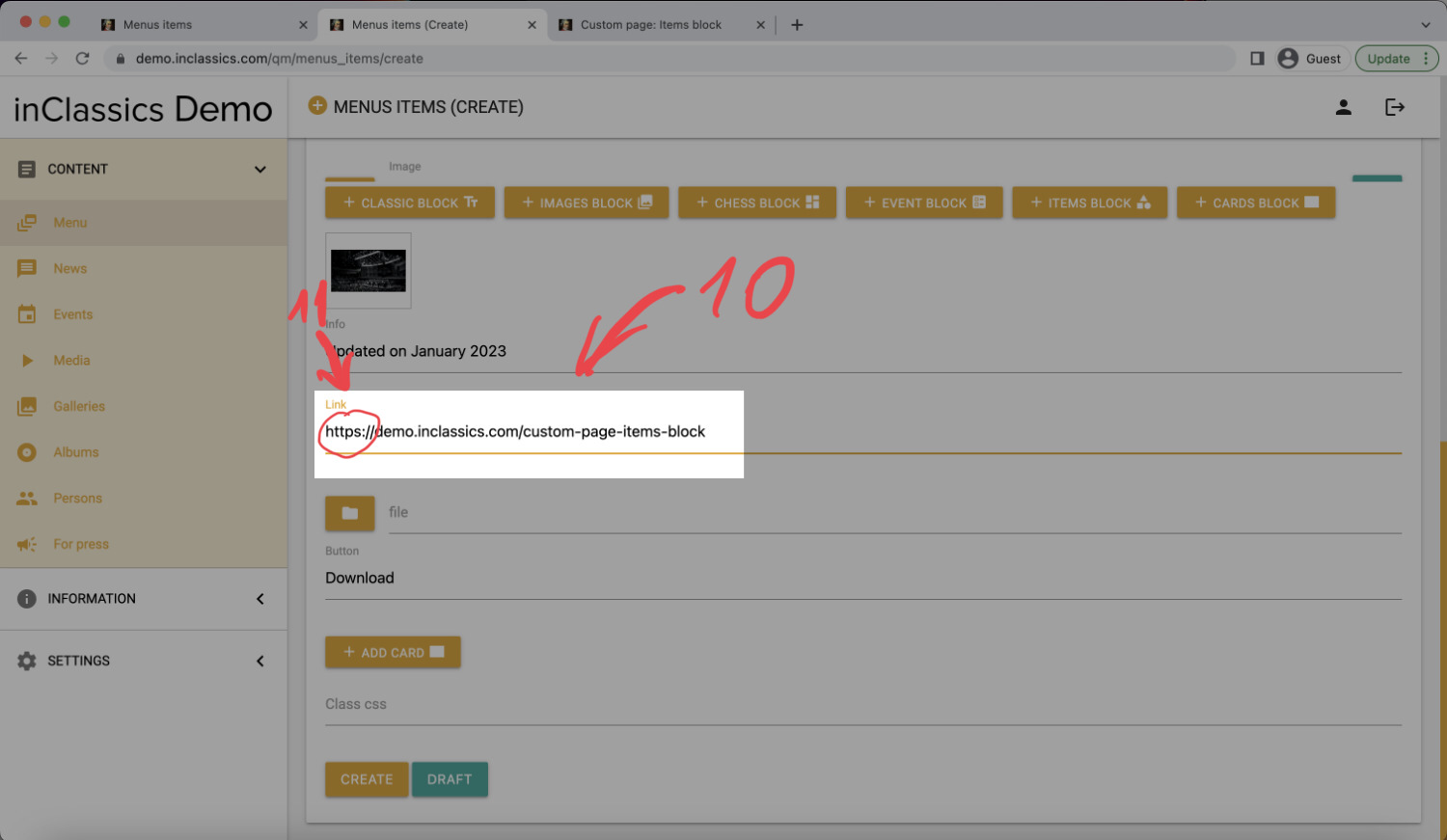
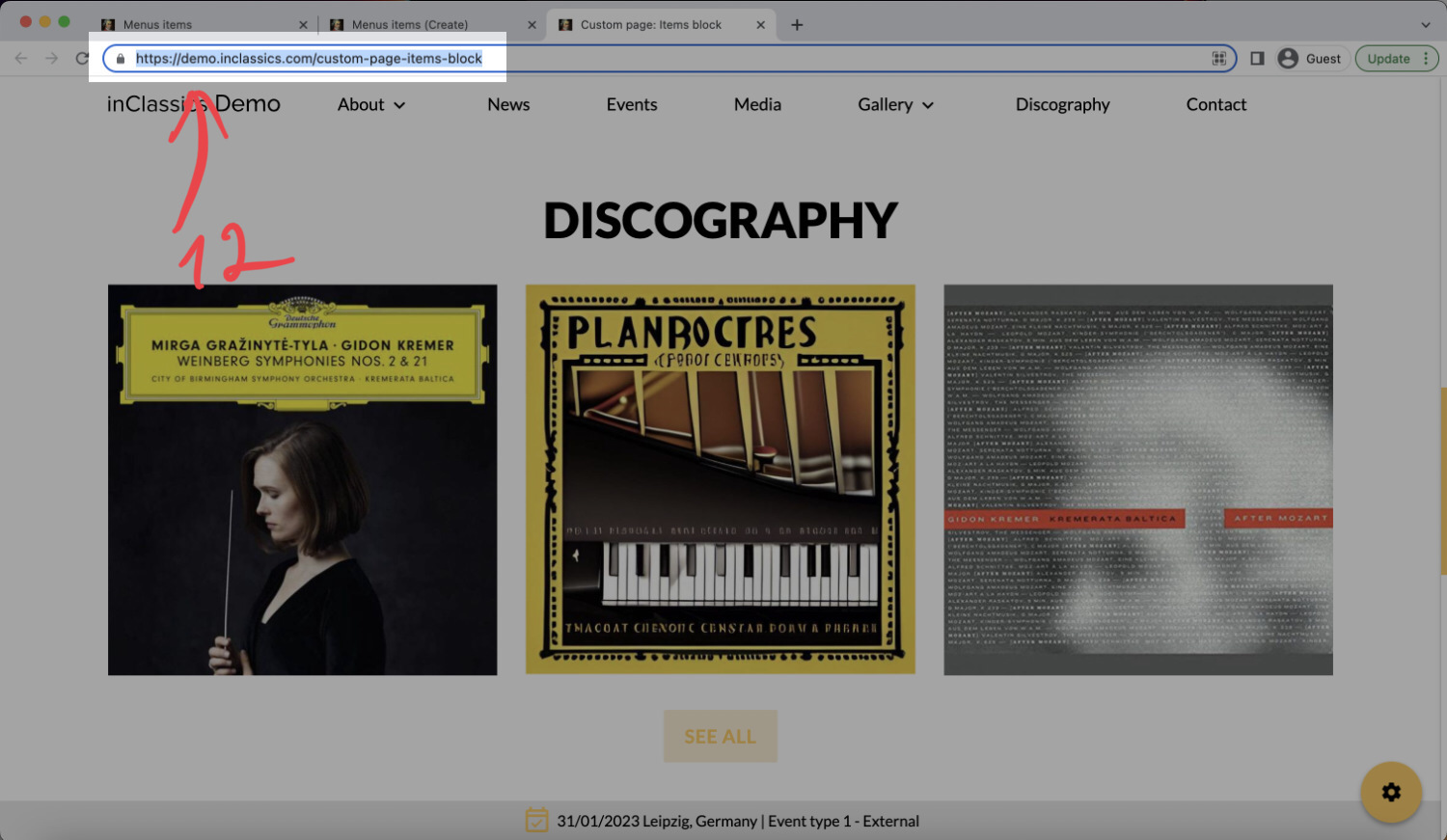
Important! When you add a link (10), it should be a full link to the website, starting with http or https (11) as you copy it from the browser's address tab (12)
You can add a link OR a file in each card.
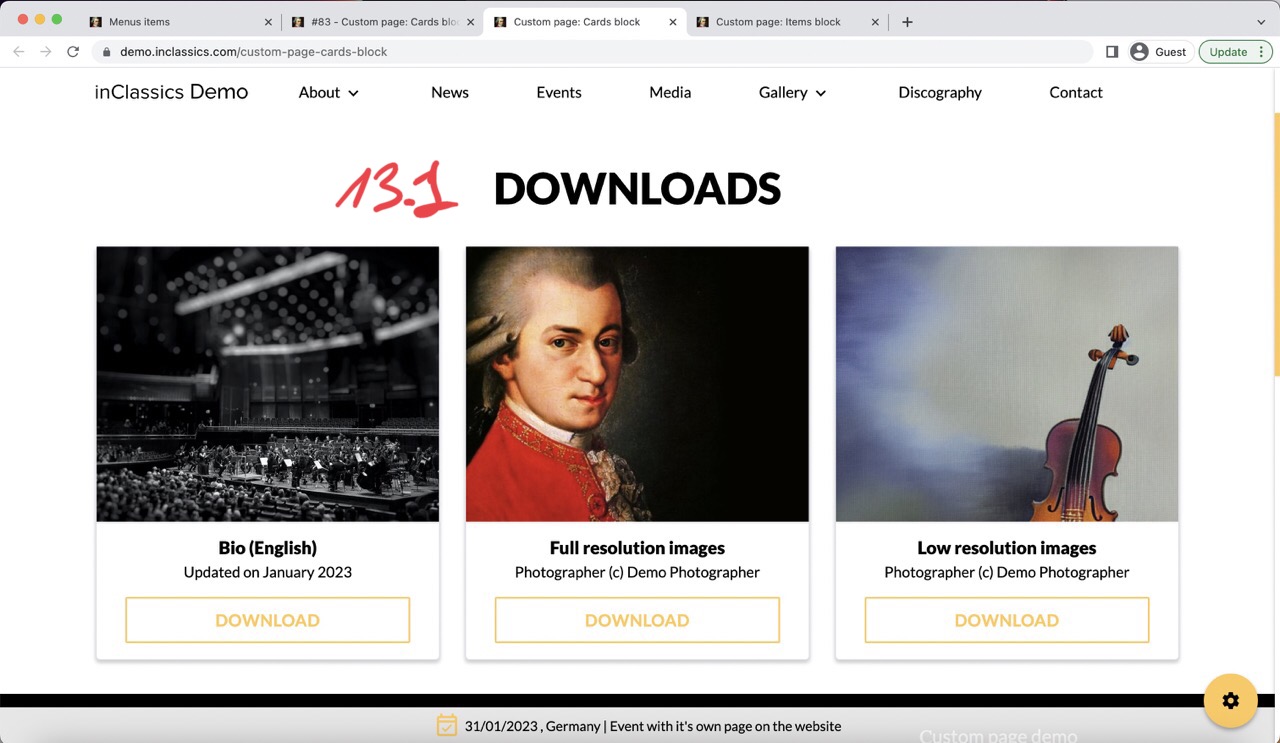
- You can add more cards to the block clinking on add card button (13, 13.1)